:root {
–cream: #faf7f2;
–warm-white: #fff9f4;
–mint-dark: #2d6a5a;
–mint-mid: #3d8b75;
–mint-light: #a8d5c5;
–mint-pale: #e8f5f0;
–accent: #c8773a;
–accent-light: #f2e4d6;
–danger: #b84040;
–danger-light: #faeaea;
–text-dark: #1c1c1c;
–text-mid: #4a4a4a;
–text-light: #7a7a7a;
–rule: #dde8e4;
}
*, *::before, *::after { box-sizing: border-box; margin: 0; padding: 0; }
html { font-size: 18px; scroll-behavior: smooth; }
body {
background-color: var(–cream);
color: var(–text-dark);
font-family: ‘DM Sans’, sans-serif;
font-weight: 300;
line-height: 1.8;
min-height: 100vh;
}
/* ── HERO ── */
.hero {
background-color: #18231e;
background-image:
radial-gradient(ellipse at 15% 60%, rgba(45,106,90,0.78) 0%, transparent 55%),
radial-gradient(ellipse at 85% 25%, rgba(168,213,197,0.18) 0%, transparent 50%),
radial-gradient(ellipse at 55% 95%, rgba(200,119,58,0.22) 0%, transparent 45%);
padding: 80px 24px 72px;
text-align: center;
position: relative;
overflow: hidden;
}
.hero::before {
content: ”;
position: absolute; inset: 0;
background-image: url(“data:image/svg+xml,%3Csvg width=’60’ height=’60’ viewBox=’0 0 60 60′ xmlns=’http://www.w3.org/2000/svg’%3E%3Cg fill=’none’ fill-rule=’evenodd’%3E%3Cg fill=’%23ffffff’ fill-opacity=’0.025’%3E%3Ccircle cx=’30’ cy=’30’ r=’2’/%3E%3C/g%3E%3C/g%3E%3C/svg%3E”);
pointer-events: none;
}
.hero-kicker {
display: inline-block;
font-family: ‘DM Sans’, sans-serif;
font-size: 0.68rem; font-weight: 500;
letter-spacing: 0.24em; text-transform: uppercase;
color: var(–mint-light);
border: 1px solid rgba(168,213,197,0.35);
padding: 6px 18px; border-radius: 2px; margin-bottom: 28px;
}
.hero h1 {
font-family: ‘Cormorant Garamond’, serif;
font-size: clamp(2.3rem, 5.5vw, 4.2rem);
font-weight: 300; line-height: 1.1;
color: #ffffff; max-width: 780px;
margin: 0 auto 24px; letter-spacing: -0.01em;
}
.hero h1 em { font-style: italic; color: var(–accent); }
.hero-divider { width: 48px; height: 2px; background: var(–accent); margin: 24px auto; }
.hero-meta {
font-size: 0.77rem; color: rgba(255,255,255,0.45);
letter-spacing: 0.09em; text-transform: uppercase;
}
/* ── TOC ── */
.toc-row {
display: flex; flex-wrap: wrap; gap: 8px;
justify-content: center;
padding: 32px 24px 0;
max-width: 860px; margin: 0 auto;
}
.toc-badge {
font-size: 0.72rem; font-weight: 500; letter-spacing: 0.04em;
color: var(–mint-dark); background: var(–mint-pale);
border: 1px solid var(–mint-light); border-radius: 20px;
padding: 5px 14px; text-decoration: none;
transition: background 0.2s, color 0.2s;
}
.toc-badge:hover { background: var(–mint-dark); color: #fff; border-color: var(–mint-dark); }
/* ── LAYOUT ── */
.article-wrap { max-width: 820px; margin: 0 auto; padding: 0 24px 100px; }
/* ── LEAD ── */
.lead { padding: 52px 0 0; }
.lead p:first-child {
font-family: ‘Cormorant Garamond’, serif;
font-size: 1.45rem; font-weight: 400;
line-height: 1.65; color: var(–text-dark);
}
.lead p + p { margin-top: 1.2em; font-size: 1rem; color: var(–text-mid); }
/* ── SECTION RULE ── */
.section-rule { display: flex; align-items: center; gap: 16px; margin: 56px 0 40px; }
.section-rule::before, .section-rule::after { content: ”; flex: 1; height: 1px; background: var(–rule); }
.section-rule-dot { width: 7px; height: 7px; border-radius: 50%; background: var(–accent); }
.section-label {
font-size: 0.65rem; font-weight: 500;
letter-spacing: 0.2em; text-transform: uppercase;
color: var(–mint-mid); margin-bottom: 10px;
}
h2 {
font-family: ‘Cormorant Garamond’, serif;
font-size: clamp(1.6rem, 3.5vw, 2.15rem);
font-weight: 600; line-height: 1.2;
color: var(–mint-dark); margin-bottom: 20px;
letter-spacing: -0.01em;
}
h3 {
font-family: ‘Cormorant Garamond’, serif;
font-size: 1.25rem; font-weight: 600;
color: var(–mint-dark); margin-bottom: 8px;
line-height: 1.3; letter-spacing: -0.01em;
}
p { font-size: 1rem; line-height: 1.85; color: var(–text-mid); margin-bottom: 1.15em; }
strong { font-weight: 500; color: var(–text-dark); }
a { color: var(–mint-mid); text-decoration: none; border-bottom: 1px solid var(–mint-light); transition: color 0.2s, border-color 0.2s; }
a:hover { color: var(–mint-dark); border-color: var(–mint-dark); }
/* ── GREEN CALLOUT ── */
.callout {
background: var(–mint-pale); border-left: 4px solid var(–mint-mid);
padding: 24px 28px; margin: 32px 0; border-radius: 0 8px 8px 0;
}
.callout p { margin: 0; font-family: ‘Cormorant Garamond’, serif; font-size: 1.22rem; font-style: italic; color: var(–mint-dark); line-height: 1.6; }
/* ── RED WARNING ── */
.warning-callout {
background: var(–danger-light); border-left: 4px solid var(–danger);
padding: 20px 24px; margin: 28px 0; border-radius: 0 8px 8px 0;
}
.warning-callout p { margin: 0; font-size: 0.9rem; color: var(–danger); line-height: 1.65; }
.warning-callout strong { color: var(–danger); }
/* ── STAT BOX ── */
.stat-box {
display: flex; align-items: center; gap: 24px;
background: var(–accent-light); border-radius: 12px;
padding: 24px 28px; margin: 32px 0;
}
.stat-number { font-family: ‘Cormorant Garamond’, serif; font-size: 3.6rem; font-weight: 700; color: var(–accent); line-height: 1; white-space: nowrap; flex-shrink: 0; }
.stat-text { font-size: 0.95rem; color: var(–text-mid); line-height: 1.65; margin: 0; }
/* ── FEATURE ENTRY CARD (numbered) ── */
.feature-entry {
background: var(–warm-white);
border: 1px solid var(–rule);
border-radius: 14px;
padding: 32px 30px 26px;
margin: 32px 0;
position: relative;
}
.feature-num {
position: absolute;
top: -20px; left: 24px;
font-family: ‘Cormorant Garamond’, serif;
font-size: 2.8rem; font-weight: 700;
color: var(–accent); line-height: 1;
background: var(–cream);
padding: 0 8px;
}
.feature-entry h3 {
font-size: 1.5rem;
margin-top: 10px; margin-bottom: 12px;
}
.feature-entry p { font-size: 0.97rem; margin-bottom: 0.8em; }
.feature-entry p:last-of-type { margin-bottom: 0; }
/* ── STEP CARDS (numbered steps inside features) ── */
.step-list { display: flex; flex-direction: column; gap: 16px; margin: 22px 0 8px; }
.step-card {
display: flex; gap: 18px; align-items: flex-start;
background: var(–cream); border: 1px solid var(–rule);
border-radius: 10px; padding: 18px 20px;
}
.step-num-sm {
flex-shrink: 0; width: 36px; height: 36px; border-radius: 50%;
background: var(–mint-dark); color: #fff;
font-family: ‘Cormorant Garamond’, serif;
font-size: 1.1rem; font-weight: 700;
display: flex; align-items: center; justify-content: center;
}
.step-body { flex: 1; }
.step-body h4 {
font-family: ‘Cormorant Garamond’, serif;
font-size: 1.05rem; font-weight: 600;
color: var(–mint-dark); margin-bottom: 4px; line-height: 1.25;
}
.step-body p { font-size: 0.88rem; margin: 0; color: var(–text-mid); line-height: 1.65; }
/* ── 2-COL SERVICE GRID ── */
.service-grid {
display: grid; grid-template-columns: 1fr 1fr;
gap: 14px; margin: 20px 0 10px;
}
@media (max-width: 600px) { .service-grid { grid-template-columns: 1fr; } }
.service-card {
background: var(–cream); border: 1px solid var(–rule);
border-top: 3px solid var(–mint-mid);
border-radius: 0 0 10px 10px; padding: 16px 18px;
}
.service-card strong {
display: block; font-size: 0.86rem; color: var(–mint-dark);
margin-bottom: 5px; font-weight: 500; letter-spacing: 0.02em;
}
.service-card p { font-size: 0.82rem; line-height: 1.6; margin: 0; color: var(–text-mid); }
/* ── RED MISTAKE GRID ── */
.mistake-grid {
display: grid; grid-template-columns: 1fr 1fr;
gap: 12px; margin: 20px 0 10px;
}
@media (max-width: 580px) { .mistake-grid { grid-template-columns: 1fr; } }
.mistake-card {
border-radius: 10px; padding: 16px 18px;
border: 1px solid rgba(184,64,64,0.25);
background: #fdf5f5;
}
.mistake-card strong {
display: block; font-size: 0.84rem;
color: var(–danger); margin-bottom: 4px; font-weight: 500;
}
.mistake-card p { font-size: 0.8rem; color: #7a3a3a; margin: 0; line-height: 1.55; }
/* ── CHECKLIST ── */
.checklist { display: grid; grid-template-columns: 1fr 1fr; gap: 12px; margin: 24px 0 28px; }
@media (max-width: 560px) { .checklist { grid-template-columns: 1fr; } }
.checklist-item {
background: var(–warm-white); border: 1px solid var(–rule);
border-radius: 10px; padding: 14px 16px;
display: flex; gap: 12px; align-items: flex-start;
}
.check-icon {
width: 22px; height: 22px; border-radius: 50%;
background: var(–mint-dark);
display: flex; align-items: center; justify-content: center;
flex-shrink: 0; margin-top: 1px;
}
.check-icon svg { width: 11px; height: 11px; }
.checklist-item strong { display: block; font-size: 0.84rem; color: var(–text-dark); margin-bottom: 2px; }
.checklist-item span { font-size: 0.79rem; color: var(–text-light); line-height: 1.5; }
/* ── PRO TIP ── */
.pro-tip {
display: flex; gap: 12px; align-items: flex-start;
background: var(–mint-pale); border-radius: 8px;
padding: 14px 16px; margin: 18px 0 6px;
}
.pro-tip-icon {
flex-shrink: 0; width: 20px; height: 20px; border-radius: 50%;
background: var(–mint-dark); display: flex; align-items: center;
justify-content: center; font-size: 0.65rem; color: #fff;
font-weight: 700; margin-top: 2px;
}
.pro-tip p { font-size: 0.82rem; color: var(–mint-dark); margin: 0; line-height: 1.6; font-weight: 400; }
/* ── INLINE LIST ── */
ul.std-list { list-style: none; padding: 0; margin: 14px 0 18px; }
ul.std-list li {
position: relative; padding-left: 20px;
margin-bottom: 8px; font-size: 0.94rem;
color: var(–text-mid); line-height: 1.7;
}
ul.std-list li::before {
content: ”; position: absolute; left: 0; top: 11px;
width: 6px; height: 6px; border-radius: 50%; background: var(–mint-mid);
}
/* ── CTA BUTTON DEMO STRIP ── */
.cta-strip {
display: flex; flex-wrap: wrap; gap: 10px;
margin: 20px 0 10px;
}
.cta-demo {
display: inline-block;
font-family: ‘DM Sans’, sans-serif;
font-size: 0.8rem; font-weight: 500;
padding: 10px 20px; border-radius: 6px;
color: #fff; background: var(–mint-dark);
border: none; cursor: default;
letter-spacing: 0.04em;
}
.cta-demo.accent { background: var(–accent); }
.cta-demo.outline {
background: transparent;
border: 2px solid var(–mint-dark);
color: var(–mint-dark);
}
/* ── BONUS GRID ── */
.bonus-grid {
display: grid;
grid-template-columns: repeat(auto-fill, minmax(180px, 1fr));
gap: 12px; margin: 24px 0 28px;
}
.bonus-card {
background: var(–warm-white);
border: 1px solid var(–rule);
border-radius: 10px; padding: 16px 18px;
display: flex; gap: 10px; align-items: flex-start;
}
.bonus-icon {
font-size: 1.2rem; flex-shrink: 0; line-height: 1; margin-top: 2px;
}
.bonus-card strong {
display: block; font-size: 0.82rem; color: var(–text-dark);
font-weight: 500; margin-bottom: 2px;
}
.bonus-card span { font-size: 0.75rem; color: var(–text-light); line-height: 1.45; }
/* ── CTA BLOCK ── */
.cta-block {
background: var(–mint-dark);
background-image:
radial-gradient(ellipse at 80% 50%, rgba(61,139,117,0.5) 0%, transparent 60%),
radial-gradient(ellipse at 10% 80%, rgba(200,119,58,0.2) 0%, transparent 40%);
color: #fff; border-radius: 16px;
padding: 52px 44px; margin-top: 64px; text-align: center;
}
.cta-block h2 { color: #fff; font-family: ‘Cormorant Garamond’, serif; font-size: clamp(1.6rem, 3vw, 2.1rem); margin-bottom: 16px; }
.cta-block p { color: rgba(255,255,255,0.8); max-width: 560px; margin: 0 auto; font-size: 0.97rem; }
.cta-block .hero-divider { background: var(–accent); margin: 20px auto; }
/* ── FAQ ── */
.faq-section { margin-top: 64px; }
.faq-intro { margin-bottom: 32px; }
.faq-intro p { font-size: 1rem; color: var(–text-mid); margin: 0; }
.faq-list { list-style: none; padding: 0; margin: 0; }
.faq-item { border-bottom: 1px solid var(–rule); }
.faq-item:first-child { border-top: 1px solid var(–rule); }
.faq-item summary {
display: flex; align-items: center; justify-content: space-between; gap: 16px;
padding: 22px 4px; cursor: pointer; list-style: none;
font-family: ‘Cormorant Garamond’, serif; font-size: 1.18rem;
font-weight: 600; color: var(–mint-dark); line-height: 1.3;
user-select: none; transition: color 0.2s;
}
.faq-item summary::-webkit-details-marker { display: none; }
.faq-item summary::marker { display: none; }
.faq-item summary:hover { color: var(–mint-mid); }
.faq-icon {
flex-shrink: 0; width: 28px; height: 28px; border-radius: 50%;
border: 1.5px solid var(–mint-light);
display: flex; align-items: center; justify-content: center;
}
.faq-icon::before {
content: ‘+’; font-family: ‘DM Sans’, sans-serif;
font-size: 1.1rem; font-weight: 300; color: var(–mint-mid); line-height: 1; display: block;
}
.faq-item details[open] summary .faq-icon { background: var(–mint-dark); border-color: var(–mint-dark); }
.faq-item details[open] summary .faq-icon::before { content: ‘−’; color: #fff; }
.faq-answer { padding: 0 4px 24px; font-size: 0.97rem; color: var(–text-mid); line-height: 1.8; max-width: 680px; }
.faq-answer p { margin: 0 0 0.8em; font-size: 0.97rem; color: var(–text-mid); }
.faq-answer p:last-child { margin-bottom: 0; }
.faq-answer strong { color: var(–text-dark); }
/* ── FOOTER ── */
.article-footer {
margin-top: 64px; padding-top: 24px;
border-top: 1px solid var(–rule);
font-size: 0.75rem; color: var(–text-light); line-height: 1.8;
}
.article-footer a { color: var(–text-light); border-bottom-color: var(–rule); }
@media (max-width: 540px) {
.feature-num { font-size: 2.2rem; top: -15px; }
.cta-block { padding: 36px 24px; }
}
8 Key Features of a Small Business Website Design
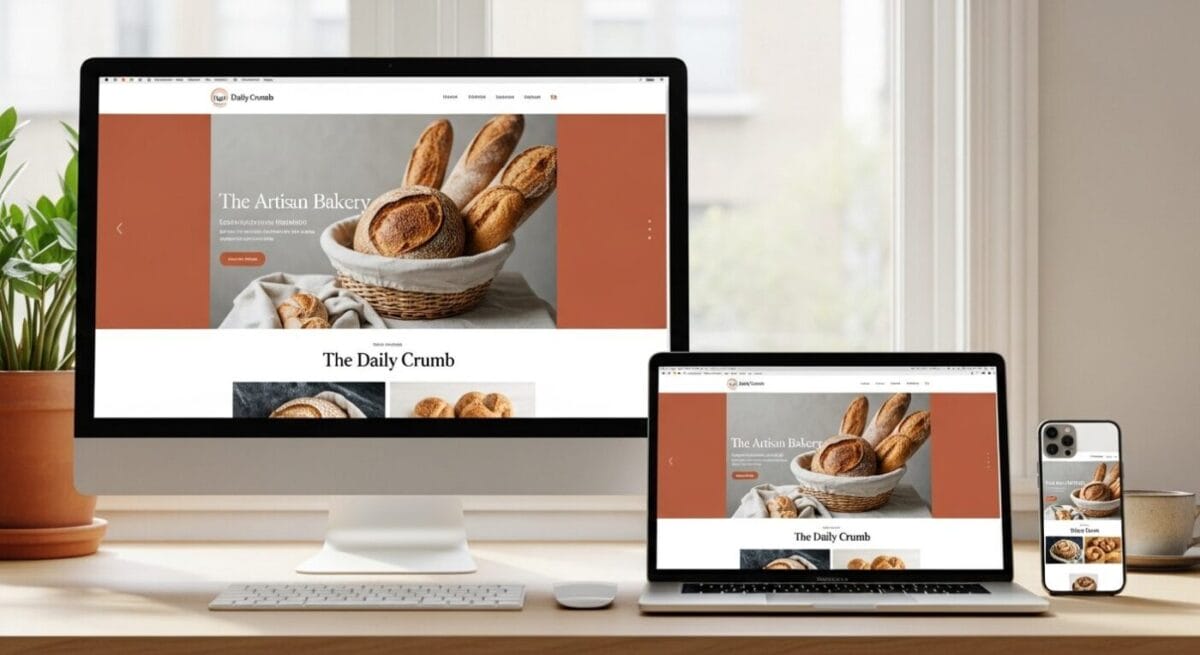
Your website is your most powerful salesperson — working around the clock, speaking to every potential customer before they ever call, walk in, or click “book now.” In 2025, a weak website doesn’t just underperform. It actively costs you business.
The good news: you don’t need a massive budget to have a website that converts visitors into customers. You need the right features, executed well. This guide covers the 8 most important elements every small business website must have — and the bonus features that separate the good from the great.
Many consumers judge a business’s credibility based on its website design, according to research by Network Solutions. And 94% of all first impressions are design-related — formed in as little as 50 milliseconds. Your website isn’t just a digital brochure. It’s your most important trust signal.
A great small business website doesn’t need to be flashy or expensive. It needs to be fast, easy to use, easy to find, and easy to trust — on any device, from any location, at any hour of the day.

Mobile-Friendly Design
A modern small business website must work properly on smartphones and tablets — not just display on them. Mobile-friendly means buttons are easy to tap, text is readable without zooming, images resize correctly, and forms submit without frustration. Most visitors now browse on mobile devices, and Google has made mobile-friendliness a direct ranking factor.
The numbers make the case impossible to ignore. Mobile devices now account for 62.45% of all internet traffic worldwide. And according to Marketing Scoop, every site in Google’s top 10 results is mobile-friendly — while only two-thirds of sites ranking 11–20 are optimized for mobile. The correlation is direct and unmistakable.
Google’s mobile-first indexing is not optional. As of mid-2024, Google stopped indexing sites that are not accessible on mobile. A non-mobile-friendly website will not appear in Google search results — for any query, on any device.
Responsive Design
A responsive website automatically adjusts its layout to fit any screen size — desktop, tablet, or phone — without requiring a separate mobile version.
Touch-Friendly Navigation
Buttons and links must be large enough to tap with a finger. Spacing between elements prevents accidental clicks. Menus collapse cleanly on small screens.
Readable Text Without Zooming
Body text should be at least 16px. Headings should be clearly larger. No user should need to pinch-zoom to read your content on a phone.
Mobile-First Content
Short paragraphs, bullet points, and scannable layouts perform best on mobile. Dense walls of text — readable on desktop — are frustrating on a 6-inch screen.
Test your site right now: Search “Google Mobile-Friendly Test” and enter your URL. You’ll see exactly how Google evaluates your site for mobile usability — and get specific recommendations for what to fix.

Fast Loading Speed
Slow websites frustrate visitors and reduce conversions — directly, measurably, and immediately. 53% of users abandon a page if it takes more than 3 seconds to load. A one-second delay in load time reduces conversions by up to 20%. These aren’t hypothetical projections — they’re documented outcomes from millions of real user sessions.
Page speed is also a confirmed Google ranking signal. Google’s Core Web Vitals — a set of speed and user experience metrics — directly affect where your site appears in search results. A slow website doesn’t just lose visitors once they arrive; it prevents them from finding you in the first place.
Optimize and Compress Images
Uncompressed images are the single most common cause of slow small business websites. Convert images to WebP or AVIF format, compress before uploading, and specify dimensions in your HTML so the page doesn’t shift as images load.
Use Reliable, Fast Hosting
Cheap shared hosting is often the hidden bottleneck behind a slow website. Invest in quality managed hosting or a reputable cloud provider. The speed difference between budget and quality hosting can be dramatic — often 2–3 seconds of load time improvement on its own.
Minify Code and Reduce Plugins
Every unnecessary plugin, script, and CSS file adds load time. Minify JavaScript and CSS files to remove whitespace and comments. Audit your plugins regularly — 30 active WordPress plugins is almost always 20 too many.
Use a Content Delivery Network (CDN)
A CDN serves your website’s files from servers located closest to each visitor’s physical location — dramatically reducing the distance data must travel. Services like Cloudflare offer free CDN tiers suitable for most small business sites.
Measure before you fix: Run your site through Google PageSpeed Insights and GTmetrix. Both tools give you a specific performance score, identify exactly what’s slowing you down, and provide prioritized recommendations — for free.

Clear Navigation
Visitors should be able to find what they’re looking for within seconds of landing on your website — without thinking about it. If your navigation is confusing, cluttered, or requires guesswork, users leave. And according to research cited by CrownsvilleMedia, 44% of B2B buyers will leave a small business website immediately if they can’t find contact information.
Simple, logical menus improve usability and keep users engaged long enough to become customers. The goal isn’t to show everything — it’s to make the most important things instantly findable.
Limit Main Menu Items
Your main navigation should have no more than 5–7 items. Every item beyond that adds cognitive load. Prioritize: Home, Services, About, Contact, and one or two secondary pages (FAQ, Gallery, Reviews).
Use Descriptive Labels
Avoid vague labels like “Solutions” or “Offerings.” Use plain language: “Plumbing Services,” “Book an Appointment,” and “Get a Free Quote.” Clarity beats cleverness every time.
Sticky Header Navigation
A navigation bar that stays visible as users scroll keeps your most important pages — especially your contact and CTA — always one click away, regardless of where visitors are on the page.
Footer Navigation
Your footer should repeat key links — especially Contact, Privacy Policy, and Service pages. Many users scroll to the bottom looking for contact information before they look anywhere else.
The best navigation is the one your customers don’t have to consider. If a first-time visitor can find your phone number, your main service, and how to contact you in under 10 seconds — your navigation is working.

Strong Call-to-Action Buttons
Effective websites don’t just inform visitors — they guide them toward taking action. A Call-to-Action (CTA) is any button, link, or prompt that directs a visitor toward the next step: calling your business, requesting a quote, booking an appointment, or filling out a contact form. Without clear CTAs, even the best-designed website fails to convert.
Research shows 70% of small business websites lack a clear call-to-action on their homepage — a staggering missed opportunity. Your CTAs should be visible immediately, repeated throughout the page, and worded to reflect the specific action you want the visitor to take.
Common CTAs for small business websites include:
Get a Free Estimate
📞 Call Now
Request a Quote
Book Appointment
Contact Us Today
Place CTAs Above the Fold
Your primary CTA should be visible without scrolling on every device. A visitor who lands on your homepage should immediately see what to do next — before they read a single word of your copy.
Use Action-Oriented Language
Start CTA buttons with a verb: “Get,” “Call,” “Book,” “Schedule,” “Request.” Pair with a benefit or timeframe: “Get a Free Estimate Today” outperforms “Contact Us” every time.
Make Them Visually Prominent
CTA buttons should stand out from the surrounding design through contrasting color, larger size, and white space. They should be impossible to miss — not blend into the background.
Repeat CTAs Throughout the Page
Don’t limit your CTA to the top of the page. Repeat it at the end of each section, in the middle of long pages, and in the footer. Users scroll at different rates — meet them wherever they are.
Too many CTAs can be as harmful as too few. Offering five different equally prominent actions on the same page creates decision paralysis. Choose one primary CTA per page and make it unmistakably clear — then use secondary CTAs sparingly for users who aren’t ready for the first step.

Search Engine Optimization (SEO)
A beautiful website that no one can find is a business asset doing no work. SEO is the set of practices that help your website appear in Google search results when potential customers are actively looking for what you offer. For small businesses, SEO delivers the highest ROI among digital marketing channels — and it starts with how you build your website, not how you add to it afterward.
According to Marketing LTB’s research, 81% of consumers do online research before making a purchase. In 2024–2025, the top ROI channel for B2B small businesses was a combination of website, blog, and SEO efforts. Being visible in search results when a buyer is actively researching is the most cost-effective lead generation available. Call Tuscon SEO today at (520) 207-6000 to get visible on Google.
Essential SEO features every small business website must have:
Keyword Optimization
Each page should target specific search terms your customers are actually using. Your homepage, service pages, and location pages should include natural, relevant keywords — in headings, body copy, image alt text, and URLs.
Meta Titles and Descriptions
Every page needs a unique, keyword-rich title tag (under 60 characters) and meta description (under 160 characters). These are what appear in Google search results — they determine whether someone clicks your result or your competitor’s.
Local SEO Targeting
For local businesses, every page should reference your city, service area, and neighborhood. Create individual service pages for each city you serve, include your NAP (Name, Address, Phone) consistently, and embed a Google Map on your contact page.
Internal Linking
Link your own pages naturally — from blog posts to service pages, from your homepage to your FAQ, and from your about page to your contact form. Internal links help Google understand your site structure and distribute ranking authority.
FAQ Schema Markup
Adding structured data (schema markup) to your FAQ sections helps Google display your answers directly in search results as rich snippets — dramatically increasing your visibility and click-through rate without requiring a higher ranking position.
SEO is built in, not bolted on. The most effective approach is to build SEO best practices into your website’s structure from the start — not as an afterthought. A well-structured, fast, mobile-friendly site with relevant content and proper meta tags is already ahead of the majority of small business websites.

Professional Branding
Consistent colors, logos, fonts, and messaging build trust and create a recognizable brand identity that customers remember. Branding is not a luxury for big companies — it’s the visual and tonal language that tells customers, before they read a single word, whether your business is professional, reliable, and worth hiring.
An inconsistent brand — mismatched fonts, clashing colors, a blurry logo, tone that shifts from formal to casual — signals to customers that your business lacks attention to detail. And if a business doesn’t pay attention to detail on its own website, why would customers trust it with their project, their home, or their health?
Consistent Color Palette
Choose 2–3 core brand colors and use them consistently across your website, logo, social media, and printed materials. Color consistency is one of the fastest recognition signals for returning visitors.
Professional Logo
Your logo should be high-resolution (SVG or PNG with transparent background), displayed prominently in the header, and used consistently in its designated colors across all platforms.
Typography Consistency
Use no more than 2–3 fonts across your website — one for headings, one for body text, and optionally one accent. Inconsistent fonts are one of the most visible markers of an unprofessional website.
Consistent Brand Voice
Whether your brand is formal and authoritative or friendly and approachable, your tone should be consistent across every page. Customers notice — and trust — brands that sound like they know who they are.
Your brand is what people think of when they think of your business. Your website is where that impression forms for the majority of new customers. A consistent, professional brand signals reliability, competence, and confidence before a single conversation takes place.
Customer Reviews and Testimonials
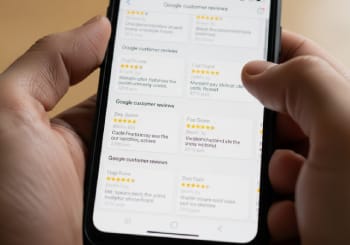
Displaying positive reviews directly on your website is one of the highest-impact trust signals available to a small business. 87% of people trust a local business more after reading positive reviews, according to research compiled by Network Solutions. Reviews establish credibility, increase customer confidence, and reduce the hesitation that often prevents first-time buyers from reaching out.
The key is to make reviews visible — not buried on a separate page or hidden in a footer. Testimonials placed on your homepage, service pages, and near your CTAs actively reassure visitors at the exact moment they’re deciding whether to contact you.
Feature Reviews Near CTAs
Place 2–3 star ratings or testimonial quotes directly adjacent to your “Call Now” or “Get a Free Estimate” buttons. Social proof at the moment of decision dramatically increases conversions.
Embed Google Reviews
Embed your live Google Business Profile reviews directly on your website using a widget. Real, third-party verified reviews carry more weight with visitors than manually typed testimonials.
Show Specific, Detailed Reviews
“Great service!” carries little weight. “They fixed our HVAC in 2 hours on a Sunday — professional, fast, and fair priced” is persuasive. Feature detailed reviews that speak to specific concerns your prospects have.
Include Customer Name and Context
Attribution makes reviews credible. “— Sarah M., Tucson homeowner” is far more convincing than an anonymous quote. Include city, customer type, or service received where appropriate.
Add review schema markup: Structured data on your testimonials and review sections can cause Google to display star ratings directly in your search results — making your listing stand out visually and increasing your click-through rate without any additional ranking improvement.

Secure SSL Protection
A secure website protects visitor information, builds trust, and is required for modern search engine performance. HTTPS encryption — indicated by the padlock icon in a browser’s address bar — ensures that data transmitted between your website and your visitors is encrypted and protected from interception.
According to research from Network Solutions, almost 30% of users specifically look for the padlock icon when they visit a website. An HTTP (non-secure) website visibly displays a “Not Secure” warning in most major browsers — a trust-destroying signal that causes visitors to leave before they’ve even read your content.
Google penalizes non-HTTPS websites in search rankings. SSL (Secure Sockets Layer) is not optional — it is a confirmed ranking factor. Any small business website without an active SSL certificate is at a disadvantage in both user trust and search visibility simultaneously.
No SSL Certificate (HTTP Site)
Browsers display “Not Secure” warnings. Google penalizes rankings. Visitors — especially those submitting personal information — will leave immediately when they see this warning.
Unsecured Contact Forms
Contact forms that transmit data without HTTPS encryption expose customer information. This is a GDPR and CCPA compliance risk in addition to a trust and security issue.
No CAPTCHA or Spam Protection
Unprotected contact forms attract spam bots and automated attacks. A basic CAPTCHA or honeypot field prevents form spam without inconveniencing genuine customers.
Outdated CMS or Plugins
Running an outdated version of WordPress, Joomla, or your website builder is one of the most common causes of website hacks. Update your software and plugins monthly at minimum.
No Privacy Policy Page
Any website that collects personal data — even just an email address through a contact form — is legally required to have a privacy policy in most jurisdictions. Absence exposes you to legal liability.
No Website Backup System
Without regular backups, a hack, plugin conflict, or hosting failure can result in permanent loss of your website. Automated daily or weekly backups are non-negotiable insurance.
SSL certificates are free: Most reputable hosting providers include free SSL certificates through Let’s Encrypt. If your site is still on HTTP, contact your hosting provider — activating SSL is typically a one-click process in most modern hosting control panels.
Bonus Features That Separate Good Websites From Great Ones
Once your 8 essential features are in place, these bonus elements can significantly improve your website’s conversion rate, user experience, local SEO performance, and customer accessibility. They aren’t mandatory for every small business — but for the right business, each one delivers measurable results.
Let customers book appointments 24/7 without calling. Reduces friction and captures leads outside business hours.
Answers questions instantly and converts hesitant visitors. AI chatbots can handle after-hours inquiries automatically.
Especially powerful for contractors, cleaners, landscapers, and any service with visible results. Builds trust fast.
Drives organic SEO traffic, builds topical authority, and keeps your site fresh. Even 2–4 posts per month makes a measurable difference.
Display your Instagram feed or link to active profiles. Signals that your business is current and engaged with the community.
Individual pages for each city or neighborhood you serve dramatically expand your local search visibility and capture location-specific searches.
An embedded map on your contact page confirms your location, improves local SEO signals, and makes it easier for first-time visitors to find you.
Alt text, keyboard navigation, color contrast ratios, and screen reader compatibility expand your audience and reduce legal exposure under ADA guidelines.
Small Business Website Design Checklist
Use this checklist to audit your current website or plan a new one. Every unchecked item represents a gap that may be costing you customers right now.
Every Feature Is an Investment in Growth
A small business website that’s mobile-friendly, fast, easy to navigate, optimized for search, professionally branded, stocked with reviews, and protected by SSL isn’t just a website. It’s your best salesperson — available 24 hours a day, every day of the year. Start with the 8 essential features. Then add the bonus elements one by one. Each improvement you make compounds into more visibility, more trust, and more customers.
Small Business Website Design: Questions Answered
The most common questions small business owners ask about building, improving, and getting results from their website.
-
How much does a small business website cost to build in 2025?
Costs vary enormously depending on the approach you take. The main options are:
DIY website builders (Wix, Squarespace, Shopify): $15–$50/month for the platform, plus your time. Suitable for simple businesses with basic needs. Quality varies widely based on your design skills and how much time you invest. WordPress with a theme: $200–$800 in setup costs (hosting, theme, plugins), plus ongoing maintenance. Offers more flexibility and better SEO control than most DIY builders. Professional web designer or agency: $1,500–$15,000 for a custom-designed site, depending on complexity, number of pages, and features. This investment typically pays for itself quickly for businesses where a website is a primary lead generation channel. The most important variable isn’t the platform — it’s whether the final site is fast, mobile-friendly, SEO-optimized, and built to convert visitors into customers.
-
How long does it take to build a small business website?
Timeline depends entirely on the scope and approach. A basic DIY website on Wix or Squarespace can be built in a weekend by someone comfortable with technology. A professionally designed WordPress site with custom branding, service pages, contact forms, and SEO setup typically takes 4–8 weeks from kickoff to launch. A larger custom-designed site with advanced features — e-commerce, booking systems, custom integrations — can take 3–6 months.
The most common cause of timeline delays is content — specifically, businesses waiting until development begins to gather photos, write copy, and finalize their service offerings. Having your content prepared before development starts is the single best way to speed up your launch. A simple but well-built site launched in 4 weeks will outperform a complex site still in development 6 months later.
-
What platform should a small business use to build their website?
The best platform is the one your team can maintain without technical headaches, that supports your SEO goals, and that grows with your business. Here’s a practical breakdown:
WordPress: The most flexible and SEO-friendly option. Ideal for businesses that want full control, content marketing, and long-term scalability. Requires some technical comfort or a developer relationship. Powers approximately 43% of all websites. Squarespace: Beautiful templates, easy to use, good for service businesses and portfolios. SEO is solid for basic needs but less flexible than WordPress. Wix: Very beginner-friendly with excellent drag-and-drop design. SEO capabilities have improved significantly. Good for small local businesses without complex content needs. Shopify: Best for businesses selling products online. Not ideal for pure service businesses. Each platform has tradeoffs — prioritize ease of ongoing maintenance, SEO flexibility, and the ability to add the features your business actually needs.
-
How often should a small business update its website?
Different types of updates have different urgency. Here’s a practical maintenance schedule:
Immediately: Update business hours, phone numbers, addresses, and pricing as soon as they change. Outdated information is the number one reason visitors lose trust in a local business website. Monthly: Update software, plugins, and themes to the latest versions. Perform a security check. Back up the website. Quarterly: Add new photos, refresh testimonials with recent reviews, and update any seasonal service offerings or promotions. Annually: Review the entire site for outdated content, broken links, and pages that may no longer serve your current business direction. Evaluate whether the overall design still reflects your brand at its current level. A website that was great 3 years ago may now look dated compared to competitors. A full redesign every 3–5 years is standard for actively growing businesses.
-
Do I need a blog on my small business website?
You don’t need a blog, but it can significantly amplify your SEO results — especially for competitive local markets. Blog content allows you to target long-tail keywords that service pages can’t — questions your customers are actively asking like “how much does a kitchen remodel cost in Tucson” or “signs you need a new HVAC unit.”
The key caveat: a blog you can’t maintain consistently is worse than no blog at all. A website with a blog that hasn’t been updated in 18 months signals neglect. If you can commit to 2–4 posts per month of genuinely useful content, a blog is one of the highest-ROI additions to a small business website. If consistent publishing isn’t realistic with your current resources, focus first on the 8 essential features and ensure your service pages are as thorough and keyword-rich as possible.
-
What’s the difference between a website and a Google Business Profile? Do I need both?
Yes — you need both, and they work together. Your Google Business Profile (GBP) is what appears in Google Maps results and the Local 3-Pack — the box of three businesses shown at the top of local search results. It’s your presence on Google’s own platform, and it’s primarily optimized through reviews, photos, posts, and profile completeness.
Your website is your owned digital property — the destination GBP links to, where customers learn about your services in detail, read testimonials, and ultimately contact you or book. A complete GBP drives local discovery. A well-built website drives conversion once visitors arrive. Businesses with both a fully optimized GBP and a high-quality website dramatically outperform those that have only one. They’re not alternatives to each other — they’re complementary parts of the same local marketing system.
-
How do I know if my website is hurting my business?
Common warning signs that your website is actively costing you customers include: a high bounce rate (visitors leaving immediately after landing on your site); very low average session duration (people aren’t reading or exploring); almost no phone calls or form submissions from the website; complaints from customers that they had trouble finding your contact information; and a Google PageSpeed score below 50.
You can diagnose most of these issues with free tools. Google Analytics shows bounce rates, session duration, and how visitors navigate your site. Google Search Console shows which searches trigger your site to appear and what your click-through rate is. PageSpeed Insights reveals speed and Core Web Vitals issues. Google’s Mobile-Friendly Test shows exactly how your site performs on smartphones. If you haven’t looked at your website data in the last 6 months, now is the time — most small business owners are surprised by what they find.
-
What’s the most important thing I can do right now to improve my website?
Run a free audit using three tools: Google PageSpeed Insights, Google’s Mobile-Friendly Test, and Google Search Console. These three tools will give you an immediate, specific picture of your site’s biggest performance and visibility gaps.
If you can only fix one thing this week, make it this: ensure your phone number is clearly visible on your homepage, clickable on mobile, and present on every page of your site. Research shows that 44% of B2B visitors leave a website immediately if they can’t find contact information. This single change — phone number in the header, clickable on mobile — can increase inbound calls from your website within days. After that, work through the checklist in this article from the top. Mobile, speed, and SSL certificates typically have the fastest visible impact on both search rankings and customer trust.
-
How does website design affect my Google search rankings?
Website design affects Google rankings in several measurable ways. Mobile-friendliness is a direct ranking factor — sites that fail Google’s mobile test are suppressed in rankings. Page speed is a confirmed ranking signal through Google’s Core Web Vitals, which measure loading performance, visual stability, and interactivity. SSL/HTTPS is a ranking factor — Google confirmed this in 2014 and has increased its weight since. User experience signals — bounce rate, session duration, pages per session — influence rankings indirectly by signaling whether visitors find your content useful and trustworthy.
Additionally, on-page SEO elements — meta titles, heading structure, keyword placement, internal linking, and schema markup — are traditional ranking factors directly controlled through your website’s design and content. In 2025, Google has confirmed that user experience signals directly influence rankings more than ever. A website that’s fast, mobile-friendly, easy to navigate, and relevant to search intent is already optimized for the algorithm’s most heavily weighted signals.
-
Should I hire a professional web designer or build my own website?
The honest answer depends on your budget, technical comfort level, and how central your website is to your lead generation. DIY makes sense if you’re just starting out, have a tight budget, operate in a low-competition market, or have a business where the website is supplementary (you mostly get leads from referrals, etc.). Modern platforms like Wix and Squarespace make it genuinely possible for non-technical business owners to build a serviceable site.
A professional designer makes sense when your website is a primary lead generation channel, when you’re in a competitive local market where your competitors have polished sites, when you need custom features (booking systems, e-commerce, complex forms), or when your time is simply worth more than the cost of hiring. A professionally built website typically earns back its investment within 3–12 months for a business actively generating leads from search. The worst outcome is a website that looks homemade in a market where your competitors have professional sites — that gap in perceived quality directly affects conversion rates and average deal size.