
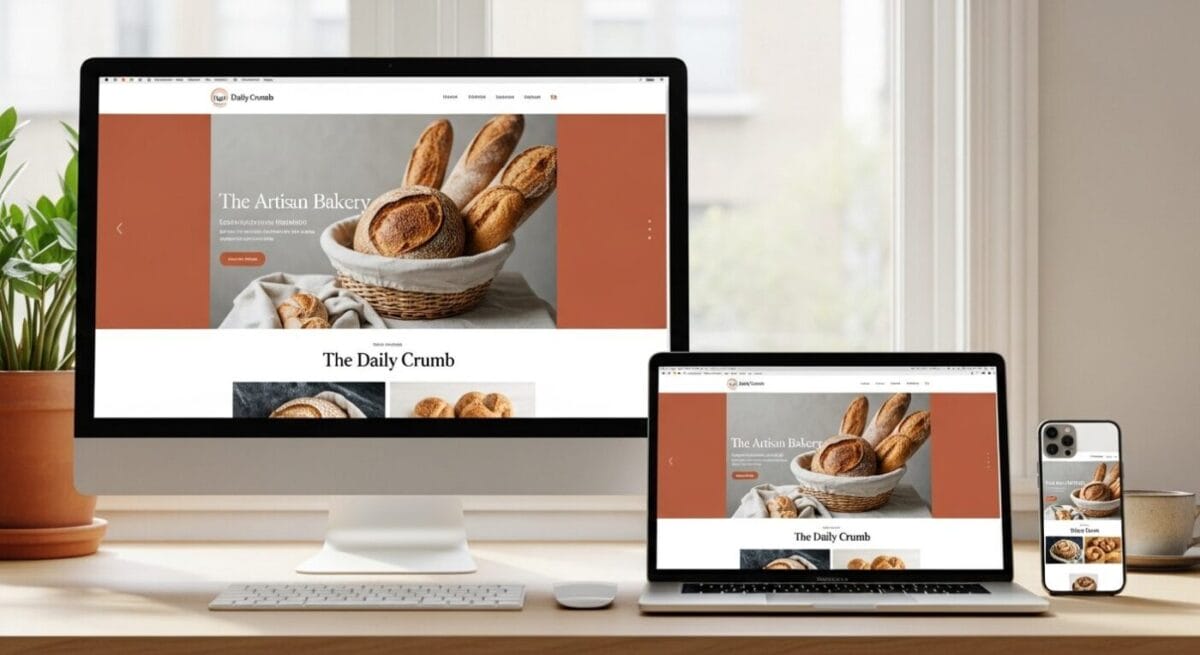
Website Design · Small Business
Small Business Website Design: What Actually Brings In Customers
Eight things I check on every small business site, in the order I check them — plus three pieces of common advice that are now flatly wrong.
I have been building and fixing small business websites since the mid–1990s. The tools changed completely. The job did not. A small business website has one purpose: turn a stranger into a phone call.
Most of the sites I audit fail at that for boring reasons. The phone number is buried in an image. The page takes six seconds to open on a phone. The menu has fourteen items and none of them say what the company does. None of that is exotic, and all of it is fixable in an afternoon.
Below are the eight features I check first, in priority order, with the reason each one matters. At the end I name three pieces of website advice that used to be correct and are now wrong. One of them Google retired in May 2026, and most agency checklists still repeat it.
If you want the version of this work done for you rather than done by you, that lives on my Tucson website design page. This page is the reasoning behind it.
1. It has to work on a phone, not just appear on one

Displaying on a phone and working on a phone are different things. Working means the buttons are big enough to hit with a thumb, the text is readable without pinching, the forms submit, and nothing overflows sideways.
The traffic math backs this up, though the exact number depends on who is counting. StatCounter puts phones just above half of global web traffic; counts that include tablets run higher. In the analytics accounts I actually manage for local service businesses, mobile usually lands between 60% and 75% of sessions. For a plumber or a dentist it is higher still, because people search for those on the spot.
One correction worth making, because it gets repeated wrongly everywhere. Google finished moving to mobile-only crawling on 5 July 2024. If your site does not load at all on a phone, it cannot be indexed. That is the actual rule. A site that loads but looks dated on mobile is still indexed and still ranks — it just converts badly. Google's own Search Advocate said this plainly at the time, and the difference matters if someone is trying to sell you an emergency rebuild.
Responsive, not a separate mobile site
One set of pages that reflows to any screen. Separate m-dot sites double your maintenance and create duplicate content problems I still clean up today.
Tap targets with space around them
Links stacked on top of each other get mis-tapped. Give them room. This is the single most common mobile complaint I hear from actual customers.
16px body text minimum
Below that, iOS zooms your form fields automatically and the layout jumps. Set headings clearly larger so a page can be skimmed at arm's length.
Short paragraphs
Three lines on a desktop monitor is nine lines on a phone. Write for the narrow column, not the wide one.
2. It has to load before people give up

Google's 2017 mobile benchmark study found that 53% of mobile visits are abandoned when a page takes longer than three seconds. It is an old study and it is still the best-sourced number in the field, which tells you something about how much of the speed advice online is invented.
Speed also feeds Google's Core Web Vitals. The thresholds are LCP under 2.5 seconds, INP under 200 milliseconds, and CLS under 0.1, measured at the 75th percentile of real Chrome user data over a rolling 28-day window. Those numbers have not changed, whatever you may have read.
In my experience the cause is nearly always one of four things, and they are worth checking in this order:
- Uncompressed images. Someone uploaded a 4MB photo straight off a phone. Convert to WebP, resize to the size it actually displays at, and always write width and height on the tag so the page does not jump while it loads.
- Cheap shared hosting. The server takes a full second to think before it sends anything. No amount of front-end tuning fixes a slow origin.
- Plugin sprawl. Thirty active WordPress plugins is usually twenty too many. Each one loads its own CSS and JavaScript on every page, including the pages that do not use it.
- No caching or CDN. Page caching plus a CDN is the cheapest large win available. Cloudflare's free tier is enough for most local businesses.
Measure before you touch anything. PageSpeed Insights gives you both lab numbers and, if your site has enough traffic, real field data. If the diagnosis runs deeper than images and plugins, that is the territory my Tucson technical SEO work covers.
3. A stranger has to be able to navigate it
You know where everything is on your own site. That is exactly why you are the wrong person to judge the menu. The test is whether someone who has never heard of you can find your phone number, your main service, and your service area in under ten seconds.
Keep the main menu to five or seven items. Use the words your customers use. "Solutions" and "Offerings" tell a visitor nothing; "Drain Cleaning" and "Get a Quote" tell them everything.
Two structural details that pay for themselves. Put the phone number in the header as a real tel: link on every page, so a mobile visitor taps once and is calling. And repeat your key links in the footer, because a surprising share of people scroll straight to the bottom looking for contact details before they read anything.
4. There has to be one obvious next step

A call to action is whatever you want the visitor to do next: call, book, request an estimate, fill in the form. Most small business homepages I audit either have no clear one or have six competing ones, which amounts to the same thing.
Pick one primary action per page. Start the button with a verb. "Get a Free Estimate" beats "Contact Us" because it tells the visitor what they get and what it costs them.
Repeat that action down the page — near the top, after each major section, and in the footer. People arrive at different points in their decision and scroll at different speeds. Secondary actions are fine, but make them visually quieter so the hierarchy stays obvious.
5. It has to be built so Google can read it

A site nobody can find is an expensive brochure. The parts of SEO that belong to the build itself — not to the campaign that comes after — are structural, and retrofitting them is always more expensive than building them in.
That means one clear topic per page, one H1, unique title tags and meta descriptions, clean URLs, descriptive image alt text, and internal links that connect related pages to each other.
For a local business, add the location layer: a real page for each city you genuinely serve, your name, address and phone written identically everywhere they appear, and a Google Business Profile that matches the site exactly. Google is matching entities, not just strings. Inconsistency between your site, your profile and your directory listings is a real and common cause of weak local visibility.
Schema markup helps machines understand who and what the page is about. It is not magic and it is not a ranking factor on its own — it is a translation layer. What goes in the markup must match what a visitor can actually see on the page. See technical SEO for how I implement it, and content creation for how the pages themselves get written.
If you would rather have someone look at your specific site than read a general list, that is what an SEO audit is for. Or call me at (520) 207-6000.
6. It has to look like the same company everywhere

Branding is not a luxury item for companies with a marketing department. It is the fastest signal a visitor gets about whether you are careful. Two or three colours used consistently. Two fonts, not five. A logo that is sharp rather than a blurry JPEG scaled up.
The reasoning is uncomfortable but fair: if a business will not fix the stretched logo on its own homepage, a customer has no reason to believe it will be fussy about their roof.
This extends past visual design into what search engines call entity consistency, and it is the part most small businesses get wrong. Your legal name, your trading name, your address format, your phone number and your hours should be identical on your website, your Google Business Profile, your Facebook page, Yelp, and every directory that lists you. "Suite 4" in one place and "Ste. 4" in another is the kind of small mismatch that quietly costs local visibility.
On the credibility question, the number you see quoted everywhere — that 75% of people judge a company by its website design — is a distortion. The actual Stanford Web Credibility research found that 46.1% of people cited visual design when assessing whether a site was credible. Still the single most-cited factor. Still enough to make the point. I would rather give you the real figure.
7. It has to carry proof from real customers
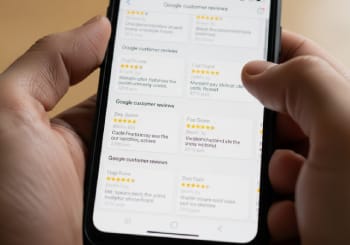
Reviews on the page do work that your own copy cannot. You saying you are reliable is a claim. A customer saying you showed up on a Sunday is evidence.
Put them where the decision happens — beside the call button, on the service pages, not quarantined on a "Testimonials" page nobody visits. And use the detailed ones. "Great service!" persuades nobody. A review naming the problem, the timeframe and the outcome does.
Always attribute. A first name, a last initial, and a city is enough, and it beats an anonymous quote by a wide margin. I leave unattributed testimonials off client sites entirely; an unsigned quote reads as invented, which defeats the purpose.
Now the correction, because this one is on nearly every web design checklist online and it has been wrong since 2019. Adding review markup to your own site will not put gold stars next to your search result. Google calls those self-serving reviews and stopped displaying them for the LocalBusiness and Organization types — including reviews pulled in through a third-party widget. Stars in search results now come from third-party platforms. Put reviews on your site because they convert visitors, which they demonstrably do. Not because you expect stars.
8. It has to be secure and maintained

HTTPS is table stakes. Without it, Chrome writes "Not Secure" beside your address, which is the worst possible thing for a visitor to read while deciding whether to type their phone number into your form. Most hosts include a free certificate through Let's Encrypt and switching it on is usually a single click.
Be accurate about why, though. Google announced HTTPS as a ranking signal in 2014 and described it as very lightweight, affecting under 1% of queries. There is no HTTPS penalty. The reason to do it is the browser warning and your customers' data, and those reasons are plenty.
The rest of the maintenance list is unglamorous and non-negotiable. Keep the CMS and plugins updated. Put spam protection on your forms. Publish a privacy policy if you collect anything at all. Run automated backups, stored somewhere other than the web server. I have watched a small business lose eleven years of content to a hosting failure with no backup. It is a bad afternoon.
Worth adding here: accessibility. Alt text, keyboard navigation, and adequate colour contrast — the WCAG guidelines are the reference. It widens your audience, it reduces legal exposure, and most of it is the same work that helps search engines read the page.
What I would fix first, in order
If you can only do a few things this month, do them in this sequence. This is the order I work in on a real client site, because each step makes the next one measurable.
- Make the phone number a tappable link in the header on every page. Fastest change with the most immediate effect on calls.
- Compress the images. Usually the largest single speed gain available and it costs nothing.
- Turn on HTTPS if it is not already on, and redirect the HTTP version.
- Cut the main menu to five or seven plainly-named items.
- Write one primary call to action per page and repeat it down the page.
- Write unique titles and meta descriptions for every page. Duplicated ones are extremely common and easy to fix.
- Make your name, address and phone identical across the site, Google Business Profile and directories.
- Add three attributed customer reviews to the homepage and the top service pages.
Three things that used to be true and are not any more
Every one of these is still sitting on agency checklists and in articles published this year. Each one is now wrong.
"Add FAQ schema and Google will show your answers in the results"
Google restricted FAQ rich results to authoritative government and health sites in August 2023, then removed the feature entirely in May 2026. The reporting comes out of Search Console in June 2026 and the API in August 2026. FAQPage markup is still valid and still worth using, because AI assistants and other engines read it — but it will not produce a dropdown in Google.
"Mark up your testimonials and you will get star ratings"
Gone since September 2019 for the LocalBusiness and Organization types. Google treats reviews you publish about yourself as self-serving, whether they are hand-coded or pulled in by a widget.
"Google penalises sites without HTTPS"
There is no penalty. HTTPS is a lightweight positive signal announced in 2014, affecting under 1% of queries. The real cost of running HTTP is the browser warning your visitors see, which is worse than any ranking effect anyway.
Small business website checklist
Print this or work down it on screen. Anything unticked is a gap that is probably costing you enquiries right now.
- Loads and functions correctly on a phone, tested on a real device
- Largest content element renders in under 2.5 seconds on mobile
- Images compressed, sized correctly, with width and height on every tag
- Main menu of five to seven plainly-named items, sticky on scroll
- Phone number in the header as a tappable link, on every page
- One primary call to action, visible without scrolling, repeated down the page
- Unique title tag and meta description on every page
- City and service named in headings and body copy, with a real page per service area
- Name, address and phone identical on site, Google Business Profile and directories
- Two or three brand colours and no more than two fonts, used consistently
- Logo sharp at the size it is displayed, in a transparent format
- At least three attributed customer reviews on the homepage and main service pages
- Google Business Profile complete, with photos and recent reviews
- HTTPS active with no mixed-content warnings
- Contact form protected against spam
- Privacy policy published
- Automated backups running and stored off the web server
- Alt text on every meaningful image; adequate colour contrast throughout
Who wrote this

I am David Cragg. I have worked in search since 1990. I built and sold Lotus411.com, acquired by TechTarget, and MSD2D.com, acquired by Penton Media. I started Temecula SEO in 2007 and moved the practice to Tucson in 2022.
I work alone and I take on a small number of clients, which means the person who audits your site is the person who writes the code and the copy. There is no account manager and nothing is offshored. You can see the work on my case studies, read how I price it on my SEO pricing page, or read more about my background here.
On method: I draft with AI assistance and I say so. AI helps me research, structure and check my own work. It is not permitted to supply facts about a client's business, invent a statistic, or publish anything I have not read. Every number on this page is traceable to the source linked beside it — which is why three widely-repeated statistics have been corrected rather than repeated. My full position is on the content creation page.
Questions about what a small business website needs
What does a small business website actually need to have?
Seven things, at minimum. A page that loads and works on a phone. A tappable phone number in the header of every page. One clear call to action. A page for each service you sell. Your name, address and phone written identically everywhere. HTTPS. And attributed customer reviews. Everything beyond that is an improvement rather than a requirement. Most small business sites that underperform are missing three or four items from that list, not something exotic.
How many pages should a small business website have?
A local service business usually needs one page per service it sells, one page per city it genuinely serves, plus a home page, an about page, a contact page and a privacy policy. For a typical trades or professional business that lands somewhere between eight and twenty-five pages. The rule is one page per thing a customer would search for separately. Do not build a page for a city you do not actually serve; those pages rarely rank and they damage trust when a customer works out you are ninety minutes away.
Does website design affect Google rankings?
Some parts of it do, directly. Page speed feeds Core Web Vitals, which are LCP under 2.5 seconds, INP under 200 milliseconds and CLS under 0.1, measured on real Chrome user data. HTTPS is a lightweight positive signal. A site that will not load on a phone cannot be indexed at all. Other parts affect rankings indirectly, by determining whether visitors stay and convert. What design does not do is override relevance: a beautiful page about the wrong topic will still lose to a plain page that answers the question.
Does FAQ schema still get you rich results in Google?
No. Google restricted FAQ rich results to well-known government and health sites in August 2023, then deprecated the feature entirely in May 2026, removing the last remaining eligibility. Search Console reporting for it ends in June 2026 and API support in August 2026. FAQPage markup is still a valid Schema.org type and Google still parses it, and AI assistants and other search engines read it too, so it remains worth including on pages with genuine questions. It simply will not produce an expandable FAQ block in Google's results any more.
Do customer reviews on my website show star ratings in Google?
No. Google stopped displaying review stars for reviews a business publishes about itself in September 2019. It classes them as self-serving and the rule covers the LocalBusiness and Organization schema types, including reviews brought in through a third-party widget. Star ratings in search results now come from independent platforms such as Google Business Profile or Yelp. Reviews on your own site are still valuable because they persuade visitors who are already reading, which is a better reason than stars.
Do I need a blog on my small business website?
Only if you will keep it up. A blog lets you answer the specific questions customers type in that no service page naturally covers, and those questions are often where the ready-to-buy traffic is. But a blog whose most recent post is eighteen months old signals a business that has stopped paying attention, and that is worse than having no blog. If you cannot commit to two useful posts a month, put the effort into making your service pages genuinely thorough instead.
Do I still need a website if I have a Google Business Profile?
Yes, and they do different jobs. Your Google Business Profile is what appears in Google Maps and the local pack, and it is what gets you discovered. Your website is the property you own, where a customer reads the detail, checks your reviews and decides to call. The profile is also stronger when it links to a site that corroborates it, because Google is matching a business entity across sources. Businesses that have both, kept consistent with each other, outperform businesses that have only one.
How do I tell whether my website is costing me customers?
Check four things. Run PageSpeed Insights and look at the mobile score and the field data. Open Search Console and see which queries you appear for and what proportion of those impressions turn into clicks. Open your analytics and look at how long people stay and how many pages they see. Then hand your phone to someone who has never used your site and ask them to find your phone number and book a job. That last test is unscientific and it finds more problems than the other three combined.
What is the single fastest fix for a small business website?
Put your phone number in the header of every page as a tappable link, using a tel: link rather than plain text or an image. Most people arriving at a local business site on a phone are trying to call you, and any friction in that moment loses the job to whoever is easier to reach. It takes minutes to implement and it is the change I see produce a difference soonest. After that, compress your images and switch on HTTPS.
Sources
Every figure on this page links to its primary source. Where a widely-circulated statistic did not survive checking, it has been corrected rather than repeated.
- Google Search Central — mobile-first indexing, final step, July 2024
- Google Search Central — HTTPS as a ranking signal
- Google Search Central — self-serving review snippets
- Google Search Central — FAQPage structured data documentation
- web.dev — Core Web Vitals thresholds
- Think with Google — mobile page speed benchmarks
- StatCounter — desktop, mobile and tablet market share
- Stanford Web Credibility Study
- W3C — Web Content Accessibility Guidelines
Want this done rather than described?
I build small business sites that are fast, readable and structured to rank, and I do the work myself. If you would rather talk it through than work down a checklist, call (520) 207-6000 or use the contact page. There is no charge for the first conversation and no contract afterwards.
Related reading: Tucson website design · Tucson SEO services · technical SEO · content creation · SEO audit