Can AI-Driven Search Read Your Small Business Website?
Most sites that never get named in an AI answer fail before anyone reads a word. A firewall rule, a robots.txt line or a script decides it first.

A customer used to type "junk removal Tucson" and scan ten blue links. Now plenty of them ask ChatGPT, Claude, Perplexity or Google's AI Mode for a recommendation and get two or three names back. If your business isn't one of them, the search ended before your site was ever considered.
The usual reaction is to buy a new kind of optimization. Google says no special optimizations are needed to appear in its AI features, and in my experience that's closer to the truth than most of what gets sold as GEO. What changed is the path a page travels before AI-driven search can quote it. This article covers the first stretch of that path: whether AI crawlers can reach your pages and read them. It's where small business sites fail most often, and it's the cheapest part to fix.
Two other articles cover the rest. What Google published about its AI features, the tactics it says to skip and how to measure results are in how to improve AI search visibility. Finding and fixing structured data that contradicts itself is in two schema blocks saying two different things.
The short version
- Access comes first. A page blocked at the firewall never gets as far as its own robots.txt, and no rewrite fixes a fetch that never happened.
- Search crawlers and training crawlers are different bots. Blocking GPTBot keeps you out of OpenAI's training data, not out of ChatGPT search.
- Google-Extended doesn't control AI Overviews. It governs Gemini training and grounding, and it has no effect on Google Search.
- The answer has to be in the HTML. Text loaded by a script, on a click or inside an image may never be read.
- Write sections that stand on their own. An assistant lifts a passage, not a page.
What Did I Find When I Tested My Own Site?
The same failures I look for on client sites. In September 2026 I ran text-only fetches against this site, the way a crawler that doesn't run JavaScript sees it. One of my blog category archives answered with a "JavaScript is required" page instead of its content. A browser never shows that page. A crawler sees nothing else.
In October 2026 I tried again through an AI assistant's web tool. The homepage and several articles came back with their full text. Most of the service pages, the blog index and a few older articles came back as a firewall page reading "You are being redirected..." and nothing more. The host's firewall treats a request it can't verify as a bot and challenges it. People never notice, because their browsers pass the challenge in a fraction of a second.
Nothing on those service pages was wrong. The assistant simply never got to read them. That's the problem this article is about, and it's the first thing I check on any site that says it's invisible in AI answers.
What Changed When People Started Asking Assistants Instead of Searching?
Classic search matched a query to a ranked list and handed you the list. AI search does more steps. Google's generative AI guide says its systems pull fresh pages from the index to ground an answer, and split one question into several related searches. ChatGPT, Claude and Perplexity work in broadly similar ways with their own crawlers and indexes. Three practical consequences follow.
- The citation matters more than the position. The page quoted inside the answer is the one people see. A page in fourth place can be quoted while the first result is skipped.
- One question becomes several. A page that answers the related questions clearly, in one place, gives the system more to use than one that scatters the answer across three sections and a video.
- The machine reads your HTML, not your design. A crawler sees text, structure and markup. A design choice that keeps text out of the HTML costs you directly.
What didn't change is the foundation. Google's own list is crawling allowed in robots.txt and by your host or CDN, important content available as text, a good page experience, and structured data that matches the visible page.
Which Four Checks Does a Page Have to Pass Before an Assistant Can Quote It?
Work from the top down, because a failure at one step makes everything below it irrelevant.
- Access. Can the crawler fetch the page at all? Firewall and CDN rules, robots.txt and status codes decide it. Most silent failures live here, and it's the cheapest step to fix.
- Rendering. Is the content in the HTML that comes back? Text injected late by JavaScript, loaded only on a click or set inside an image may never be available.
- Extraction. Can a clear, self-contained answer be lifted from the page? This is a writing and structure problem, not a technical one.
- Identity. Is it clear who wrote the page, which business it is and where it works? When several sources are good enough, clarity decides which one gets named.
Which AI Crawlers Should You Allow, and Which Can You Block?
AI companies run different bots for different jobs, and blocking each one costs something different. Training crawlers collect content that may be used to train future models. Search crawlers build the index an assistant searches when it answers. User-triggered fetchers load a page because someone asked about it right now. Blocking a training crawler is a licensing decision. Blocking a search crawler or a user fetcher takes you out of the answers.
| Robots.txt token | What it does | What blocking it costs |
|---|---|---|
| Googlebot | Crawls for Google Search, which also feeds AI Overviews and AI Mode | Everything. You leave Search and its AI features together. |
| Google-Extended | A control token, not a separate crawler. Governs Gemini training and grounding in the Gemini apps. | Nothing in Google Search. Google says it isn't a ranking signal. |
| GPTBot | OpenAI's training crawler | Keeps future content out of training. Doesn't remove you from ChatGPT search. |
| OAI-SearchBot | Indexes pages for ChatGPT's search features | OpenAI says opted-out sites aren't shown in ChatGPT search answers, apart from plain navigational links. |
| ChatGPT-User | Loads a page when a ChatGPT user's request needs it | OpenAI says robots.txt rules may not apply to it. |
| ClaudeBot | Anthropic's training crawler | Keeps future content out of training. Doesn't block Claude's search. |
| Claude-SearchBot | Indexes pages for Claude's search results | Anthropic says it may reduce your visibility in Claude's answers. |
| Claude-User | Loads a page when a Claude user asks a question | Claude can't fetch your page for that person. |
| PerplexityBot | Indexes pages for Perplexity's answers | You stop being a Perplexity source. |
| Bingbot | Crawls for the Bing index, which grounds Copilot and other assistants | Bing, Copilot and anything built on that index. |
What does Google-Extended actually control?
This is the row people get backwards. Google-Extended has no user agent of its own, because Googlebot does the crawling. Google's crawler documentation says it governs whether your content can train Gemini models and ground answers in the Gemini apps, and that it doesn't affect whether you appear in Search. Blocking it to stay out of AI Overviews does nothing for that goal. The setting that does govern Google's AI features lives in Search Console, and I cover it in the AI search visibility article.
How fast do robots.txt changes take effect?
Not instantly. OpenAI says a robots.txt change can take about 24 hours to register for search. Other crawlers re-read the file on their own schedules. Change the file, wait a day, then test again before deciding it didn't work.
Is Your Firewall Blocking AI Crawlers Before robots.txt Is Read?
Robots.txt is a request. A firewall is a wall. Most hosting plans and CDNs sold to small businesses now ship with bot protection switched on, and it runs before robots.txt is ever read. A crawler stopped at the edge gets a 403 or a challenge page, and most SEO tools never report it, because the tools get challenged too or never try.
- Fetch your own pages as a crawler. A request such as
curl -I -A "OAI-SearchBot" https://yoursite.com/shows the status a bot with that name gets. A 403, a 503 or a page that says "You are being redirected" means the firewall stopped it. - Treat a clean result with some suspicion. That test only checks rules based on the user-agent name. Many firewalls also score the request's IP address, so a real crawler can be blocked even when your test passes.
- Allow by verified identity, not by name. Anyone can call their scraper Googlebot. Google and OpenAI publish the IP ranges their crawlers use, and a good firewall lets you allow verified bots by those ranges. Allowing a user-agent string alone also lets in the impostors.
- Check every layer. Host firewall, CDN and security plugin can each run their own bot rules. On WordPress sites I take over, I regularly find two or three layers stacked on top of each other, set up years apart by different people.
- Recheck after any security change. A plugin update or a new firewall preset can quietly undo an allowance you set months ago.
Is the Answer Actually in the HTML the Crawler Receives?
Answer engines quote text they can read in the response. Several common build patterns hide text from them while leaving it perfectly visible to a person, which is why this failure is so hard to spot by looking at the site.
- Content injected by JavaScript. Service descriptions, prices and FAQs loaded by a script after the page arrives. Google can process JavaScript if it isn't blocked. Other crawlers may do much less.
- Tabs and accordions that load on click. Native details and summary elements keep the answer in the HTML, which is how the questions at the bottom of this page are built. A widget that fetches panel content only when clicked doesn't.
- Snippet controls. nosnippet, data-nosnippet and max-snippet limit what Google can show from a page, AI features included. Sites inherit them from old plugin settings and never look again.
- Text set inside images. Price lists, hours and service-area maps saved as graphics can't be quoted. If a number matters to a buying decision, it belongs in HTML.
- A leftover noindex. A staging setting that survived launch. A page that isn't eligible for Search isn't eligible to be an AI source either.
- Slow or unstable pages. Fetches time out. The speed work that helps visitors also decides whether a crawler gets a complete page or gives up.
The two-minute version of this check: load the page with JavaScript turned off and see what's left. Whatever disappears is content you're hoping a machine will guess. Finding which of these a site has, and fixing it once in the theme instead of page by page, is a large part of my technical SEO work.
How Do You Write a Passage an Assistant Can Lift?
Google says pages don't need to be broken into tiny chunks, and you shouldn't write for a machine. Write each section so a person who lands in the middle of the page can still follow it. A person skimming and a system pulling a passage read the same way.
How should the section be built?
- Put the question in the heading, in the customer's words.
- Answer it in the first two sentences, then explain.
- Keep one question per section.
How should it be worded?
- Skip "as mentioned above." The reader may not have seen it.
- Name the subject instead of using a pronoun from three paragraphs back.
- Use plain statements, not clever setups.
What should it contain?
- Real prices, timeframes and thresholds.
- Something from your own work the other results don't have.
- A table where the options really do compare.
If your page says what twenty other pages already say, an answer engine has no reason to cite yours. It can write that summary without you. For a service business, the lasting advantage is real prices, real process, real problems and a named person who did the work. Getting that onto the page, in the owner's words, is most of what content creation means now.
Where Does Structured Data Fit In?
It removes doubt, which is different from getting you in. Google says no special markup is needed for its AI features. What markup does is make it unambiguous who you are, where you work and what you sell, and doubt is what gets a source dropped when several are good enough. The failure I find most is two or three blocks describing the business differently, one from the theme, one from the SEO plugin and one from a snippet somebody pasted years ago. How to find and clean those up is in the duplicate schema article.
How Do You Know Whether AI Crawlers Are Reaching You?
Start with your server logs, because they record what actually arrived. Count hits from OAI-SearchBot, Claude-SearchBot and PerplexityBot separately. Steady visits mean the door is open. None at all for months means it's shut somewhere, usually at the firewall. Most managed hosts let you download raw access logs from the control panel, even when their dashboards don't show bot traffic.
Whether those visits turn into visibility is a separate measurement question. Google now reports on its own AI features in Search Console, and I explain how to read it, and how to track the assistants Google can't see, in the measurement section of the AI search visibility article.
What Do Tucson Small Business Sites Get Wrong Most Often?
These come from sites I've worked on here, not from a published study.
The host's firewall is on and nobody knows it. A lot of Tucson trades bought hosting bundled with the website, and the bot protection came with it, set to its strictest default. The owner has never seen the setting, and the web designer who chose the plan has moved on.
The service area lives in a picture. A map graphic shaded across Oro Valley, Marana and Vail tells an assistant nothing. A sentence naming the towns you serve, on a page it can fetch, tells it everything it needs.
Prices and process are left off on purpose. Owners hide them to force a phone call. An assistant asked "what does a Tucson AC tune-up cost" can't quote a page that won't say, so it quotes the competitor who did.
What's on the AI Crawler Access Checklist?
Run this against your own site. Each line you can't check off is a reason you may be missing from the answer.
- Robots.txt read line by line, with no accidental blocks on search crawlers or user fetchers.
- Training crawlers allowed or blocked on purpose, not by a plugin preset.
- Host firewall, CDN and security plugin each checked for bot challenges.
- Key pages fetched as each major crawler, with real 200 responses and real HTML.
- Verified crawler IP ranges allowed where the firewall supports it.
- Rendered HTML confirmed in Search Console's URL Inspection, including service copy, prices and FAQs.
- Nothing important loaded only on click or only by script.
- No leftover nosnippet, restrictive max-snippet or noindex on pages that sell.
- Prices, hours and service areas written as text, not images.
- Headings phrased as the customer's question and answered right below.
- One business definition in the structured data, with no duplicate from a second plugin.
- Server logs checked for search crawler visits after every change.
Want to Know Whether Assistants Can Reach Your Site?
Send me your URL. I'll fetch your key pages the way the AI crawlers do and tell you which ones come back empty. If it's a firewall setting you can change in ten minutes, that's exactly what I'll tell you.
Or call (520) 207-6000.
What Do Clients Say About Working With David?
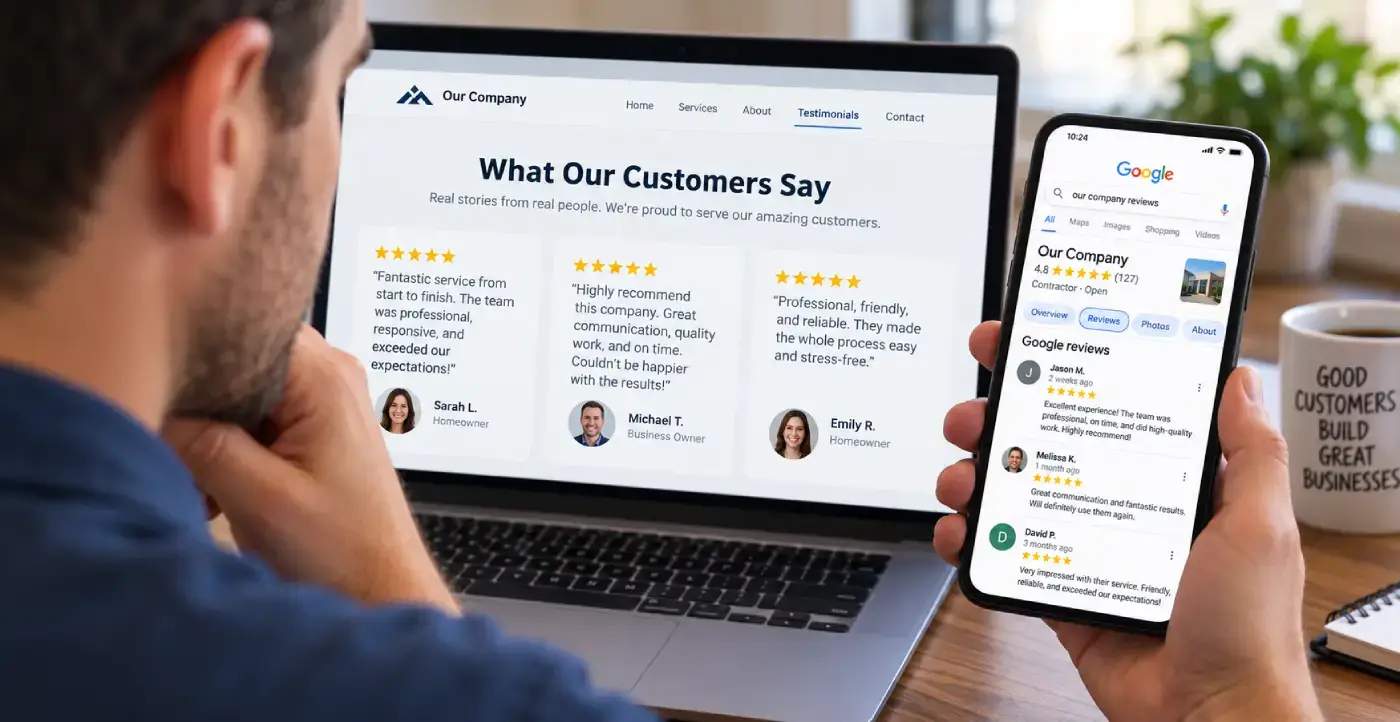
Four of the ten reviews on my Google profiles, quoted in full. Most were left on the Temecula SEO profile during the Southern California years, before the practice moved to Tucson in 2022. The two labeled SEO Tucson name the new business in the review itself.
David is great to work with. He takes his job seriously, is a wealth of knowledge not only in SEO, but also business in general. If you are looking to for someone to handle SEO for you - you can stop looking now.
Russ Colburn Temecula SEO
If you are looking for help with SEO, or anything related, David is your man! I talked to several other companies before talking to David, and I knew right away he was different. He is extremely professional, responsive, affordable, and effective. Most importantly, I trust that he is looking out for my best interest. He takes a very hands-on approach and always takes the time to listen to the changing needs of my professional business. His wealth of knowledge is invaluable. He had my business seeing results almost immediately. Thank you David for all your hard work! Best in the business!
Luke Hendrix Law Offices of J. Luke Hendrix · Temecula SEO
David has been a huge help to my business. He's knowledgeable, responsive, and consistently delivers great work. Since working with him, we've seen strong improvements and he continues to go above and beyond to help our business grow. Highly recommend David and SEO Tucson to anyone looking for someone who truly cares about getting results.
Weston Molitor Wild West Junk Removal · SEO Tucson
I have been a client of David at SEO Tucson for over 10 years. His wealth of knowledge of SEO marketing has been a tremendous help for my company. He's always up to date with all the new rules and changes and always willing to try new things to help push and keep my company on the top of Google listing
Bao Nguyen, DDS Promenade Dental Care · SEO Tucson
What Do People Ask About AI Crawlers and Their Website?
What is the difference between an AI training crawler and an AI search crawler?
Training crawlers such as GPTBot and ClaudeBot collect content that may be used to train future models. Search crawlers such as OAI-SearchBot, Claude-SearchBot and PerplexityBot build the index an assistant searches when it answers a question, and they're the ones that lead to citations. Blocking a training crawler is a content licensing decision that doesn't stop you from being cited. Blocking a search crawler can take you out of that assistant's answers, so decide the two separately.
Does blocking Google-Extended remove my site from AI Overviews?
No. Google-Extended is a robots.txt control token with no crawler of its own. Google's crawler documentation says it governs whether content can be used to train Gemini models and to ground answers in the Gemini apps, and that it doesn't affect a site's inclusion in Google Search or act as a ranking signal. AI Overviews and AI Mode draw on the ordinary Google index that Googlebot builds, so blocking Google-Extended for that purpose achieves nothing.
Do robots.txt rules stop ChatGPT, Claude or Perplexity from opening my page when a user asks?
Not always. Each company runs a separate fetcher for user requests: ChatGPT-User, Claude-User and Perplexity-User. Anthropic says its bots, including Claude-User, follow robots.txt. OpenAI says robots.txt rules may not apply to ChatGPT-User, and Perplexity has said its user fetcher generally ignores them. If a page has to stay away from those fetchers, robots.txt alone isn't a reliable way to do it.
How can I tell whether my firewall is blocking AI crawlers?
Fetch a page while sending a crawler's name, for example with curl -I -A "OAI-SearchBot" followed by your address, and look at the status code. A 403, a 503 or a challenge page means the firewall stopped it. A clean result isn't proof, because many firewalls also judge the request's IP address. The better check is your server logs: if OAI-SearchBot, Claude-SearchBot and PerplexityBot never appear over several months, something upstream is turning them away.
Should I block AI crawlers to protect my content?
That depends on what you're protecting. A local service business usually wants to be recommended, so blocking search crawlers and user fetchers works against it. A reasonable middle ground is to allow the search crawlers and user fetchers and block only the training crawlers, such as GPTBot and ClaudeBot. Make the decision on purpose. Too many sites have it made for them by a plugin preset or a hosting default.
Can AI crawlers read content inside tabs, accordions or JavaScript?
Sometimes, and you shouldn't count on it. Content that's present in the HTML, including native details and summary elements, can be read. Content a script loads after the page arrives, or only after a click, may be missed, especially by crawlers that run little or no JavaScript. Load the page with JavaScript turned off, or read the rendered HTML in Search Console's URL Inspection tool, to see what a crawler actually gets.
Why does an assistant cite my competitor when my page ranks higher?
Usually for one of three reasons. The competitor's answer sits in one clear, self-contained passage while yours is spread across the page. Their business is easier to identify, so the system is more confident about who they are and where they work. Or your page is less reachable than you think, because a firewall is challenging crawlers or the content only appears after JavaScript runs. Check access first, structure second and content third.
How long after fixing crawler access will assistants start citing my site?
Access and rendering fixes can register within weeks, because they only need the pages crawled again, and OpenAI says robots.txt changes for search take about a day. Structure and content changes follow over the next crawl cycles. Becoming a regularly named source in a competitive category usually takes three to six months, because you're also waiting for reviews to build and other sites to mention you. Expect to appear at all well before you appear first.
Where Does the Information on This Page Come From?
Crawler names and platform controls change often, so check each vendor's documentation directly rather than anyone's summary, including mine. The firewall findings and the Tucson observations come from my own work and are labeled that way.
- Google Search Central: AI features and your website. Why no special optimization is needed, and what is.
- Google Search Central: Optimizing your website for generative AI features. Grounding, query fan-out and the foundation list.
- Google crawling infrastructure: Google's common crawlers. What Google-Extended does and doesn't control.
- OpenAI: Overview of OpenAI crawlers. GPTBot, OAI-SearchBot, ChatGPT-User, published IP ranges and the 24-hour note.
- Claude Help Center: Anthropic's crawlers. ClaudeBot, Claude-SearchBot and Claude-User.
- Search Engine Journal: how Anthropic, OpenAI and Perplexity split their bots. How each treats user-triggered fetchers.
- Google Search Central: Robots meta tag, data-nosnippet and X-Robots-Tag. The snippet controls that also limit AI features.
Is Your Site Readable but Still Not Getting Named?
Then the problem has moved down the list, to structure, content or how clearly the business is identified. An SEO audit covers all of it in priority order, and the local SEO work builds the reviews and mentions that make a source worth naming.
Or call (520) 207-6000.
SEO Tucson, formerly Temecula SEO
Serving Tucson and Southern Arizona
Phone: (520) 207-6000
Consultant: David Cragg, in search since 1990
Written by David Cragg, Tucson SEO consultant, in search since 1990. I check every change I make against the live page source, which is how I found my own firewall turning assistants away.
On how this site is written: I use AI tools to draft and to check my own work. AI does not supply the facts about your business, it does not invent sources, and nothing goes up here that I have not read first. If you find a claim on this site you can't verify, call me and I'll fix it or pull it.
First published May 16, 2026. Page last reviewed October 27, 2026 by David Cragg.