How Do You Rank Higher on Google Maps in 2026?
Google ranks the map on three things, and you control two of them. This is the order I change things in when a client's profile is stuck below the top three.
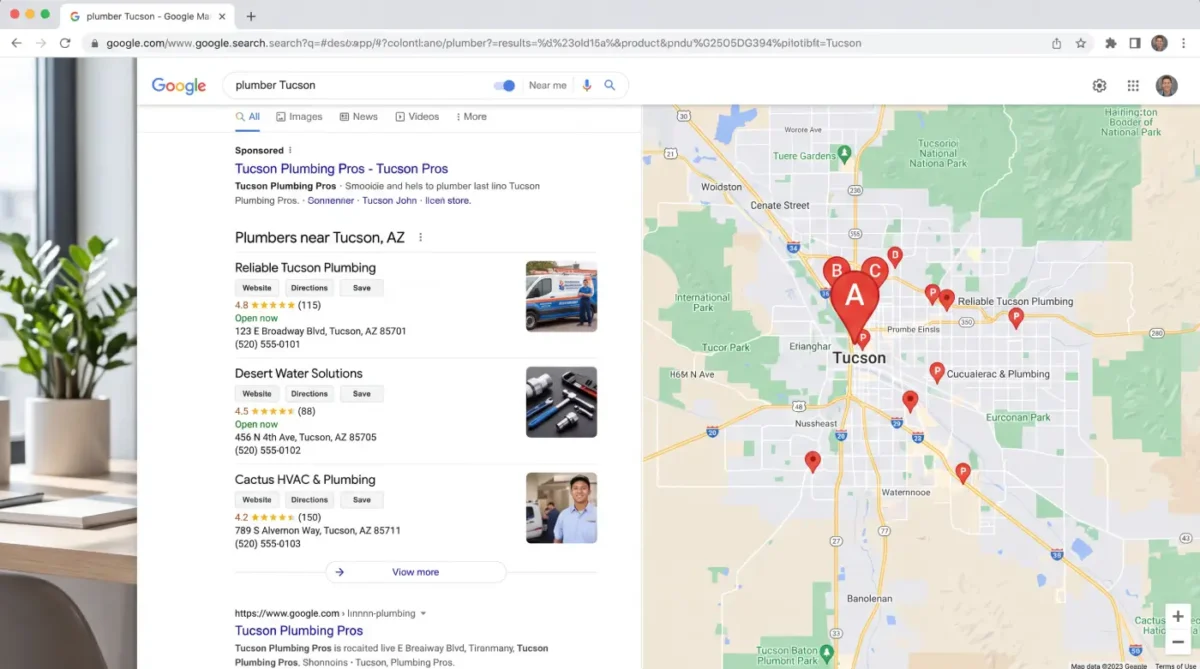
Most of the calls I get about Google Maps start the same way: "We're on the map, just not in the top three." The owner has claimed the profile, filled in most of it and asked a few customers for reviews. Then nothing moves, and the guides they find keep sending them after buttons Google already switched off.
I've worked on local listings since the product was called Google Places, and I still log into client profiles every week. This article is about how to rank on Google Maps: what Google says it uses, what I see move when I change one thing at a time, and the checks I run on a profile sitting in fourth place. Where a claim comes from Google's documentation, it's linked at the bottom. Where it comes from my own work, I say so.
Three related jobs have their own articles, so they only get a pointer here: getting verified, getting a suspended profile back and recovering a profile someone else controls.
The short version
- Category first. The primary category decides which searches you can appear for at all. Pick the most specific one that matches how you make money.
- Your rank is a place, not a number. You can be first at your own door and fifth two miles away. Check from several points before deciding something is broken.
- Prominence is where most businesses fall behind. Reviews, links and mentions are slow to build and hard for a competitor to copy.
- The website carries you past your pin. Service pages, town pages and a matching name, address and phone extend your range.
- Three old tactics are gone. Messaging, the Q and A section and review scripts no longer work, and review scripts now break Google's rules.
What Does Google Use to Rank the Map Pack?
Google publishes the answer, which saves a lot of arguing. Local results are ranked on relevance, distance and prominence. Every tactic on this page aims at one of those three, and if I can't tie a tactic to one of them, I don't spend client time on it.
How relevant is your profile to the search?
How closely the profile matches what the person typed. Your category, services, description and the words on your website drive it. You control it completely.
How far is the searcher from you?
Distance from the person searching, or from the town they named. You can't move your building. Service-area settings and town pages on your site stretch your reach a little.
How well known is the business?
Google names reviews, links and articles about you as inputs. It's the slowest of the three to build, and it's where the gap between you and the top three usually is.
Notice what isn't on that list: how old the business is and how big it is. A twelve-year-old company with a stale profile loses to a two-year-old company with a finished one. That's the opening for most of the businesses I work with.
Why Do You Rank First at Your Shop and Fourth Across Town?
Because there isn't one Map Pack. Google builds a separate one around each searcher's location, so your position belongs to a point on the map, not to your business. An owner who checks from the office sees the best result the profile will ever get. A customer across town sees something else.
Before I change anything on a profile, I check its position from several points across the service area. You can do a rough version yourself. Search your main service on your phone from a few addresses you serve, or ask a customer on the far side of town to send a screenshot. Paid grid tools do the same thing from dozens of points at once.
The shape of the drop tells you which factor to work on. This is how I read it, from my own audits rather than anything Google publishes:
| What you see | What it usually points to | Where I start |
|---|---|---|
| Top three near your address, gone a mile or two out | Normal distance fade, with too little prominence to hold position farther away | Reviews, local links and a town page for the area where you drop |
| Not in the top three even at your own address | A relevance problem, usually the primary category | Category research against the businesses that do rank |
| Strong in one direction, weak in the other | Competitors clustered on one side of you | Pages and review requests aimed at the towns on the weak side |
| Ranking for some services and not others | Those services missing from the profile or the website | One service entry and one web page for each job you want |
Which Primary Category Should You Choose?
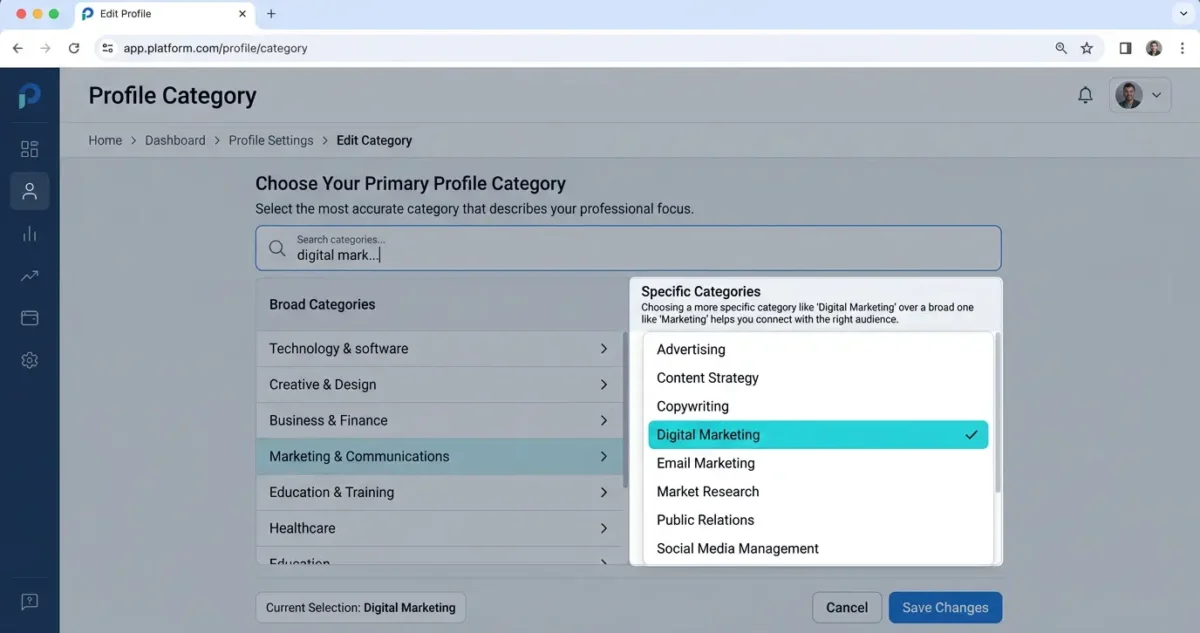
One field decides which searches the profile is eligible for.
This is where I find the most money left on the table. The instinct is to pick the broad category on the theory that broad catches more. It does the opposite. Broad categories are the most crowded, and they miss the specific searches from people ready to buy.
The research takes ten minutes. Search your main service in Google Maps, open the top three listings and read the category printed under each name. That's what Google is rewarding in your market right now. Match that level of detail or beat it, and only pick categories for work you actually do. You can add up to nine secondary categories after the primary one, and the broad category belongs there.
Here's the pattern I see in Tucson audits.
| Business | Category usually chosen | Category that tends to win |
|---|---|---|
| Plumber taking 2 a.m. calls | Plumber | Emergency plumber |
| Dentist doing veneers | Dentist | Cosmetic dentist |
| AC company in July | Contractor | HVAC contractor |
| Junk hauling outfit | Garbage collection service | Garbage dump service |
| Solo attorney doing wills | Lawyer | Estate planning attorney |
Google adds and retires categories without announcing it, so I recheck client categories a few times a year. A closer match sometimes appears on its own. If you aren't sure what your competitors use, it's one of the first things an SEO audit settles.
What Moves Your Rank Once the Category Is Right?
This is how I weight the parts of a profile when I audit one. Google doesn't publish a list like it. It's the order I work in, based on what changes when I change one thing at a time.
| Element | Weight | What it decides |
|---|---|---|
| Primary category | Very high | Which searches you're eligible for at all |
| Review count, rating and recency | Very high | Prominence, and whether anyone calls after they see you |
| Distance from the searcher | Very high | Your range, which you can't change directly |
| Name, address and phone consistency | High | Whether Google trusts that the business is one real entity |
| Services listed one by one | Medium high | Which individual jobs you show up for |
| Photos added regularly | Medium high | Clicks, direction requests and the sense that you're open |
| Website pages and local links | Medium | How far past your own address you can rank |
| Google Posts | Low to medium | Freshness and engagement, little on their own |
Why should every service get its own entry?
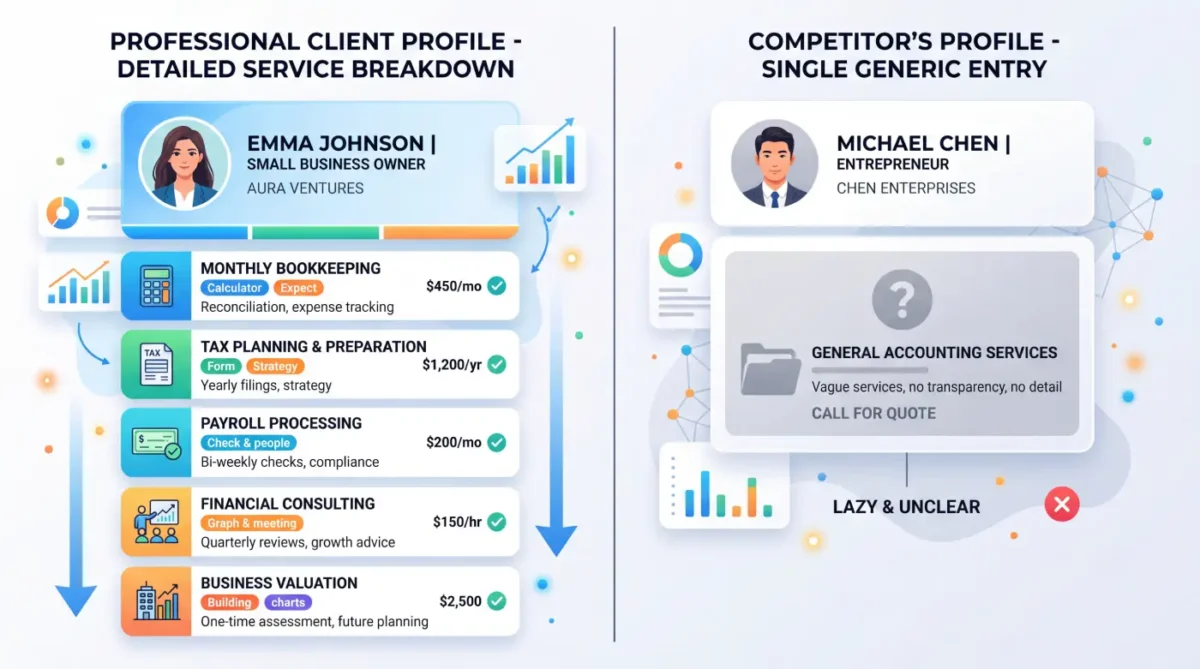
Services listed one at a time, each with its own short description.
The services section is the most underused part of the profile. A junk hauling client of mine has separate entries for hot tub removal, mattress disposal and garage cleanouts, because those are three different searches. A competitor with one entry called junk removal is missing all three. Give every service its own entry and a short description in plain words.
What should the business description say?
You get 750 characters, and only the first lines show before someone taps to expand. Put the main service and the town in the first sentence, then say why you're the obvious call. A description stuffed with keywords reads as spam to the customer, and the customer is the one deciding whether to call.
How often should you add photos?
Monthly. Start with ten real ones: the building from the street so people can find the door, the inside, the crew, the trucks and finished work. Then set a reminder, because photos are the first habit to slip. A slightly crooked phone photo of your actual van does more than a polished stock image, and Google's guidelines expect the photos to show the real business.
What happens when your hours are wrong?
Someone drives over, finds the door locked and leaves a one-star review that has nothing to do with your work. Holiday hours take five minutes a quarter. Watch the suggested edits too. Anyone can propose a change to your hours, phone number or category, and Google sometimes applies it. I've seen a stranger's edit mark a client closed on Saturdays for a month before anyone noticed.
Keeping all of this current every month is the part of Google Business Profile management I handle for clients. The rest of this article is what you'd check yourself.
Which Old Map Tactics Don't Work Anymore?
If you follow a guide from a couple of years ago, you'll spend an afternoon looking for features that no longer exist, and one piece of common advice can now get your reviews filtered.
Messaging is gone. Google removed chat and call history from Business Profiles on July 31, 2024. There's no messaging setting to turn on and no reply time to protect.
The Q and A section is retired. Google shut down the Q and A API on November 3, 2025 and removed the public Q and A section from profiles over the following months. AI-written answers took its place, built from your profile, your reviews and your website. The questions didn't disappear. They moved, and the answers now come from whatever the AI can find, so put your answers on your own site.
Review scripts and quotas now break the rules. On April 17, 2026 Google added two prohibitions: don't give staff a number of reviews to bring in, and don't ask customers to include specific content, including a staff member's name.
Keywords in the business name were never allowed. "Tucson Plumbing" is fine if that's the name on your sign. "Tucson Plumbing | Best Emergency Plumber Near Me" breaks Google's guidelines, competitors report it, and it's the most common cause of suspension I see.
How Much Do Reviews Move Your Map Position?
More than anything else you control once the category is right. Google lists review count and rating as part of prominence, and recency matters in practice. In my experience, a business earning three or four new reviews a month outranks one sitting on a bigger pile that stopped growing two years ago. Reviews also decide whether a top-three position turns into a phone call, because people skip the 3.6 to get to the 4.8 underneath it.
The how-to is spread across three articles, one per job: getting more Google reviews without breaking the rules, responding to a bad review and getting a fake review removed. Asking for reviews, answering them and watching them every month is part of reputation management.
What Does Your Website Have to Do With Your Map Rank?
More than most owners expect. Past a couple of miles from your pin, the website is what carries the listing. Google reads the profile and the site together, and three connections do most of the work.
- The same name, address and phone. Same format in the site footer, on the profile and in every directory. "Ste. 4" and "Suite 4" look like two businesses to a system matching records.
- A page for each service and each town you serve. One page listing thirty towns doesn't count. A real page for Marana and a real page for Vail does.
- LocalBusiness structured data. Markup that tells Google the site and the profile describe the same business. Most sites I take over are missing it, or have two versions that disagree.
The traffic runs the other way too. BrightLocal's 2026 consumer survey found that 54% of consumers visit a business's website after reading positive reviews, up from 32% when the same question was asked in 2019. If that click lands on a slow page with no obvious way to call, the profile did its job and the website lost the lead.
The markup and speed side of this is technical SEO. The service and town pages are content creation. A site that can't hold either one is a website design problem.
What's Different About Ranking on Google Maps in Tucson?
Three things I deal with here that national guides don't cover. They're observations from Tucson profiles I've worked on, not published research.
The metro is spread out, and so is the fade. Oro Valley to Sahuarita is more than thirty miles of separate Map Pack contests. A profile pinned near Oracle and Ina won't hold position in Vail on distance, and no profile setting changes that. What helps is prominence plus a real page for each far-off town, so the website does the reaching the pin can't.
Seasonal trades get tested in summer. An AC company's profile meets its real competition in the first week of triple-digit heat, not in January. Map gains take weeks to show, so the category, photos and review requests have to be in place before the season starts. I schedule that work for spring.
Winter changes who's searching in some towns. Seasonal residents fill Green Valley, Oro Valley and the Catalina Foothills in the cooler months. For clients who serve them, especially dental, medical and home services, I time the photo refresh and the review push for fall, before they arrive.
What's on the Checklist I Run Against a Profile in Fourth Place?
Anything you can't check off is work still available to you.
- The profile is verified and shows as owner managed, under an account you control.
- The business type is right: storefront if customers come to you, service area if you go to them.
- The name matches your sign and your registration, with no added keywords.
- The primary category is the most specific match, checked against today's top three.
- Secondary categories cover only work you actually do.
- Every service has its own entry and description.
- The description puts the main service and the town in the first sentence.
- Hours and holiday hours are current, and suggested edits get reviewed weekly.
- New photos of the real business go up every month.
- Every customer gets a review link within a day of the job, with no script attached.
- The website link points to the most relevant page, not always the homepage.
- Name, address and phone match the site footer and the major directories character for character.
- Position has been checked from several points across the service area, not just the office.
Is Your Profile Stuck Below the Top Three?
Tell me your business and your town. I'll check where you rank from several points across your service area and tell you which of the three factors is holding you back. Profile audits are free, and there's nothing to sign.
Or call (520) 207-6000.
What Do Clients Say About Working With David?
Four of the ten reviews on my Google profiles, quoted in full. Most were left on the Temecula SEO profile during the Southern California years, before the practice moved to Tucson in 2022. The two labeled SEO Tucson name the new business in the review itself.
Called to inquire about services. Dave was extremely helpful in providing knowledge and guidance for a small business getting started.
Lou Ramirez Temecula SEO
David built and developed the website for my business. His customer service and expertise are superior to anyone else I had previously used. How many web development guys had I been through that promise the moon, work hard for a short while, then become difficult to get a hold of later? I'll tell you: there were 9 in 7 years! Temecula SEO worked with us closely, is VERY knowledgeable and computer savvy! It's so nice to have a custom website built; and, actually see it rank well on-line! If you want an SEO guy you can count on, David with Temecula SEO is your man!
Leo Rich Severns Master Technician · Temecula SEO
David has been a huge help to my business. He's knowledgeable, responsive, and consistently delivers great work. Since working with him, we've seen strong improvements and he continues to go above and beyond to help our business grow. Highly recommend David and SEO Tucson to anyone looking for someone who truly cares about getting results.
Weston Molitor Wild West Junk Removal · SEO Tucson
I have been a client of David at SEO Tucson for over 10 years. His wealth of knowledge of SEO marketing has been a tremendous help for my company. He's always up to date with all the new rules and changes and always willing to try new things to help push and keep my company on the top of Google listing
Bao Nguyen, DDS Promenade Dental Care · SEO Tucson
What Do People Ask About Ranking on Google Maps?
How long does it take to rank in the Google Maps 3-pack?
In a low-competition category, a profile that goes from half finished to fully finished usually moves within two to six weeks. In a crowded category in a real city, plan on three to six months of steady work. You control how complete the profile is and how many recent reviews you earn. You don't control how close your address is to the person searching, and distance is one of Google's three local ranking factors.
What is the most important field in a Google Business Profile for ranking?
The primary category. It decides which searches the profile can appear for, and no number of reviews or photos will fix a wrong one. Pick the most specific category that matches the work you're paid for. A shop listed as Auto Repair Shop and one listed as Brake Shop compete for different searches. You can add up to nine secondary categories, and that's where a broader category belongs.
Why does a competitor with fewer reviews outrank me on Google Maps?
Usually distance or category. If their pin sits closer to the person searching, or their primary category matches the search more exactly, they win that search whatever the review count. The other common causes are a more complete profile, more recent reviews and a stronger website behind the listing. Map results change with the searcher's location, so check your position from several points in your service area before deciding there's a problem.
Why do I see different Map Pack results from different locations?
Because Google builds the map results around the person searching. Distance from the searcher is one of the three local ranking factors, so the same search returns different businesses on different sides of town. A profile can be first at its own address and fourth two miles away with nothing wrong. To see your real position, search from several addresses in your service area or use a grid tool that checks from many points at once.
Do I need a separate Google Business Profile for each town I serve?
No. Google allows a profile for each real location where the business operates, not for each town it drives to. Creating profiles at addresses where you have no staffed location breaks Google's guidelines and is a common reason for suspension. To show up in other towns, set an accurate service area on the one profile and build a real page for each town on your website. The website is what extends your reach past the pin.
Does my website affect my Google Maps ranking?
Yes. Google reads the profile and the website together, and the website is often what lets a business rank beyond the few miles around its address. Three connections matter most: the same name, address and phone on both, a separate page for each service and each town you want to appear for, and LocalBusiness structured data that ties the site to the profile. A finished profile pointed at a thin website reaches a ceiling quickly.
Is the Google Business Profile Q and A section gone?
Yes. Google shut down the Q and A API on November 3, 2025 and removed the public Q and A section from profiles through late 2025 and early 2026. AI-written answers took its place, drawn from your profile, your reviews and your website. If your website doesn't answer a common question clearly, the AI answers it from whatever else it finds, so put the questions customers really ask, with your answers, on your own site.
Does Google Business Profile work help with AI tools like ChatGPT?
Yes, because AI assistants read the same information. They lean on consistent business details: an accurate profile, the same name, address and phone across directories, and reviews that describe what you actually do. BrightLocal's 2026 survey found that use of AI tools for local business recommendations rose from 6% to 45% in one year. The work itself barely changes. More systems are simply reading the fields you keep accurate.
Where Does the Information on This Page Come From?
The ranking factors, guidelines and feature changes come from Google and from the sources that track Google's local product. The weighting table, the location checks and the Tucson observations come from my own work, and the page labels them that way. If a linked page disagrees with anything here, the linked page is the authority.
- Google Business Profile Help: Tips to improve your local ranking on Google. Relevance, distance and prominence.
- Google Business Profile Help: Guidelines for representing your business on Google. Names, addresses, service areas and one profile per real location.
- Google Business Profile Help: chat and call history removal. The July 31, 2024 messaging shutdown.
- Search Engine Roundtable, April 17, 2026. The review quota and staff-mention prohibitions.
- Sterling Sky: Google local changes timeline. The Q and A retirement dates.
- BrightLocal: Local Consumer Review Survey 2026. The consumer figures on this page, from a panel of 1,002 US adults.
- Google Search Central: Local business structured data. The markup that ties a website to its profile.
Would You Rather Hand the Profile to Someone?
Profile management is included in the monthly fee, and so is the website work that extends your reach past your pin. Here's everything the $1,000 a month covers, and here's how the local SEO side fits together.
Talk to David about your profile
Or call (520) 207-6000.
SEO Tucson, formerly Temecula SEO
Serving Tucson and Southern Arizona
Phone: (520) 207-6000
Consultant: David Cragg, in search since 1990
Written by David Cragg, Tucson SEO consultant, in search since 1990. The profiles behind the examples on this page are ones I manage.
On how this site is written: I use AI tools to draft and to check my own work. AI does not supply the facts about your business, it does not invent sources, and nothing goes up here that I have not read first. If you find a claim on this site you can't verify, call me and I'll fix it or pull it.
Page last reviewed October 27, 2026 by David Cragg. Google changes local features without much notice. If something here has gone stale, tell me and I'll fix it.