

Redesigning Without Losing Rankings: The Launch Checklist
A new design almost never costs a site its rankings. Launch day does: old addresses with nowhere to go, a box left ticked from staging, and nobody watching Search Console when it starts to complain.
By David Cragg, SEO Tucson, in search marketing since 1990. Published .
Google doesn’t rank colors or fonts. It ranks pages, and it finds those pages at specific addresses. A redesign that keeps every address working, or sends each old one to its true replacement, usually comes through fine, and the faster, cleaner site often does better than the old one. This is the procedure I follow: inventory the URLs, map the redirects, clear the staging blocks, then watch Search Console closely for two weeks.
The short version
- List every address that earns traffic or links before anyone starts designing.
- Send each old address to its one true replacement with a 301, never to the homepage.
- Staging settings live in the database, so a copied site can launch with noindex still switched on.
- For two weeks after launch, check Search Console every few days for 404s, noindex and lost clicks on specific pages.
- Moving to a new domain or a new business name is a different job with its own steps.
Where redesigns actually lose rankings
When a business owner tells me a redesign killed their rankings, I ask to see the old site’s addresses next to the new site’s. The answer is almost always sitting in that comparison. Service pages that used to live at one address now live at another, nothing connects the two, and every link and ranking the old page earned is pointing at a 404.
Google’s guidance on moving a site with URL changes is calmer than most of what you’ll read online. It says permanent redirects don’t cost you PageRank, and it recommends changing one thing at a time. A typical redesign breaks that second rule without anyone noticing: new theme, new page structure, new addresses and rewritten copy, all on the same afternoon. When rankings move, nobody can tell which change moved them.
I’ve cleaned up after my own rebuild, too. After I rebuilt this site as SEO Tucson, I found the Home link in my own navigation pointing at an address called /old/, a duplicate page at /home/, a second copy of a service page with a 2 on the end of its address, and sample pages from the theme’s demo content still published where Google could find them. None of that was a design problem. All of it was launch hygiene, and launch hygiene is what the rest of this checklist is for.
Step 1: The URL inventory

Before anyone opens a design file, I build a list of every address on the current site that matters. That means more than the pages in the menu. It’s every page that gets search traffic, every page another site links to, and every address a customer might have saved, bookmarked or read off the side of your truck.
Local businesses print web addresses everywhere: vans, yard signs, invoices, refrigerator magnets and the backs of business cards. A Tucson plumber who printed a specials page on a few thousand door hangers needs that address to keep working long after the new site launches.
Here’s where I pull the list from:
- The XML sitemap. Rank Math and Yoast both publish one, usually at /sitemap_index.xml. It’s the fastest list of the pages WordPress knows about.
- Search Console’s Performance report. Set the longest date range available, open the Pages tab and export it. Those are the addresses that earned clicks, and the Queries tab tells you what each one ranks for.
- Search Console’s Links report. The top linked pages list shows which addresses other sites point at. Those links are worth keeping alive.
- Your analytics landing pages. These catch pages that get visits from ads, email and social posts as well as search.
- A crawl of the live site. A crawler finds what the sitemap misses: PDFs, old landing pages, image files and anything still linked but forgotten.
- Everything printed or listed elsewhere. Your Google Business Profile website and appointment links, directory listings, chamber of commerce profiles, and anything on vehicles, signs or mailers.
Google’s own guidance makes the same point about the files people forget. Images, videos and PDF documents have addresses too, and they move like everything else.
I keep the list in a spreadsheet with a row per address: monthly clicks, the top query, whether other sites link to it, and a column for what happens to it on the new site. Deciding whether a weak old page should be kept, combined with another or retired is its own call. I make it during an SEO audit, not in the middle of a design meeting.
One more thing goes in that spreadsheet: the title, headings and main copy of every page that earns real search traffic. Redesigns tend to rewrite copy simply because it’s there. If a page ranks for a query, launch it with the words that earned the ranking, and rewrite it later as a separate change you can measure.
Step 2: The redirect map
The redirect map is that same spreadsheet with one more column filled in: for every old address, the new address it should send people to. An address that isn’t changing gets no redirect, but it still gets tested after launch. Here’s what a few rows look like for a made-up Tucson air conditioning company:
| Old address | New address | Why |
|---|---|---|
| /ac-repair-tucson.html | /services/ac-repair/ | Same service, new address. One-to-one 301. |
| /heating-services/ | /services/heating-repair/ | Renamed page. 301 to the page that covers the same work. |
| /about-us/ | /about/ | Shorter address on the new site. 301. |
| /oro-valley-ac-repair/ | No change | Same address on both sites. No redirect, but test that it loads. |
| /summer-tune-up-2024/ | None (410) | Expired offer with no equivalent page. A 410, not a redirect to the homepage. |
| /wp-content/uploads/2021/03/financing-application.pdf | /financing/ | The PDF was replaced by an online form. Documents move too. |
The rules I hold to when I fill it in:
- One old address, one true replacement. Each old page goes to the new page that covers the same thing. Google warns against sending lots of old addresses to one unrelated page such as the homepage, which can confuse visitors and may be treated as a soft 404. When there’s no real equivalent, a 404 or 410 is the honest answer.
- Server-side permanent redirects. A 301 or 308, set on the server or through a WordPress tool such as Rank Math’s Redirections module. Not a JavaScript redirect, and not a meta refresh.
- Straight to the final address. Point each old address at its final destination, not at another redirect. Google can follow several hops, but every hop adds delay for visitors. Match the exact form of the new address, too: https, with or without www, and with or without the trailing slash, whichever the new site actually uses.
- Fix your own links. Update the menus, buttons and in-text links on the new site so they point at the new addresses directly. Redirects are for the outside world, not for your own pages.
- Test every row twice. Once on staging if your setup allows it, and again on the live site the day it launches.
- Leave them in place. Google recommends keeping redirects for at least a year, and from a visitor’s point of view, indefinitely. The magnets on your customers’ refrigerators aren’t going anywhere.
Google’s page on redirects and Google Search covers every redirect type and how Google treats each one. Redirects are also part of the crawl and indexing work on my technical SEO services page.
Step 3: The staging noindex that comes along for the ride
Most redesigns are built on a staging copy, a private version of the site where work can happen without the public seeing it. To keep Google away from that copy, someone ticks the WordPress box under Settings, Reading labeled Discourage search engines from indexing this site. On staging, that’s the right call.
The trouble is where that setting lives. It’s stored in the WordPress database, not in the design. When the finished staging site is copied over the live one, the database comes with it, and so does the ticked box. Since WordPress 5.3, that box adds a robots meta tag asking search engines not to index any page, as the WordPress core team explained when it made the change. The new site looks perfect to every visitor while Google is being asked to drop all of it.

On launch day I check, logged out, in a private window. First the page source of the homepage and a few service pages. If the source contains a line like this one, the site is asking Google to drop it:
Then the other places a staging block can hide:
- The WordPress dashboard. The At a Glance box shows a Search engines discouraged notice while the box is still ticked.
- The SEO plugin. Rank Math and Yoast both let you set noindex page by page and by post type. Anything set to noindex during the build stays that way until someone changes it.
- The response headers. Some hosts and developers block staging with an X-Robots-Tag header instead of a meta tag. It never shows in the page source, so run
curl -sI https://yourdomain.com/and look for that line. - The robots.txt file. Open yourdomain.com/robots.txt. A Disallow: / line under User-agent: * blocks the whole site from crawling.
- Server password protection. If staging sat behind a server-level password, make sure the password didn’t follow the files to the live site.
- Google’s own view. Run the homepage and your top pages through the live test in the URL Inspection tool and confirm it reports that indexing is allowed.
Google’s documentation on blocking indexing with noindex explains why these two blocks behave differently. A page with a noindex rule drops out of results once Google recrawls it, and a page blocked in robots.txt can’t even show Google its noindex rule. Neither belongs on a live business site. If you find one after launch, remove it, clear your caches so visitors and Googlebot actually get the fixed pages, and request indexing for your most important ones. The cache side is its own trap, and I wrote it up in Your Site Changed, but Google Still Sees the Old Page.
The reverse problem is just as real. A staging copy Google can reach competes with your live site. Keep staging blocked, and ideally behind a password, for as long as it exists.
Step 4: The first two weeks in Search Console
Google says a small or medium site can take a few weeks for most pages to move, and that rankings may fluctuate while it recrawls. That part is normal. What isn’t normal is a problem nobody spots for a month, so for the first two weeks I check in on a schedule.
Before launch. Make sure your Search Console verification survives the new theme. If you verified with an HTML file or a meta tag, the new site needs that same file or tag, or you lose access to your own data on launch day. A Domain property verified through DNS doesn’t care which theme you run. Then export the last three months of the Performance report by page and by query, so you have something to compare against.
Launch day. Run every row of the redirect map. Check for the staging blocks above. Submit the new sitemap in Search Console. Test the homepage and your five most important pages with the live URL Inspection test, confirm each one carries a canonical tag pointing at itself, and request indexing for them.
Days two through seven. Open the Page indexing report every couple of days and watch three things. Any address from your inventory that turns up under Not found (404) is a missing or broken redirect. A rising count under Page with redirect is the move working, not a problem. And any growing noindex count means a block made it through launch. Google’s help page calls that reason URL marked ‘noindex’, and the report itself may label it Excluded by ‘noindex’ tag. My guide to the Page indexing report explains every status in it. Check Crawl Stats too. Google crawls a site harder than usual right after a move, and a small hosting plan can start throwing server errors.
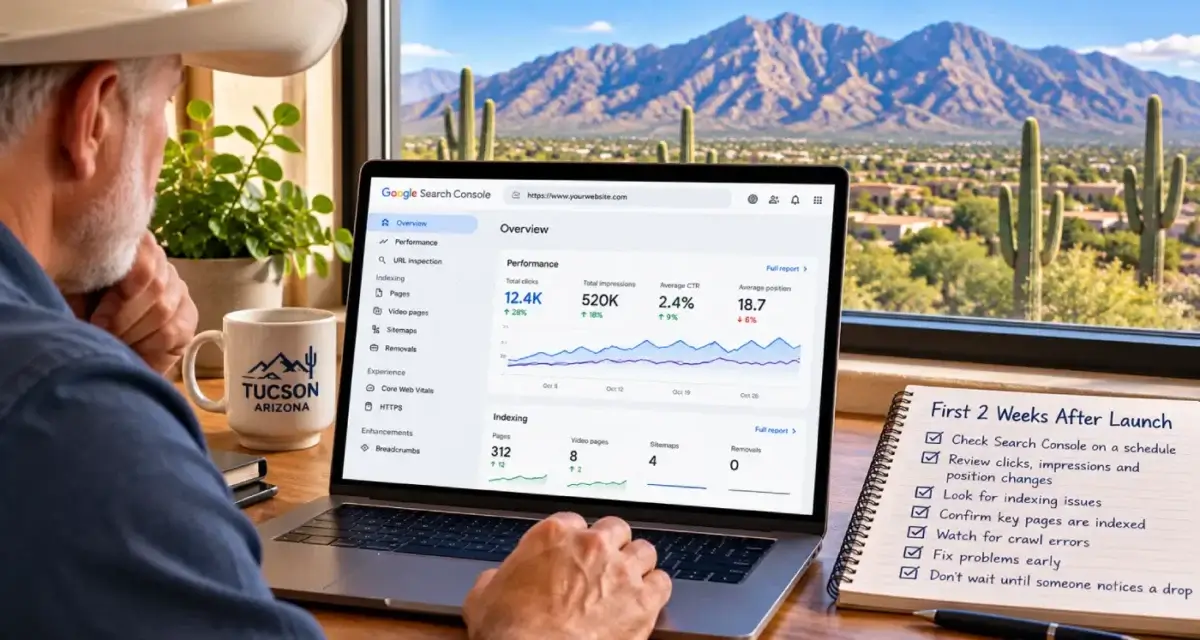
Days seven through fourteen. Compare the Performance report with your pre-launch export, page by page. Clicks shifting from old addresses to new ones is exactly what should happen. A loss concentrated on a handful of pages is the useful signal. Go back to those rows of the redirect map and check what each old address does now, and whether the new page still says what the old one said.
Outside Search Console. Confirm your analytics tag made it onto the new theme, send yourself a test from every form, and update your Google Business Profile if its website or appointment links pointed at addresses that changed. Profile upkeep like that is part of my Google Business Profile management.
One tool you don’t need is Search Console’s Change of Address tool. Google says it’s only for moving to a different domain or subdomain, not for new paths on the same domain, a switch to https, or a switch between www and non-www. If you are changing your domain or your business name, that’s a bigger job with its own order of operations, which I cover in New State, New Name.
Timing a launch in Tucson
Google suggests timing a move for a stretch when traffic is naturally lower, so fewer people run into whatever goes wrong. For Tucson businesses, that usually means working around the season that pays the bills:
- An air conditioning company shouldn’t launch in June, when every call counts the most.
- Roofers and remodelers do better finishing before monsoon season, which the National Weather Service counts from June 15 through September 30.
- Businesses that depend on winter visitors can launch in summer, while a good share of their customers are out of town.
The day of the week matters too. I launch early in the week, never on a Friday afternoon, so someone is around for the first few days to catch whatever slips through.
The design decisions themselves, including which platform to build on and when a rebuild beats a repair, are on my website design page. This checklist is the part that protects what your current site has already earned.
Planning a redesign?
Send me your site address and share your Search Console access. Before anyone touches the design, I’ll list the pages that earn your traffic and links and tell you which ones the new site has to protect. I answer my own phone.
What clients say
These are reviews clients left on my Google profiles. Most date from my Temecula SEO years in Southern California, before I moved to Tucson in 2022.
David built and developed the website for my business. His customer service and expertise are superior to anyone else I had previously used. How many web development guys had I been through that promise the moon, work hard for a short while, then become difficult to get a hold of later? I’ll tell you: there were 9 in 7 years! Temecula SEO worked with us closely, is VERY knowledgeable and computer savvy! It’s so nice to have a custom website built; and, actually see it rank well on-line! If you want an SEO guy you can count on, David with Temecula SEO is your man!
We have worked with David for over a year now and he is great to work with. David has built us a great new website that we love and our Google ranking has improved significantly. David is a great guy and works day and night to help you. I highly recommend Temecula seo. Thank you David for your hard work.
Dave does much more than “just” SEO, or at least he does everything even tangentially related to SEO. Not just finding keywords and maximizing them, but rather looking at things at their foundation so we get the best possible results. Dave is very hands-on and blazingly fast with execution. I’m sure I’ve tried his patience as I know just enough to be annoying and not near enough to do a good job of this myself. He manages to explain what I need explained in a “for dummies” level but without making me feel like an idiot.
With a lot of people our company works with, we are ready for their services/delivery/etc. before they are. This is especially true of some of our previous marketing efforts. We try not to get too impatient. With Dave on the other hand, we can’t keep up. And our results have improved dramatically very quickly!
Called to inquire about services. Dave was extremely helpful in providing knowledge and guidance for a small business getting started.
Questions about redesigning without losing rankings
Do I need redirects for pages whose addresses aren’t changing?
No. A page that keeps exactly the same address on the new site doesn’t need a redirect, and adding one would send the page back to itself. It still needs testing after launch, because a new theme can change small details like the trailing slash or the www, and to Google a change that small is a different address.
Can I redirect all my old pages to the homepage?
You shouldn’t. Google’s guidance says sending many old addresses to one unrelated page, such as the homepage, can confuse visitors and may be treated as a soft 404, so the old page’s value doesn’t carry over. Send each old page to the new page that covers the same thing. If nothing does, let it return a 404 or 410.
How long should I keep redirects after a redesign?
Google recommends keeping them for at least a year, and from a visitor’s point of view, indefinitely. Other websites, bookmarks, printed materials and old emails keep sending people to old addresses for years. A redirect costs almost nothing to keep, so I leave them in place.
What happens if Discourage search engines is still checked after launch?
WordPress adds a noindex robots meta tag to every page, and Google drops each page from its results as it recrawls it. Untick the box under Settings, Reading, clear your caches, confirm with the URL Inspection live test that indexing is allowed, and request indexing for your most important pages.
How long does it take Google to settle down after a redesign?
Google says a small or medium site can take a few weeks for most pages to move to their new addresses, and rankings can fluctuate during that time. If the redirects are right and nothing is blocked, the movement settles on its own. A drop that keeps getting worse after a couple of weeks usually points at something specific, such as a missing redirect or a page that lost its content.
Should I rewrite my content during a redesign?
Not the pages that already rank, at least not on launch day. Google recommends changing one thing at a time, and new addresses plus a new layout is already two. Launch the pages that earn search traffic with the wording that earned it, then rewrite them afterward as a separate change so you can see what the rewrite did.
Is it normal to lose traffic in the first week after launching?
Some fluctuation is normal while Google recrawls. What matters is where the loss shows up. Clicks moving from old addresses to new ones is the move working. A loss concentrated on a few specific pages is your signal to check those pages’ redirects, their indexing status and whether their content survived the redesign.
Do I need Search Console’s Change of Address tool after a redesign?
Only if the domain or subdomain is changing. Google says the tool isn’t needed for new paths on the same domain, a switch from http to https, or a switch between www and non-www. For most redesigns, correct redirects and a new sitemap do the job.
What should happen to old pages I’m not bringing to the new site?
If an old page has a true equivalent on the new site, redirect it there. If it doesn’t, let it return a 404 or 410, which Google treats as a normal, honest answer. Which old pages are worth keeping, combining or retiring is a decision I make from traffic and link data during an audit, before the design work starts.
When is the best time to launch a redesigned website?
During your slowest stretch, early in the week. Google suggests timing a move for lower traffic, and a Monday or Tuesday launch leaves time to catch problems before the weekend. For a Tucson business, that means avoiding your peak season, such as June for an air conditioning company.
More on website design
Your Web Designer Has Your Domain: Getting Control Back
When a former web designer holds your domain, hosting or WordPress login, you’re renting your own website.
Website design services
How I build small business websites in Tucson: fast WordPress sites, built page by page around what customers search for.
Technical SEO services
What I check and fix on client sites: crawling, indexing, speed, schema and the plumbing underneath.
SEO Tucson, David Cragg
Tucson, Arizona. Serving Tucson, Oro Valley, Marana, Catalina Foothills, Sahuarita, Green Valley, Vail and the rest of Southern Arizona.
Written by David Cragg. Published October 24, 2026. Last reviewed October 24, 2026. Drafted with AI assistance, then edited, fact-checked and approved by David before publication. How I use AI, and what it is never allowed to do.