“Crawled, Currently Not Indexed” and the Rest of the Page Indexing Report
Most of what sits in the “not indexed” column of Search Console is supposed to be there. The skill is knowing which few statuses mean something is actually wrong.
By David Cragg, SEO Tucson, in search marketing since 1990. Published .
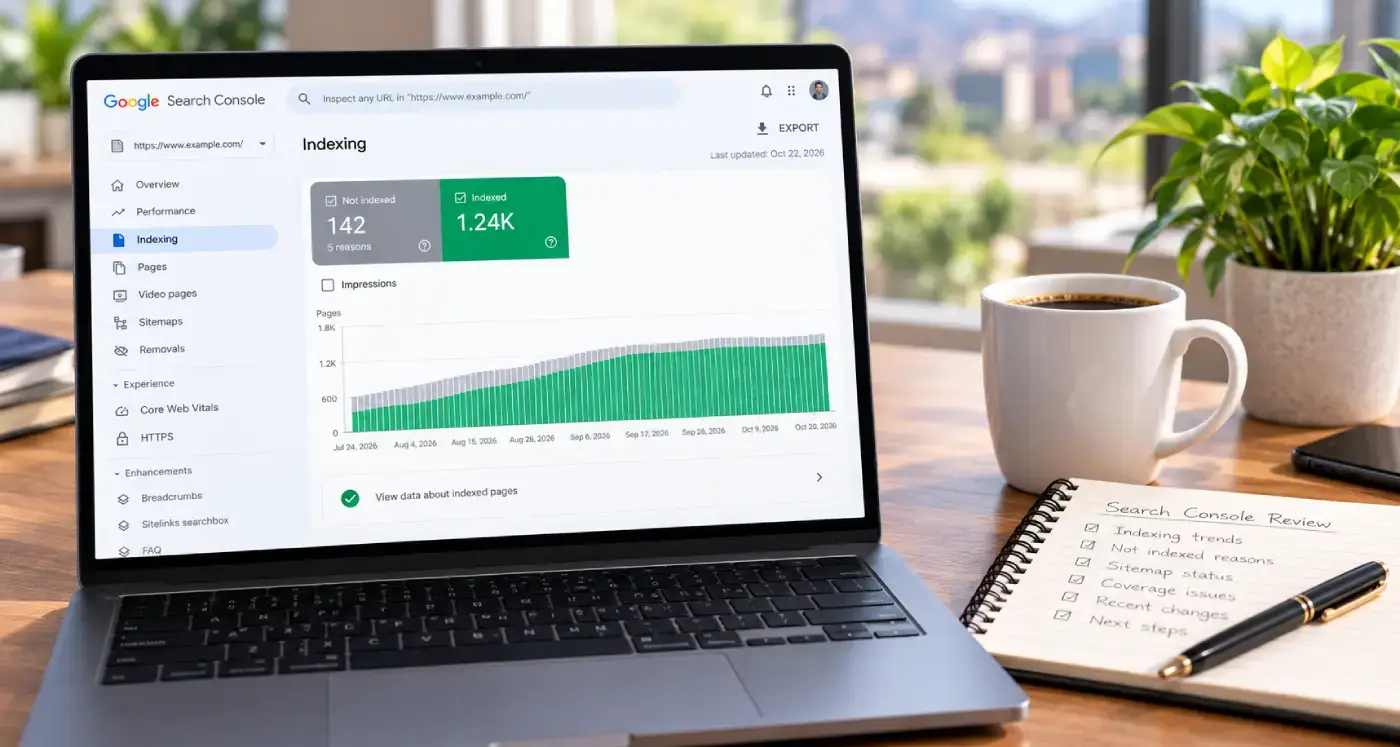
Crawled, currently not indexed is the status that sends people searching, so I’ll give it a full section. But it only makes sense next to the rest of the Page indexing report, because the report mixes routine housekeeping with real errors and colors all of them the same gray.
The short version
- Not indexed doesn’t mean broken. Redirects, duplicates and pages you deliberately noindexed belong there.
- Crawled – currently not indexed means Google read the page and decided not to keep it, at least for now.
- Discovered – currently not indexed means Google knows the URL but hasn’t crawled it yet.
- Server errors, redirect errors, soft 404s and access errors on pages you want found are the ones to fix first.
- Check the Source column. Google says you can generally fix only the issues whose source is your website.
Google says small sites may not need this report
Google’s own Page indexing report help page opens with advice most people skip: if your site has fewer than 500 pages, you probably don’t need this report. Search Google for site: plus your domain, search for your key pages by their exact address, and use the URL Inspection tool when you want the status of one specific page.
Most of the local service business sites I work on are well under that size. I still open the report every month, but not to chase every gray URL. I open it to spot patterns: a template change that pushed a batch of pages into an error, a sitemap full of URLs that redirect somewhere else, or a firewall rule quietly turning Googlebot away at the door.
Not indexed is not the same as broken
The report sorts every URL Google knows about into indexed and not indexed, then gives a reason for each one that isn’t indexed. Google is blunt about this: don’t expect every URL on your site to be indexed, only the canonical version of each important page. A page marked as a duplicate or an alternate usually means Google found the right version and indexed that one instead.

Two columns in the table do most of the sorting for you. Source tells you whether the issue sits with your website or with Google, and you can generally fix only the ones where the source is your website. Validation tells you whether you’ve asked Google to recheck a fix, and how that recheck is going.
Every status, and whether it needs work
This is the whole list as it appears in the report today, with my short answer on each one. The wording in the first column matches what you’ll see in Search Console.
| Status | What it means | Usually normal? | When it needs work |
|---|---|---|---|
| Page with redirect | The URL redirects somewhere else, so the destination gets indexed instead. | Yes | When an internal link or your sitemap still points at the old address. |
| Alternate page with proper canonical tag | The page correctly names another URL as its canonical, and that URL is indexed. | Yes | Rarely. Confirm the canonical is the version you want. |
| Duplicate without user-selected canonical | Google found a duplicate with no canonical declared and chose another URL itself. | Often | When Google picked the wrong version, or the page isn’t really a duplicate. |
| Duplicate, Google chose different canonical than user | You declared a canonical, and Google disagreed. | Sometimes | When an important page is affected. Compare both canonicals in URL Inspection. |
| URL marked ‘noindex’ | Google found a noindex directive on the page. | Yes, if intended | When the page should appear in search. |
| Blocked by robots.txt | Your robots.txt file stopped Google from crawling the URL. | Yes, if intended | When the page should appear in search. |
| Not found (404) | The URL returned a 404. | Yes, for removed pages | When you still link to it, list it in a sitemap, or the page moved. |
| Crawled – currently not indexed | Google crawled the page and chose not to index it for now. | Depends | When an important page is stuck here. |
| Discovered – currently not indexed | Google knows the URL and postponed crawling it. | Depends | When it persists for important pages. |
| Soft 404 | The page returns success but looks empty or like an error page. | No | Return a real 404, or give the page real content. |
| Server error (5xx) | Your server failed or timed out when Googlebot asked. | No | Always, especially when it repeats. |
| Redirect error | A redirect loop, a chain that is too long, or a bad URL in the chain. | No | Always. |
| Blocked: 401, 403 or other 4xx | Googlebot was refused access. | No | When the page should be public. |
Crawled – currently not indexed
This is Google saying: I fetched this page, I read it, and I’m not putting it in the index right now. Google’s description is short. The page was crawled but not indexed, it may or may not be indexed in the future, and there’s no need to resubmit the URL for crawling.
That last part matters. Clicking Request Indexing over and over doesn’t change the decision. The live test in the URL Inspection tool can’t even check for this status, because the question isn’t whether Google can reach the page. It already did.
On a typical WordPress site, the usual residents are easy to recognize: tag and date archives, paginated archive pages, short posts that repeat what another page already says, image attachment pages, and location pages where only the town name changes. That last group is the one I see most on local business sites. A page that says the same thing about Oro Valley that it says about Marana gives Google very little reason to keep both.
When I wrote my own Marana page, I built it around Gladden Farms, Tangerine Road at I-10 and Dove Mountain Boulevard, because those are the spots where I check how a Marana business shows up on the map. Specifics like that, the kind only someone who knows the area would write, are a big part of how I approach local SEO, and they’re what make a town page worth indexing.
If an important page lands in this status, the real question is what it offers that the pages Google already indexed don’t. Whether a weak page should be improved, combined with another page or retired is a separate call. I make that call during an SEO audit, with traffic and links in front of me, not from a status label.
Discovered – currently not indexed
This sits one step earlier. Google found the URL, usually through a link or your sitemap, and hasn’t crawled it yet. Google’s explanation is that it wanted to crawl the page but expected the request to overload the site, so it rescheduled. That’s why the last crawl date is empty.
On a big site, this can be pure volume. On a 60-page local site, it makes me look at the server. I open the Crawl Stats report and check the host status for availability problems, then look at how quickly the server responds. Shared hosting that slows to a crawl, or a security layer that throttles bots, can make Google back off. I also check how the page is linked. A URL that exists only in the sitemap, with no internal links pointing at it, is telling Google it isn’t very important.
The duplicate and canonical statuses
Duplicate without user-selected canonical is mostly WordPress being WordPress: comment reply links, feed URLs, tracking parameters, the same post reachable two different ways. If Google picked the right version, there’s nothing to do.
Duplicate, Google chose different canonical than user is the one I read closely. It means you told Google which URL is the original, and Google decided otherwise. Open the URL Inspection tool and compare the user-declared canonical with the Google-selected canonical. Google’s guide to consolidating duplicate URLs makes the key point: a duplicate has to actually resemble the canonical you named, or Google won’t accept your choice. When the two pages aren’t similar, your canonical tag is pointing at the wrong thing.
The statuses that are real problems
These are the ones I fix first, whenever they affect pages that should be in search:
- Server error (5xx). Googlebot asked and your server failed or timed out. Check host status in Crawl Stats, and remember that server errors can come and go, so a clean live test doesn’t prove the problem is gone.
- Blocked by 401, 403 or another 4xx. Googlebot never sends a login, so a 403 means something refused it. On small business hosting, that something is often a firewall or bot-protection rule that mistook Googlebot for an attacker.
- Redirect error. A loop, a chain that runs too long, or a bad address somewhere in the chain. These tend to appear after a site move or a switch from http to https.
- Soft 404. The page loads with a success code but looks empty, or like an error page, to Google. Thin placeholder pages are the usual cause.
- 404s you created. A 404 for a page you removed is fine. A 404 for a page you still link to, or still list in your sitemap, needs a corrected link or a redirect.

Two warnings sit in a separate table under Improve page experience. Indexed, though blocked by robots.txt means Google indexed a URL it wasn’t allowed to crawl, usually because other pages link to it. If you want that page out of Google, remove the robots.txt block and use a noindex tag instead, since Google can’t see a noindex on a page it isn’t allowed to fetch. Page indexed without content means Google indexed the address but couldn’t read anything on it.
How I work the report
Here’s the routine I follow on client sites:
- Filter to All submitted pages first. Those are the URLs you told Google matter, so a problem there is worth more of your time than a problem on a URL Google found by wandering.
- Open each reason and read the Source column before reading the URL list.
- Inspect a few example URLs with the URL Inspection tool. Compare the last crawl date with the date of your fix. A URL can still show an issue you already fixed simply because Google hasn’t crawled it since.
- Remember what the live test can’t check. Duplicate and canonical decisions aren’t tested in a live inspection.
- When every instance of an issue is fixed, click Validate fix once. Google says validation typically takes up to about two weeks and sometimes much longer, and one remaining instance will stop it.
- Let the rest age out. An issue drops off the report 90 days after its last instance disappears, and the 404 list only shows URLs that returned a 404 in the past month.

Indexing problems are usually technical before they’re anything else. The full list of what I check and fix on that side is on my technical SEO services page.
Want someone to read the report with you?
Share your Search Console access and I’ll go through the Page indexing report with you, separate the routine statuses from the real problems, and tell you which ones I’d fix first. I answer my own phone.
What clients say
These are reviews clients left on my Google profiles. Most date from my Temecula SEO years in Southern California, before I moved to Tucson in 2022.
David is great to work with. He takes his job seriously, is a wealth of knowledge not only in SEO, but also business in general. If you are looking to for someone to handle SEO for you - you can stop looking now.
Called to inquire about services. Dave was extremely helpful in providing knowledge and guidance for a small business getting started.
I made a decision to Hire David, with Temecula SEO about a year ago now, it has changed the presence of my company online greatly. I would highly recommend giving david a chance if you are looking for an honest SEO company.
If you are looking for help with SEO, or anything related, David is your man! I talked to several other companies before talking to David, and I knew right away he was different. He is extremely professional, responsive, affordable, and effective. Most importantly, I trust that he is looking out for my best interest. He takes a very hands-on approach and always takes the time to listen to the changing needs of my professional business. His wealth of knowledge is invaluable. He had my business seeing results almost immediately. Thank you David for all your hard work! Best in the business!
Questions about the Page indexing report
What does “Crawled – currently not indexed” mean in Search Console?
It means Googlebot fetched and read the page, but Google chose not to add it to the index for now. Google says it may or may not be indexed in the future and that there’s no need to resubmit the URL. The page is reachable. The decision is about whether it adds enough beyond what Google already has.
Is “Discovered – currently not indexed” a problem?
Not always. It means Google knows the URL but postponed crawling it, usually because it expected the request to overload the site. If it persists on a small site, check server response and host status in the Crawl Stats report, and make sure the page has internal links instead of living only in your sitemap.
Should I click Request Indexing for every URL in the report?
No. Request Indexing is for a specific page that changed in an important way. Google says pages that were crawled but not indexed don’t need to be resubmitted, and repeated requests don’t change Google’s assessment. Fix the reason a page isn’t indexed first, then request indexing once if the page matters.
Which Page indexing statuses can I safely ignore?
Page with redirect, Alternate page with proper canonical tag, and noindex or robots.txt blocks you added on purpose are usually fine. A 404 for a page you deliberately removed is fine too. Confirm that each reason matches what you intended, then spend your time on the statuses that point at errors.
What does “Duplicate, Google chose different canonical than user” mean?
You declared one URL as the canonical, and Google picked a different one. Use the URL Inspection tool to compare the user-declared and Google-selected canonicals. If the two pages aren’t actually similar, your canonical tag is probably pointing at the wrong URL, because Google only accepts a canonical that is a real duplicate.
Why does URL Inspection say a page is fine while the report shows an error?
Usually because you fixed the problem after Google last crawled the page, so check the crawl date for that URL. The live test also doesn’t check every condition the report covers. Duplicate and canonical decisions, for example, aren’t tested live, so a clean live test doesn’t always clear the report.
How long does Validate fix take in the Page indexing report?
Google says validation typically takes up to about two weeks and sometimes much longer. Click it once after every instance is fixed, then wait. If one remaining instance turns up, validation fails and you restart it after fixing that page. You can also skip validation, since Google updates the counts as it recrawls.
Why do pages I deleted keep showing up as 404 errors?
Google keeps checking known URLs for a while in case the error is temporary, and there’s no way to make it forget a URL completely. The report only lists URLs that returned a 404 in the past month. If the page was removed with no replacement, the 404 is correct. If it moved, redirect it.
Does the Page indexing report list every page on my site?
No. The example lists are capped at 1,000 URLs and aren’t guaranteed to show every URL with a given status. You also can’t search or filter the report by URL. To check one specific page, use the URL Inspection tool instead.
More on technical SEO
Why PageSpeed Insights and Search Console Disagree About Your Speed
A green 95 in PageSpeed Insights and a Poor rating in Search Console can both be true.
Two Schema Blocks Saying Two Different Things
When the theme, the SEO plugin and an old snippet each describe your business, they rarely agree.
Your Site Changed, but Google Still Sees the Old Page
If Google keeps showing the old version of a page you updated, a cache is often still serving it.
Technical SEO services
What I check and fix on client sites: crawling, indexing, speed, schema and the plumbing underneath.
SEO Tucson, David Cragg
Tucson, Arizona. Serving Tucson, Oro Valley, Marana, Catalina Foothills, Sahuarita, Green Valley, Vail and the rest of Southern Arizona.
Written by David Cragg. Published October 23, 2026. Last reviewed October 23, 2026. Drafted with AI assistance, then edited, fact-checked and approved by David before publication. How I use AI, and what it is never allowed to do.