Two Schema Blocks Saying Two Different Things
Duplicate schema markup is easy to miss, because nothing looks wrong on the page. The problem lives in the source code, where two blocks describe your business and don’t agree.
By David Cragg, SEO Tucson, in search marketing since 1990. Published .
Most WordPress sites I open have more than one thing writing structured data: the theme, the SEO plugin, a snippet plugin someone installed years ago, and sometimes a block of JSON-LD pasted straight into a page. When those blocks agree and point at each other, fine. When they describe two different versions of your business, you’re handing Google a contradiction. Here’s how I find them, including the five blocks that kept my old Temecula phone number on every page of my own site.
The short version
- Visitors never see schema, so a conflict can sit in your source code for years.
- Count the JSON-LD blocks in your page source and write down what each one claims.
- Blocks without an @id that describe the same business read as separate entities.
- An empty settings screen doesn’t prove a plugin isn’t printing code.
- Pick one source for your business details and switch the others off.
What duplicate schema markup looks like
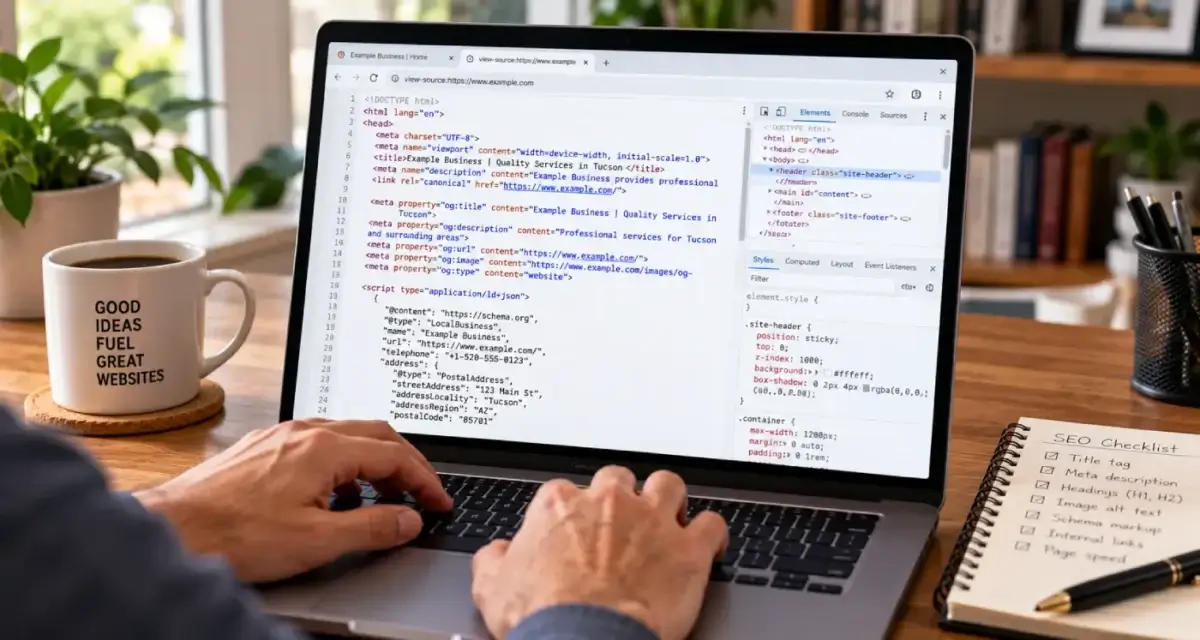
Open any page, view the source, and search for ld+json. Each match is a separate block of structured data. One or two is normal. Five or six on a small business page usually means several tools are each trying to describe the same company.
The count isn’t the real issue. Agreement is. I look at the same few fields in every block: the @type, the @id if there is one, the business name, phone number, address, website address and anything with a date in it. When two blocks both claim to be the organization behind the site and carry different phone numbers, they aren’t two descriptions of one business. Without an @id tying them together, they read like two businesses.
That @id is a node identifier, defined in the W3C’s JSON-LD 1.1 specification. Give your business a stable one, such as your homepage address followed by #organization, and every other block can point at it instead of restating your details. Blocks that point at the same @id form one connected graph. Blocks that don’t are strangers who happen to share a name.
Google’s general structured data guidelines ask for markup that’s an accurate, current representation of the page. Google doesn’t publish how it settles a contradiction between two blocks, and I won’t pretend to know. I’d simply rather it never had to choose.
Where the extra blocks come from
On WordPress, these are the sources I check, roughly in the order I find problems:
| Source | What it usually prints | Where I look |
|---|---|---|
| SEO plugin (Rank Math, Yoast and similar) | Organization or LocalBusiness, WebSite, WebPage, Article, BreadcrumbList | Its schema and local business settings, sitewide and on each post |
| Theme | Legacy rich snippet markup, author and title data, sometimes its own social tags | Theme options. On Avada, Global Options, including the code fields under Advanced |
| Header and footer snippet plugins | Whatever someone pasted in, often years ago | The plugin’s settings and any per-post boxes it adds |
| Page content | JSON-LD pasted directly into a page or post | The page editor, code blocks and builder elements |
| Tag manager and third-party widgets | Review, map or booking markup injected by script | Google Tag Manager tags and each widget’s settings |
The page content row deserves a story of its own. While rebuilding one of my own posts this year, I found an entire second head section pasted into the body of the page, complete with its own title, canonical tag and three JSON-LD blocks, left over from an earlier version of the post. It rendered inside the content area, where nobody had thought to look.
Case study: five blocks and a phone number I hadn’t used since Temecula

I ran Temecula SEO in Southern California from 2007 until I moved to Tucson in 2022. When I rebuilt this site as SEO Tucson, I wrote a single hand-built graph of structured data for the whole site: the business, me as the person behind it, and the website, each with its own @id, loaded once in the global header. Every page references those three by @id and never redefines them.
In August 2026 I pointed my own Python checker at the homepage, and it reported no JSON-LD at all. That turned out to be the checker’s fault. The server was sending compressed pages, and my script was searching the compressed bytes. Once I fixed that, it found seven blocks. Two were mine. Five were not.
The five were an Organization, a WebSite, a LocalBusiness, a Service and a BreadcrumbList. None of them had an @id. Each one was labeled with its own HTML comment, the way people label code they paste in by hand. And they carried stale information:
- The Service block listed my old Southern California number, a 949 number I hadn’t used in years, while my real Tucson number sat in my own graph a few lines further down.
- The blocks gave two different founding dates for the business.
- The BreadcrumbList told Google that every page on the site, whatever it was about, sat under Local SEO Services.
- They printed in the head of every page, just ahead of my global header, so the whole site carried them.
My first suspect was the SEO plugin, because that’s where duplicate schema usually comes from. I was wrong. I ruled out a child theme, the theme’s code fields and the theme’s functions file. The answer was an old Header and Footer Scripts plugin, already redundant next to WPCode, whose settings screen looked completely empty. I deactivated and deleted it, purged W3 Total Cache and the Avada caches, and viewed the source in a logged-out window. All five blocks were gone, sitewide. I never did learn exactly where that plugin had been storing the code, which is a lesson of its own.
Two things stuck with me. First, an empty settings screen proves nothing. Second, you can’t confirm a fix like this without clearing caches, because a cached copy of the page will keep showing you the old blocks after they’re gone. I wrote about that separately in Your Site Changed, but Google Still Sees the Old Page.
How to find every block on your own pages
- View the page source in a logged-out private window. Logged-in WordPress users often skip the page cache and can see a different version than visitors and Googlebot do.
- Search the source for ld+json and list every block. For each one, write down the @type, the @id and the business details it contains.
- Run the address through the Schema Markup Validator. It lists every item it detects, including types Google doesn’t use for search features. Google’s Rich Results Test only reports on features Google supports, and since June 2026 it no longer checks FAQ markup at all, so it can make a page look tidier than it is.
- Check the rendered page as well. Markup added by JavaScript, through a tag manager for example, won’t appear in the raw source. The URL Inspection tool in Search Console shows the rendered HTML Google saw.
- Search for fingerprints. An old phone number, a previous address or a former business name is the fastest route to a stray block, first in the page source and then in plugin settings, theme options and the database.
- Match every block to the tool that printed it before you switch anything off.

One source of truth for your business
The fix is a decision more than a setting. Choose one place that describes your business, the people behind it and the website. Give each one a stable @id, and make everything else reference those IDs instead of repeating the details. On this site that place is the global header. Rank Math still handles titles, descriptions and canonical tags, with its own schema switched off wherever my code already covers the page.
Which schema types a site should carry in the first place is a different question, and it belongs on my technical SEO services page. This article is only about making sure the types you do have don’t contradict each other.
For a local business, the details that conflict are usually the ones that matter most: name, phone number and address. Those should match your Google Business Profile exactly. If the profile itself needs attention, that’s what my Google Business Profile management covers.

Re-check after anything that can add code to the head of your pages: a new plugin, a theme or builder update, a new review widget, a move or a new phone number. Most of the conflicts I find were added by someone who was fixing a different problem at the time. If you’d rather have someone look at the whole site rather than one page, that’s part of an SEO audit.
Want a second set of eyes on your schema?
Send me a few page addresses. I’ll list every structured data block on them, tell you what printed each one, and point out anything that contradicts your real business details. I answer my own phone.
What clients say
These are reviews clients left on my Google profiles. Most date from my Temecula SEO years in Southern California, before I moved to Tucson in 2022. Dr. Nguyen and Weston Molitor are still clients today, and their reviews also appear on my SEO Tucson profile.
David is great to work with. He takes his job seriously, is a wealth of knowledge not only in SEO, but also business in general. If you are looking to for someone to handle SEO for you - you can stop looking now.
David has been a huge help to my business. He’s knowledgeable, responsive, and consistently delivers great work. Since working with him, we’ve seen strong improvements and he continues to go above and beyond to help our business grow. Highly recommend David and SEO Tucson to anyone looking for someone who truly cares about getting results.
If you are looking for help with SEO, or anything related, David is your man! I talked to several other companies before talking to David, and I knew right away he was different. He is extremely professional, responsive, affordable, and effective. Most importantly, I trust that he is looking out for my best interest. He takes a very hands-on approach and always takes the time to listen to the changing needs of my professional business. His wealth of knowledge is invaluable. He had my business seeing results almost immediately. Thank you David for all your hard work! Best in the business!
I have been a client of David at SEO Tucson for over 10 years. His wealth of knowledge of SEO marketing has been a tremendous help for my company. He’s always up to date with all the new rules and changes and always willing to try new things to help push and keep my company on the top of Google listing
Questions about duplicate and conflicting schema
How do I see all the schema markup on a page?
View the page source in a logged-out browser window and search for ld+json. Each match is one block. Then run the URL through the Schema Markup Validator, which lists every item it detects. For markup added by JavaScript, check the rendered HTML in the URL Inspection tool in Search Console.
Is it a problem to have more than one JSON-LD block on a page?
Not by itself. Several blocks are fine when they describe different things or connect to each other through @id references. The problem is two blocks describing the same business, person or page with different details and nothing linking them. That reads as two separate entities with conflicting facts.
Will duplicate schema markup get my site penalized?
Duplicate markup on its own isn’t what I’d call a penalty risk. Google’s manual actions for structured data are aimed at spammy or misleading markup. The practical risk of conflicting blocks is quieter: Google receives two versions of your business details, and you don’t control which one it uses.
Why doesn’t the Rich Results Test show all of my schema?
The Rich Results Test only reports structured data tied to search features Google supports, and since June 2026 it no longer checks FAQ markup. Types with no matching search feature, such as Service, won’t appear. Use the Schema Markup Validator to see everything on the page.
What does @id do in JSON-LD?
An @id gives an entity a stable identifier, usually a URL with a fragment such as /#organization. Other blocks can then reference that ID instead of repeating the details. It tells parsers that two mentions are the same thing, which is how separate blocks become one connected graph.
Should I turn off my SEO plugin’s schema?
Only if something else already describes the same things. Many sites are best served by letting the SEO plugin handle all of their schema. If you hand-build your own, as I do, switch the plugin’s schema off where your code covers the page, and keep the plugin for titles, descriptions and canonical tags.
Why is an old phone number still in my structured data?
Because something that prints schema was set up before the change and never updated. Common culprits are a snippet plugin, theme settings, the local business settings in an SEO plugin, or JSON-LD pasted into a page. Search your page source for the old number, then search plugin settings, theme options and the database for the same string.
I removed a schema block. Why is it still in my page source?
Most likely a cache is still serving the old page. Rebuild your theme or builder cache, then purge your caching plugin, then any host or firewall cache, and check the source again in a logged-out private window. If the block is still there after that, something else is printing it.
How often should I check my pages for conflicting schema?
After any change that can add code to your pages: a new plugin, a theme or builder update, a new widget, or a move, rebrand or new phone number. Between those, a check every few months is plenty for most small business sites. It takes a few minutes per page template.
More on technical SEO
Why PageSpeed Insights and Search Console Disagree About Your Speed
A green 95 in PageSpeed Insights and a Poor rating in Search Console can both be true.
“Crawled, Currently Not Indexed” and the Rest of the Page Indexing Report
Most of the gray in Search Console’s Page indexing report is supposed to be there.
Your Site Changed, but Google Still Sees the Old Page
If Google keeps showing the old version of a page you updated, a cache is often still serving it.
Technical SEO services
What I check and fix on client sites: crawling, indexing, speed, schema and the plumbing underneath.
SEO Tucson, David Cragg
Tucson, Arizona. Serving Tucson, Oro Valley, Marana, Catalina Foothills, Sahuarita, Green Valley, Vail and the rest of Southern Arizona.
Written by David Cragg. Published October 23, 2026. Last reviewed October 23, 2026. Drafted with AI assistance, then edited, fact-checked and approved by David before publication. How I use AI, and what it is never allowed to do.