Google Business Profile Optimization: What Still Works in 2026
Most advice about ranking on Google Maps is two years out of date. This is the current version, written by the person who does the work.
By David Cragg, SEO consultant at Tucson SEO. In search since 1990. Last reviewed September 19, 2026.
I have managed Google Business Profiles for local service businesses since the product was called Google Places. I keep a small client roster and do the work myself, so the profiles I talk about here are ones I log into.
I rewrote this guide in August 2026 because most of what is published about Google Business Profile is stale. Three tactics that show up in nearly every guide point at features Google has already switched off. If your current plan includes any of them, you are spending time on nothing. Reviews are the one part of this subject big enough to need its own pages, so in September I moved that material onto three of them and kept this page about the profile itself.
On this page
The Short Version
- Set the most specific primary category that matches how you actually earn money. Everything else is downstream of it.
- Fill in every field. Hours, services, attributes, description, photos. Empty fields cost you searches.
- Ask every customer for a review, every week, with no script attached. Recent reviews count more than old ones.
- Add real photos monthly so the profile does not look abandoned.
- Make your website match the profile, name and address and phone, character for character.
What a Google Business Profile Actually Is
A Google Business Profile is the free listing Google shows for your business on Search and on Google Maps. It holds your name, address or service area, phone number, hours, categories, services, photos, and reviews. Google called it Google My Business until 2021, and plenty of people still do.
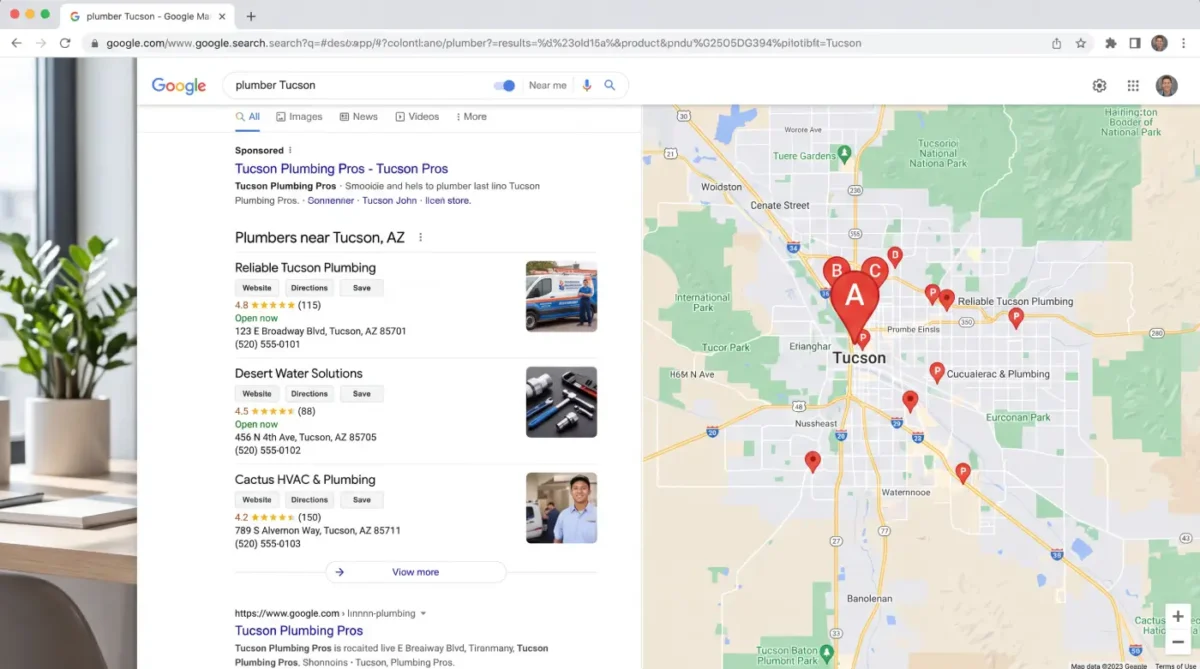
That profile feeds the map box, the three businesses Google pins on a map above the ordinary links. The industry calls it the local pack or the 3-pack. Your customers just call it the map.
Here is the part that surprises owners. The profile is a separate thing from your website. You can have a good looking site and be invisible in the map. You can also have a thin site and sit in the top three for months. They are two surfaces with two sets of rules, and they feed each other. More on that further down.
Why I Open the Profile Before the Website
When a new client hires me, the profile is the first thing I look at. Two reasons.
It moves faster. A corrected category plus a real run of new reviews can shift a profile in the map results in about six weeks. Website work on the same account usually takes three to six months before anyone sees it. If a business needs the phone to ring this quarter, that gap decides where I start.
Most profiles are half built. The pattern I find over and over: a category somebody picked in a hurry four years ago, an empty services section, six photos from before the last van was replaced, eleven reviews, and not one owner response. That is not a competitive profile. It is a placeholder, and the fix costs nothing but time.
The businesses beating you in the map are rarely bigger than you. They are usually just more finished.
David Cragg Tucson SEO consultant, in search since 1990
How Google Actually Ranks Maps Results
Google publishes this, which saves a lot of arguing. Local results come down to three things: relevance, distance, and prominence. Every tactic on this page is aimed at one of the three.
Relevance
How closely your profile matches the search. Driven by your category, your services list, your description, and the words on your website.
You control this completely.
Distance
How far you are from the person searching. If they do not share a location, Google works from what it already knows about them. You cannot move your building, but service area settings and city pages on your site widen your effective range.
You control this partly.
Prominence
How well known the business is. Google names links from other websites and review count as inputs. It is the slowest of the three to build and the hardest for a competitor to copy.
This is the long game, and where most of the gap is.
Read those three again and notice what is missing. Nothing about how old your business is. Nothing about how big it is. A twelve year old company with a stale profile loses to a two year old company with a finished one, and that is the whole opportunity.
Three Things That Are No Longer True
Start here, because if you follow an older guide you will waste an afternoon looking for buttons that no longer exist, and one piece of common advice can now get your reviews filtered.
Messaging is gone
Google removed chat and call history from Business Profiles on July 31, 2024. There is no messaging toggle to enable and no reply time to protect. Guides still telling you to turn it on were written before that date and never updated.
The Q and A section is retired
Google shut down the Q and A API on November 3, 2025 and pulled the public Q and A section from profiles over the following months. AI generated answers took its place, drawn from your profile, your reviews, and your website. Sterling Sky tracks these changes as they roll out.
Review scripting is now a violation
On April 17, 2026 Google added two prohibitions: do not direct staff to bring in a set number of reviews, and do not ask customers to include specific content, including naming a staff member. Review quotas and name drop scripts are now against policy.
The Q and A retirement matters more than it looks. Those questions did not disappear, they moved. An AI now answers them, and it reads your website to do it. That is why the FAQ section at the bottom of this page exists, and why I put a real FAQ block on every client page I build. If you want the AI to quote you, give it something of yours to quote.
That shift is bigger than one retired feature. BrightLocal's 2026 consumer survey found that use of AI tools like ChatGPT for local business recommendations went from 6% to 45% in a single year, while Google's share of local business discovery fell from 83% to 71%. None of that means Google Maps stopped mattering. It means the profile you keep accurate is now being read by more things than Google, and every one of them is reading the same fields.
Setting Up and Verifying the Profile
An unverified profile has very little visibility, and an unclaimed one is open to anyone who wants to claim it. Verification is the step most new businesses stall on.
- Claim or create the listing. Search your business name and city while signed into the Google account you want to own it. Google builds listings from other data sources all the time, so yours may already exist with somebody else's hours on it. Claim that one rather than creating a second. Duplicates split your reviews and confuse Google about which record is real.
- Pick the right business type. A storefront is a place customers come to. A service area business goes to the customer and hides its street address. Getting this wrong is one of the more common reasons a profile gets flagged later.
- Use your real business name. Exactly as it appears on your signage and registration. Adding keywords to the name is the most common cause of suspension I see, and competitors report it.
- Get verified. Postcard, phone, email, or video, depending on what Google offers you. Video verification is now common for new listings. Have your signage, vehicle, tools, and a piece of mail at the address ready before you start recording.
- Enter the name, address, and phone exactly once, then copy it. Whatever you type here is the master version. It has to appear identically on your website, your invoices, and every directory. Suite numbers and abbreviations count.
- Set the service area if you travel to customers. List the cities you actually serve. Do not list forty cities you would drive to once. Overreaching dilutes the profile.
Picking a Primary Category
This is where I find the most money left on the table. The instinct is to pick the broad category, on the theory that broad catches more. It does the opposite. Broad categories are the most crowded, and they miss the specific searches where somebody is ready to buy.
The research takes ten minutes. Search your main service on Google Maps, open the top three listings, and read the category printed under each business name. That is what Google is currently rewarding in your market. Match that level of specificity or beat it, and only choose categories for work you really do.
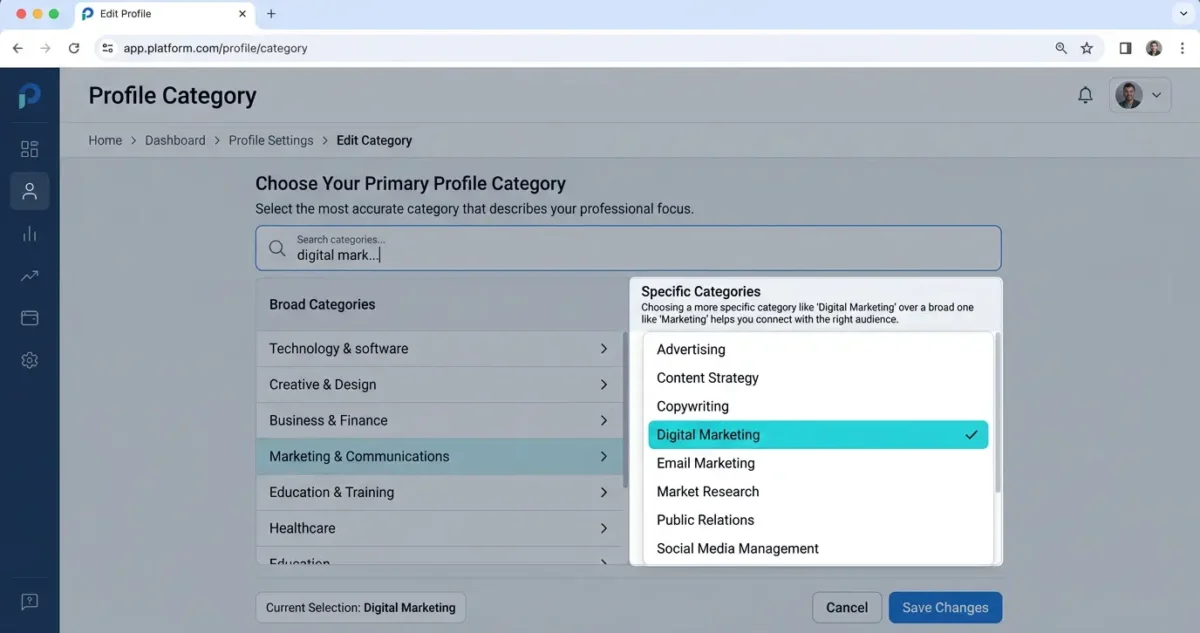
Here is the pattern I see in Tucson audits.
| Business | Category usually chosen | Category that tends to win |
|---|---|---|
| Plumber taking 2am calls | Plumber | Emergency plumber |
| Dentist doing veneers | Dentist | Cosmetic dentist |
| AC company in July | Contractor | HVAC contractor |
| Junk hauling outfit | Garbage collection service | Garbage dump service |
| Solo attorney doing wills | Lawyer | Estate planning attorney |
The broad category is not wrong. It belongs in the secondary list, where it still earns you those searches without costing you the specific ones. If you are not sure which categories your competitors use, that is exactly the sort of thing an SEO audit settles in an afternoon.
The Work That Moves Rank
Here is how I weight the elements when I audit a profile. It is not Google's published list. It is the order I work in, based on what changes when I change one thing at a time.
| Element | Weight | What it decides |
|---|---|---|
| Primary category | Very high | Which searches you are eligible for at all |
| Review count, rating, and recency | Very high | Prominence, and whether anyone calls you after they see you |
| Distance from the searcher | Very high | Your range, and you cannot change it directly |
| Name, address, phone consistency | High | Whether Google trusts the business is one real entity |
| Profile completeness | High | How often you match longer and more specific searches |
| Services and products listed out | Medium high | Which individual jobs you show up for |
| Photos, added regularly | Medium high | Clicks, direction requests, and the sense that you are open |
| Website authority and local links | Medium | How far past your own address you can rank |
| Google Posts | Low to medium | Freshness and engagement, not much on its own |
Write the description for a person, not a keyword tool
You get 750 characters, and only the opening lines show before someone taps to expand. Put the main service and the city in the first sentence, then say what makes you the obvious choice. Stuffed descriptions read as spam to customers, and customers are the ones who decide whether to call.
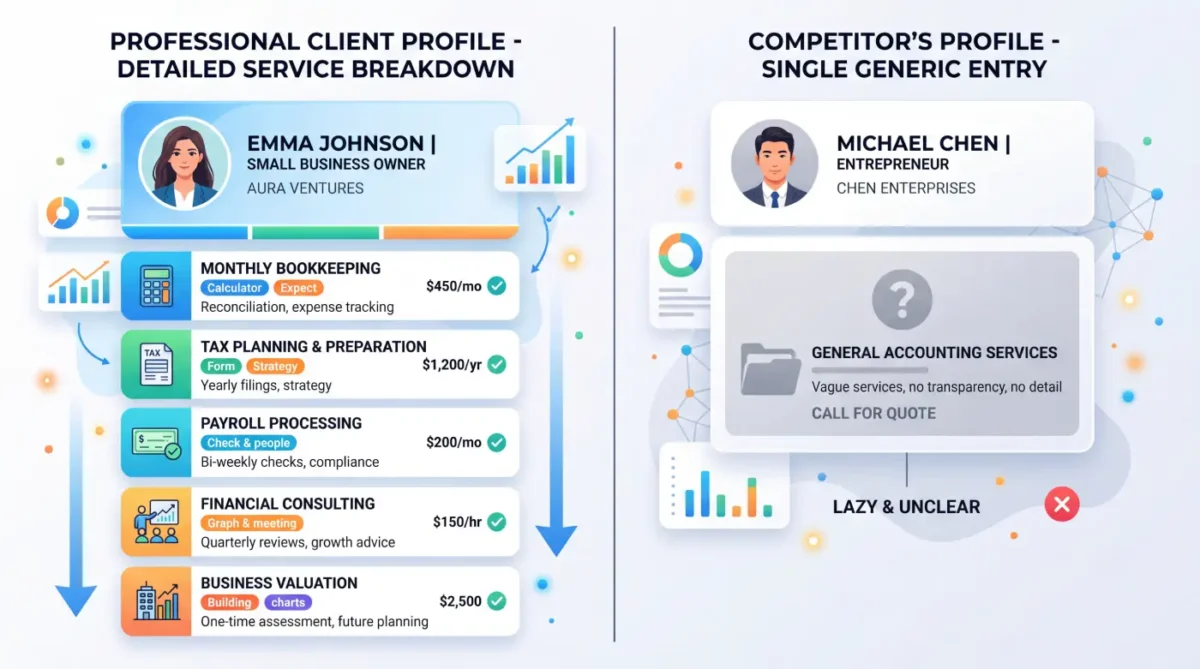
List services one at a time
This is the most underused section in the whole product. A junk hauling client of mine has separate entries for hot tub removal, mattress disposal, and garage cleanout, because those are three different searches. A competitor with one entry called junk removal misses all three. Give every service its own short description.
Add real photos every month
Start with ten: the outside of the building from the street so people can find the door, the inside, your crew, your trucks, and the actual work. Add a logo and a cover photo. Then set a monthly reminder, because photo uploads are the easiest habit to drop. A slightly crooked phone photo of your real van does more than a perfect stock image, which Google's guidelines do not allow anyway.
Post once a week
Most businesses stop posting about a week after they claim the listing, which is exactly why doing it steadily is worth something. Rotate between plain updates, dated offers, and events. Write the way your customers talk: "Same day AC repair in Marana this week" beats "Call us today." Add a photo and a button so someone can act without leaving the profile.
Keep hours accurate, including holidays
Wrong hours produce a specific kind of damage. Someone drives over, finds you closed, and leaves a one star review that has nothing to do with your work. Special hours take five minutes a quarter.
Read your performance data
Once a month, look at the searches people used to find you. That report hands you your next batch of service entries and website topics for free.
Reviews: What the Profile Needs From You
Reviews are the strongest ranking signal you can influence, and they are the one part of this subject with enough moving parts to need its own pages. The profile-level version fits in a paragraph.
Ask every customer within a day of finishing the job, in person or by text, with no instructions about what to write. Send the link to their own phone rather than handing over a tablet, because reviews left from one device tend to get filtered. Answer every review yourself, briefly, and take any argument offline. Then keep doing it next month. Recency beats volume here: a business earning three or four new reviews a month generally outperforms one sitting on a larger pile that stopped two years ago.
The detail lives on three pages, one per job:
- How to get more Google reviews without breaking the rules, including what the April 2026 policy update made off limits.
- How to respond to a bad review, and why a copied and pasted reply is worse than no reply.
- Getting a fake review removed, what Google actually takes down, and how to file it.
Mistakes That Get Profiles Suppressed
Keywords in the business name
"Tucson Plumbing" is fine if that is the name on your sign. "Tucson Plumbing | Best Emergency Plumber Near Me" is a direct guideline violation and the easiest thing for a competitor to report.
A virtual or mailbox address
Google requires a real, staffed location for storefront listings. Coworking desks and mail centers get caught, usually months later, and the profile disappears overnight. If customers do not come to you, use the service area setting instead.
Name, address, and phone that drift
Suite 4 on the profile, Ste. 4 on the website, an old number on a directory from 2019. Each mismatch chips at the trust that holds the listing up.
Duplicate listings
Two records for one location split reviews and signals and can suppress both. Find them, then merge or remove.
Categories for work you do not do
It breaks the guidelines, and it brings in traffic that never converts. A vague primary category is the quieter version of the same mistake: it feels safe and matches fewer of the searches that bring work.
Stock photos and paid reviews
Photos have to show the actual business, and stock images are easy to spot. Paid or incentivized reviews break Google's rules and, under the FTC's 2024 rule on fake reviews, can carry civil penalties as well.
Two more that are not violations but cost people rankings anyway. Going quiet: no photos, no posts, no new reviews, unanswered complaints. Google reads a dormant profile as a business that may not be there anymore. And unwatched suggested edits: anyone can propose a change to your hours, phone number, or category, and Google sometimes applies it. I have seen a competitor's correction close a client on Saturdays for a month before anyone noticed. Check the profile weekly.
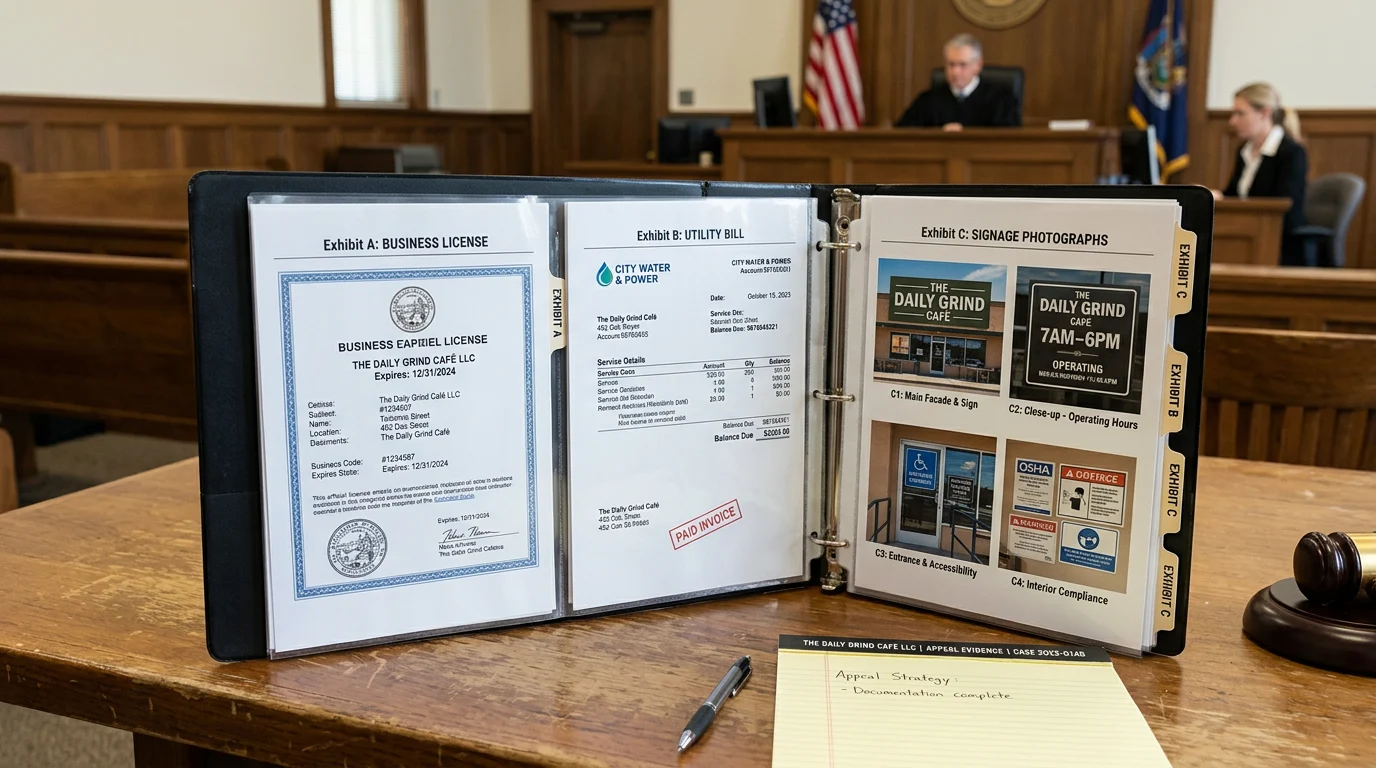
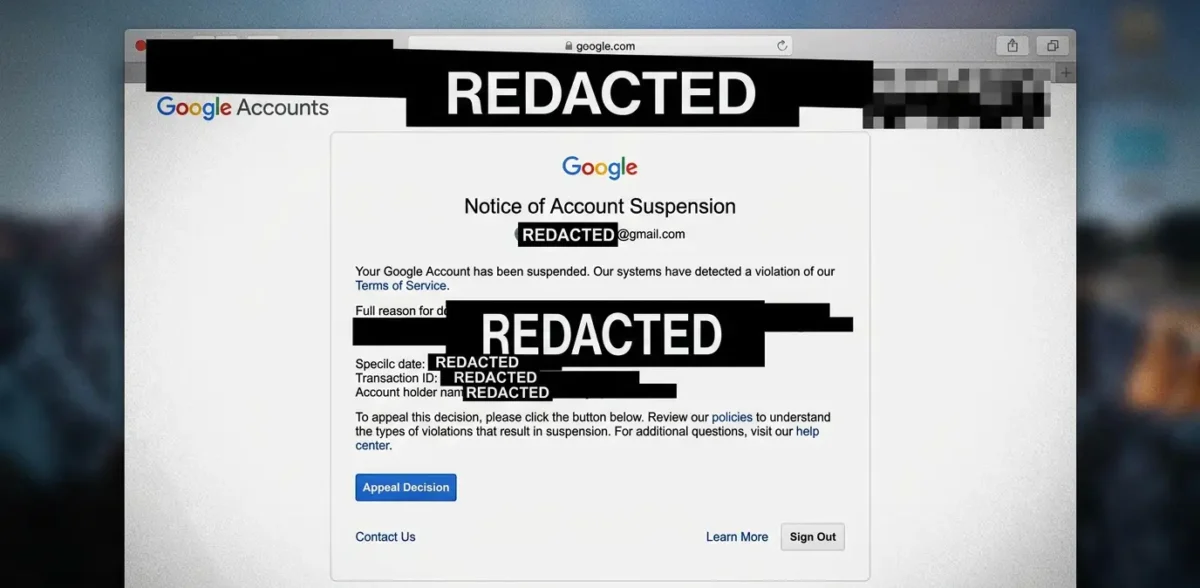
If a profile is suspended, fix the cause before you appeal. Appealing without fixing anything nearly always fails and burns a cycle. Gather the license, a utility bill, photos of the signage, and vehicle wraps, then file the reinstatement request and expect it to take one to three weeks.
What Your Website Has To Do
The profile and the website are not two channels. They are one system, and treating them separately is how businesses end up paying for both and getting the benefit of neither. Past a couple of miles from your pin, the website is what carries you.
Three things matter most. Your name, address, and phone should sit in the footer of every page in the same format as the profile. You need a real page for each service you want to rank for and each city you actually serve, not one page listing thirty towns. And your site needs LocalBusiness structured data that ties the site and the profile together as one entity.
The traffic runs both ways, and the return leg is the part people underestimate. BrightLocal's 2026 survey found that 54% of consumers visit a business's website after reading positive reviews, up from 32% when the same question was asked in 2019. If that click lands on a slow page with no obvious way to call you, the profile did its job and the website threw the lead away.
The same applies to citations, meaning any place online that lists your name, address, and phone. The average consumer now checks six different review platforms, so the details need to match character for character on Yelp, Apple Maps, Bing Places, Facebook, and the Better Business Bureau, not just on Google. "Co." and "Company" are two different businesses as far as this signal goes. So are "123 Main St" and "123 Main Street, Suite A". Pick one format and use it everywhere, starting with your own footer.
The structured data piece is the one most sites are missing. I cover it on the technical SEO page. If the whole subject is new to you, start with what SEO is and how it works. And because AI assistants are now reading the same fields, I have written separately about improving AI search visibility and why most small business sites are not ready for it.
On the profile side
On the review side
On the website side
The Checklist I Use
This is what I run through when I take over a profile. Anything unchecked is work available to you.
Foundation
- Profile claimed, verified, and showing as owner managed
- Correct business type, storefront or service area
- Real business name, no added keywords
- Most specific primary category, checked against the current top three
- Secondary categories added, up to nine, all for work you really do
- Name, address, and phone identical to the website footer
- No duplicate listings anywhere
Completeness
- Description written, main service and city in the first sentence
- Every service listed as its own entry with a description
- Products added if you sell any
- Attributes set, including accessibility and payment options
- Logo and cover photo uploaded
- Opening date, hours, and holiday hours current
- Website link pointing to the most relevant page, not always the homepage
Ongoing
- Review link sent to every customer within a day, after they leave, no script
- Every review answered individually within a few days, never from a template
- New photos added monthly, all of them yours
- One post per week
- Suggested edits reviewed weekly and anything wrong reverted
- Performance data reviewed monthly for new search terms
- Categories rechecked a few times a year
Behind the profile
- LocalBusiness structured data on the site
- Name, address, and phone in the site footer sitewide
- A page per service and per city served
- An FAQ block answering what customers actually ask
- Citations consistent on Yelp, Apple Maps, Bing Places, Facebook, and the BBB
Who Wrote This

I am David Cragg. I have been in search since 1990, long enough to have optimized for AltaVista and to have watched three different names get stuck on this same Google product. I hold a BA in Economics from UCLA and an MBA in Marketing from the University of Washington.
I built and sold two internet marketing companies, Lotus411 and MSD2D, started Temecula SEO in 2007, and moved the practice to Tucson in 2022. Today I work with a small number of local businesses and do every part of the work myself. The profiles behind the examples on this page are ones I manage, including a junk hauling company and a dental practice in Southern California.
This page was drafted with AI assistance and edited, sourced, and fact checked by me. Every date and policy change above links to where you can verify it. I explain how I use AI, and what I do not let it do, on the content writing page. More about my background is on the about page.
What Clients Say
If you are looking for help with SEO, or anything related, David is your man! I talked to several other companies before talking to David, and I knew right away he was different. He is extremely professional, responsive, affordable, and effective. Most importantly, I trust that he is looking out for my best interest. He takes a very hands-on approach and always takes the time to listen to the changing needs of my professional business. His wealth of knowledge is invaluable. He had my business seeing results almost immediately. Thank you David for all your hard work! Best in the business!
Luke Hendrix 5.0 Google review, Temecula SEO profile
I have been a client of David at SEO Tucson for over 10 years. His wealth of knowledge of SEO marketing has been a tremendous help for my company. He's always up to date with all the new rules and changes and always willing to try new things to help push and keep my company on the top of Google listing
Dr. Bao Nguyen 5.0 Google review, SEO Tucson profile
David has been a huge help to my business. He's knowledgeable, responsive, and consistently delivers great work. Since working with him, we've seen strong improvements and he continues to go above and beyond to help our business grow. Highly recommend David and SEO Tucson to anyone looking for someone who truly cares about getting results.
Weston Molitor 5.0 Google review, SEO Tucson profile
David is great to work with. He takes his job seriously, is a wealth of knowledge not only in SEO, but also business in general. If you are looking to for someone to handle SEO for you - you can stop looking now.
Russ Colburn 5.0 Google review, Temecula SEO profile
If You Would Rather Not Do This Yourself
Everything above is doable on your own. It takes a few hours to set up properly and about an hour a week to maintain. I would rather you claimed the profile and filled it in than left it blank waiting on a budget. Fewer owners keep it up in month seven, which is the part that actually decides who holds the top three.
If you want it handled, that is my Google Business Profile management service. It is included in my single monthly engagement, not sold as an add on, and a profile audit costs nothing. You can read why people hire me instead of an agency or look at case studies first. Profile work sits inside the broader Tucson SEO services I provide.
Where I work
$1,000 a month. No contract.
Month to month, cancel whenever. Profile build out and category research, weekly posts, review responses, citation cleanup, and the website and content work that supports it. Same price whether you run one truck or twelve.
Tucson SEO, David Cragg, SEO consultant
Tucson, Arizona, serving Tucson, Oro Valley, Marana, Sahuarita, Green Valley, Vail, the Catalina Foothills, and Southern Arizona
Questions About Google Business Profile and Google Maps
What is a Google Business Profile?
A Google Business Profile is the free listing Google shows for a business on Google Search and Google Maps. It holds the business name, address or service area, phone number, hours, categories, services, photos, posts, and reviews. Google called it Google My Business until 2021.
The profile feeds the map results, the three businesses pinned on a map above the regular links on most local searches. It is managed separately from your website, and it can rank or fail to rank on its own.
How long does it take to rank in the Google Maps 3-pack?
In a low competition category, a profile that goes from half finished to fully finished usually moves within two to six weeks. In a crowded category in a real city, plan on three to six months of steady work.
The speed depends on two things you control and one you do not. You control how complete the profile is and how many recent reviews you are earning. You do not control how close your address is to the person searching, and distance is a real ranking factor.
This answer is about Maps only. Ranking a website in the regular blue links is a slower and separate process.
What is the single most important field in a Google Business Profile?
The primary category. It decides which searches your profile is even eligible to appear for, and no amount of reviews or photos will fix a wrong one.
Pick the most specific category that describes the money you actually make. A shop listed as Auto Repair Shop and a shop listed as Brake Shop compete for different queries. You can add up to nine more categories after the primary one.
Google adds and retires categories quietly. I check my clients' category options a few times a year, because a better match sometimes appears without any announcement.
Can a service area business with no storefront rank on Google Maps?
Yes. Plumbers, junk haulers, mobile groomers, and other businesses that travel to the customer can rank in the map pack without showing a street address.
During setup, choose the option that says you deliver goods and services to customers, then define the cities or ZIP codes you cover. Google hides your address but still lists you.
Distance still applies, so a service area business will rank strongest near the address on file and fade as you move away from it. City pages on your own website are how you extend your reach past that fade.
Do reviews affect Google Maps ranking?
Yes, in two separate ways. Google names review count and rating as inputs to prominence, which is one of the three things local ranking is built on, so reviews feed the position directly. They also decide whether the position is worth anything, because a profile sitting third with a 3.6 rating gets passed over for the one underneath it.
Recency does more work than the total. A business earning three or four new reviews a month generally outranks a competitor with a larger pile that stopped two years ago.
How to ask for them, what to do about a bad one, and what to do about a fake one are each covered on their own page.
Is the Google Business Profile Q and A section gone?
Yes. Google shut down the My Business Q and A API on November 3, 2025 and retired the public Q and A section from profiles through late 2025 and early 2026. AI generated answers replaced it.
That AI answer is now written from your profile fields, your reviews, and your website. If your site does not answer a question clearly, the AI will answer it from whatever else it can find.
The practical move is to take the questions customers actually ask and answer them on your own website with FAQ markup, so there is a first party source to pull from.
Why did my Google Business Profile get suspended?
The usual causes are keywords added to the business name, an address that is a mailbox or virtual office rather than a real place of business, duplicate listings for one location, categories for work the business does not do, and paid or incentivized reviews.
A suspended profile disappears from the map results entirely. Fix the underlying cause first, then gather a business license, a utility bill, and photos of your signage and vehicles before you file for reinstatement. Appealing without fixing anything nearly always fails.
Why does a competitor with fewer reviews outrank me on Google Maps?
Usually distance or category. If their pin sits closer to the searcher, or their primary category matches the query more exactly than yours, they win that search regardless of review count.
The other common causes are a more complete profile, fresher reviews, and a stronger website behind the listing.
Rankings in Maps are not one list. You can be first at your own address and fourth two miles away, so check your position from several points around your service area before deciding you have a problem.
Do Google Posts actually help rankings?
Posts are a weak direct ranking signal and a decent engagement signal. Their real value is that a profile publishing regularly looks maintained, and maintained profiles tend to hold their positions better than dormant ones.
One post a week is enough for most local businesses. Two is fine. Ten is not ten times better.
If your time is limited, spend it on reviews and photos first. Posts are the third priority, not the first.
Does my website affect my Google Maps ranking?
Yes. The profile and the website are read together, and the website is often the difference between ranking near your address and ranking across a whole service area.
Three connections do the work. Your name, address, and phone must match between the site and the profile. Your site needs pages for the individual services and cities you want to appear for. LocalBusiness structured data on the site confirms to Google that the site and the profile describe the same business.
The website also has to catch what the profile sends it. BrightLocal found that 54% of consumers visit a business's website after reading positive reviews, up from 32% when the same question was asked in 2019. A finished profile pointed at a thin website hits a ceiling fast.
Does Google Business Profile work help with AI tools like ChatGPT?
It does, because the same data feeds both. AI assistants lean on structured, consistent business information: an accurate profile, matching name, address, and phone details across directories, and reviews that describe what you actually do.
This is no longer a side channel. BrightLocal's 2026 survey found that use of AI tools for local business recommendations jumped from 6% to 45% in one year, putting it third behind Google and Facebook, while Google's own share of local discovery dropped from 83% to 71%.
The work does not change much. It just means the fields you keep accurate are being read by more systems than the one you were optimizing for.
Sources
- Google Business Profile Help, Tips to improve your local ranking on Google. Source for relevance, distance, and prominence.
- Google Business Profile Help, Guidelines for representing your business on Google. Source for the naming, address, and photo rules.
- Google Business Profile Help, chat and call history removal. Source for the July 31, 2024 messaging shutdown.
- Search Engine Roundtable, April 17, 2026. Source for the review solicitation and staff mention prohibitions.
- Sterling Sky, Google local changes timeline. Source for the Q and A retirement dates.
- Federal Trade Commission, final rule banning fake reviews and testimonials, August 14, 2024. Source for the legal side of review incentives.
- BrightLocal, Local Consumer Review Survey 2026, published February 11, 2026, based on a representative panel of 1,002 US adults. Source for every consumer statistic on this page.
- Google Search Central, Local business structured data. Source for the markup side of local search.
Google adjusts how it weights local signals regularly. Relevance, distance, and prominence have held steady for years. The weighting inside them has not, and the features around them change without notice. If something here has gone stale, tell me and I will fix it.