

Your Web Designer Has Your Domain: Getting Control Back
If a former web designer holds your domain, your hosting or your WordPress login, the website has your name on it, but someone else holds the keys.
By David Cragg, SEO Tucson, in search marketing since 1990. Published .
Most of the time nobody planned it that way. A designer registered the domain in their own account because it was quicker, put the site on their hosting plan and kept the only administrator login. Then they retired, moved, got busy or stopped answering email. It’s the same problem as a Google Business Profile someone else controls, applied to your website. The fix comes in a specific order, because each piece you recover gives you access to the next one.
The short version
- A business website is really four separate accounts: the domain registrar, DNS, hosting and the WordPress login.
- Get the domain first. Whoever controls the domain controls everything downstream of it.
- Copy every DNS record before changing anything, or your email can quietly stop arriving.
- Moving hosts doesn’t hurt rankings when the page addresses and content stay the same.
- Every account belongs in the business’s name, with outside help added as users.
Leo Rich Severns, a master technician whose website I built back in my Temecula SEO years, wrote in his Google review that he’d been through nine web developers in seven years. That’s an extreme case, but the pattern behind it is common. Every time a developer leaves, a little more of the business’s own website can end up in someone else’s account. If your Google Business Profile is the piece you’ve lost, my article on getting your profile back from someone else covers it. This one covers the website.
Four accounts, often four companies
A business website feels like one thing. Behind it are four separate accounts, and they’re often at four different companies:
| Account | What it controls | Who should hold it | How to tell who has it now |
|---|---|---|---|
| Domain registrar | Who owns the name and whether it gets renewed | The business, in an account on an email address the business controls | ICANN Lookup shows the registrar. Your card statements show who pays the renewal. |
| DNS | Where the name points: the website, email and verification records | The business, at the registrar or a DNS service in the business’s account | The nameservers listed in ICANN Lookup name the DNS provider. |
| Hosting | The site’s files, its database and sometimes your email | The business, with the developer added as a user if the host allows it | Ask who receives the hosting invoice. If it’s bundled into a designer’s yearly fee, it’s probably their account. |
| WordPress admin | Every page, plugin, setting and user on the site | The business, as an Administrator with its own login | The Users screen in the WordPress dashboard, if you can get in. |
The order matters. The domain controls where the DNS lives. The DNS controls which server answers for your address and where your email goes. The host holds the files and the database. The WordPress login controls everything inside the site. A WordPress password without the hosting, or the hosting without the domain, leaves you one step short.
Find out where things stand
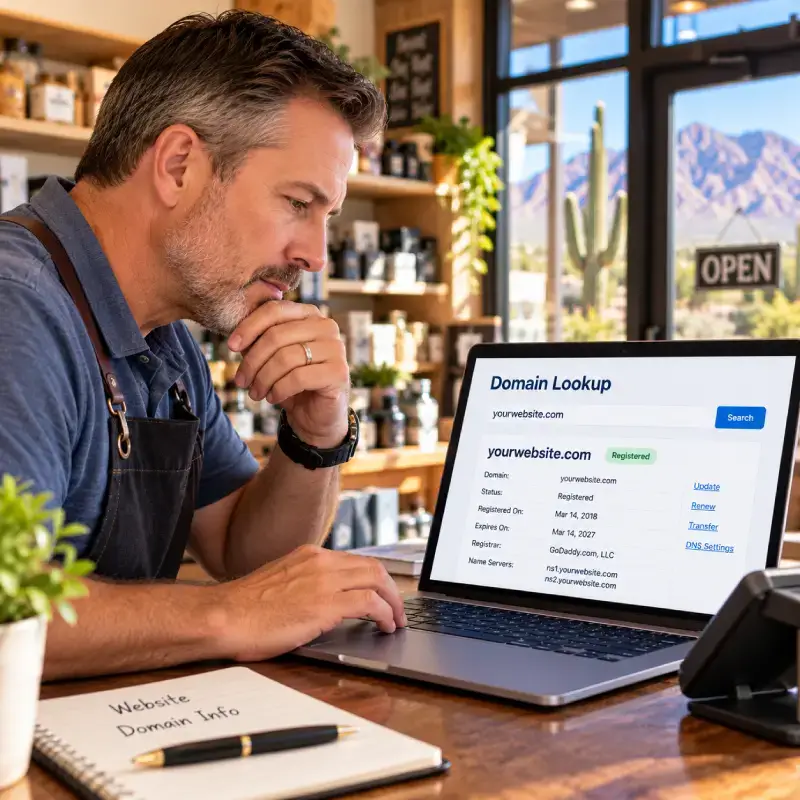
Start with what’s public. ICANN Lookup, the official registration lookup for domains like .com, .net and .org, shows your domain’s registrar, its creation and expiration dates, its status and its nameservers. It usually won’t show the owner’s name, because registrars now hide that by default for privacy. The registrar’s name is enough. It tells you who to call.
Then check your own records. If you’ve been paying a registrar such as GoDaddy directly every year, there’s a good chance the account is yours and you only need to recover the login. If you’ve been paying your designer a yearly fee that covers hosting and the domain, the account is probably theirs.
Look hard at the expiration date. If it’s only weeks away and you can’t reach the person holding the account, the domain just became urgent. A domain that expires because the only person able to renew it stopped answering email can be lost, and getting it back after that is far harder than getting it back now.
The nameservers tell you where the DNS lives. Names ending in domaincontrol.com belong to GoDaddy, which is headquartered up the road in Tempe and hosts a lot of small Arizona sites. Names ending in ns.cloudflare.com belong to Cloudflare. Your host is often, but not always, the same company.
Step 1: The domain
If your designer will cooperate, this can take a day. Most large registrars let one customer move a domain into another customer’s account at the same company. The designer starts the move, you accept it, and nothing about the website changes. Once the domain is in your account, update the registrant contact to the business’s legal name and an email address the business controls.
You can also transfer the domain to a different registrar using an authorization code from the current one, which usually adds a year to the registration. One catch: under ICANN’s transfer rules, changing the registrant’s name, organization or email can lock the domain against moving to another registrar for 60 days, unless the registrar offers an opt-out. ICANN adopted changes in June 2026 that drop that lock, but registrars follow whichever rules are in effect when you make the change, so ask yours before you plan both steps.
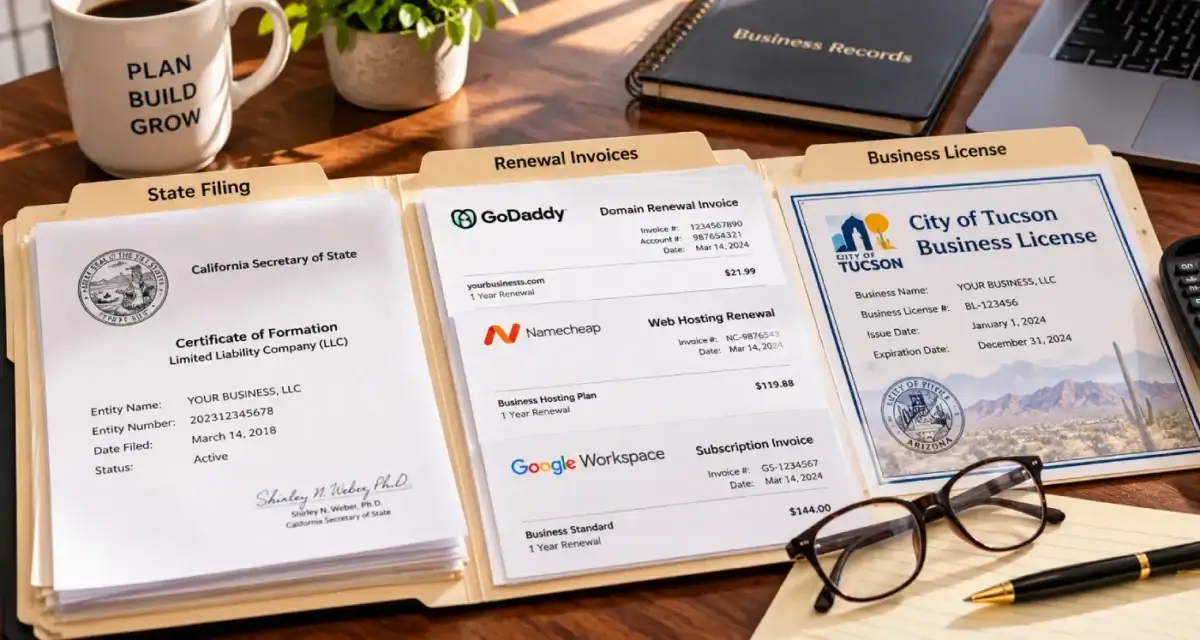
If your designer won’t cooperate, or can’t be found, call the registrar and ask for its account recovery or ownership dispute process. Be ready to prove who you are and that the business is yours: your Arizona Corporation Commission filing, invoices showing you paid for the domain, your business license and photo ID. Registrars handle these cases differently, and when the domain is registered personally to the designer, some won’t move it without the designer’s agreement or a court order. That’s the point where a call to a business attorney is worth it. I’m not a lawyer, and none of this is legal advice.
What I wouldn’t do is register a new domain and start over just to avoid the fight. Your current domain carries your links, your rankings, your email address and every truck and sign you’ve ever lettered. Walking away from it turns a recovery into a domain change, which is its own project, covered in New State, New Name.
Step 2: DNS, and your email
When a recovery goes wrong, it’s usually here, and it’s usually email. Your DNS holds more than the website’s address. It holds the MX records that deliver your email, the TXT records that keep that email out of spam folders, the records that verify you with Google and Microsoft, and any subdomains used for booking or payment systems.
Move DNS to a new provider without those records, and the website can load perfectly while your email stops arriving. Before you change nameservers or DNS providers:
- Export the full DNS zone, or screenshot every record if the provider has no export. Every record, not just the ones you recognize.
- Recreate every record at the new DNS provider before you switch anything.
- Lower the TTL, the length of time other servers cache your records, ahead of time. Google’s guide to changing your hosting suggests lowering it to a few hours at least a week before the move, so the change spreads faster.
- After the switch, send test emails in and out, and load the site on a phone using cellular data, not just your office Wi-Fi.
Step 3: The hosting
If the site lives in your designer’s hosting account, what you need is a complete copy. That means the files, which include your theme, your plugins and every uploaded image, plus the database, which holds every page, post and setting. One without the other is not your website. Ask for both, or for a single package made by a migration plugin that bundles them.
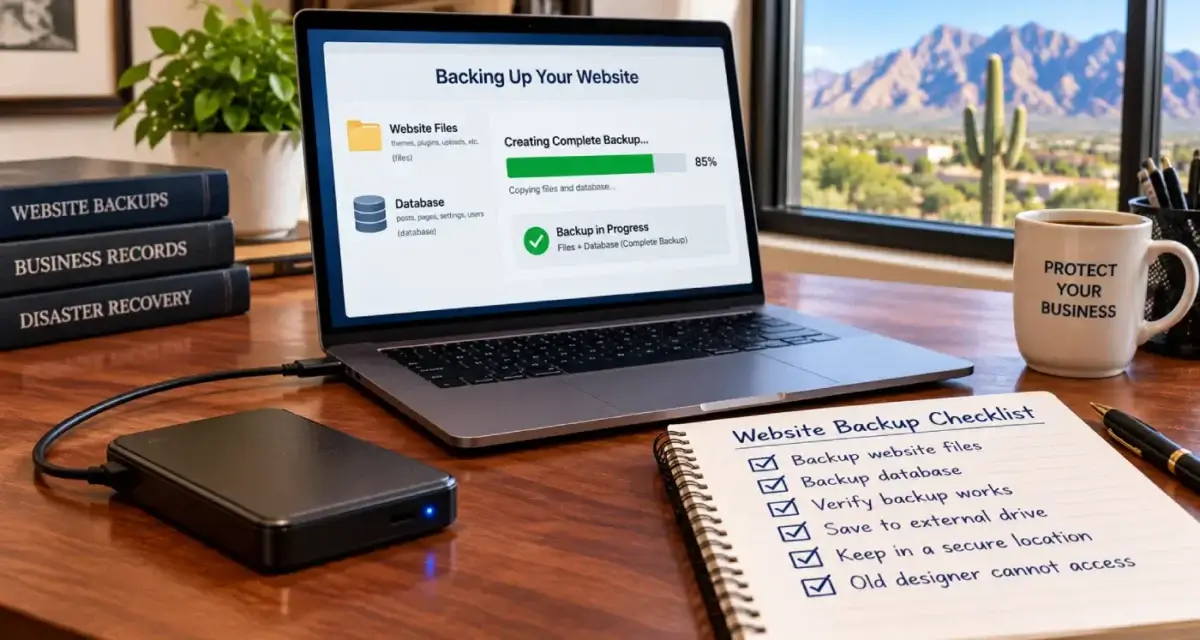
If you already have an Administrator login to WordPress, you don’t need the designer for this step. A backup or migration plugin can make that copy from inside the dashboard. Make it right away, even while the domain is still being sorted out, and store it somewhere the designer doesn’t control.
Then set up hosting in the business’s own account, restore the copy there and test it before switching anything. Google’s hosting guide describes the same sequence: copy the site, test it, point the DNS at the new host, and watch both servers until traffic to the old one stops. Check whether your email lives on that hosting account too. If your mailboxes sit on the designer’s server, export them before the old account goes away.
Moving hosts doesn’t hurt rankings by itself, as long as the page addresses and content stay the same. Google treats it as an infrastructure change, and says a temporary dip in how often Googlebot crawls is normal right after the switch, followed by a steady recovery over the next few days. If the move turns into a full rebuild with new addresses, that’s a redesign, and my redesign launch checklist applies.
Step 4: The WordPress login
Once the hosting is yours, the WordPress login is the easy part. If the administrator email address is one you can read, the Lost your password link does it. If it isn’t, the hosting account gives you two ways in, both described in WordPress’s own guide to resetting your password: editing the user in phpMyAdmin, or a one-line WP-CLI command if your host offers command-line access.
Once you’re in, clean house:
- Make the business the administrator. Create an Administrator account on a business email address, log in with it, then remove or downgrade the designer’s account. When you delete a user, WordPress asks who should own their content. Give it to the business account.
- Change the site’s admin email. It’s under Settings, General. WordPress emails a confirmation to the new address and won’t switch until you click it.
- Look for accounts you don’t recognize. Check every Administrator and Editor, and the Application Passwords section at the bottom of each profile.
- Read the code snippets. Header and footer plugins can hold tracking codes, verification tags and markup nobody remembers adding. I found five stale structured data blocks hiding in one of those plugins on my own site, a story I tell in Two Schema Blocks Saying Two Different Things.
- Check the licenses. Premium themes and plugins are often licensed to the designer’s account, and updates can stop when the designer leaves. Buy licenses in the business’s name.
Step 5: The Google accounts tied to the site
A designer who set up the website usually set up the Google tools around it, often under their own login.
Search Console. Once you control the DNS, verify the site yourself as a Domain property using a DNS record. Then open Settings, Users and permissions, remove the designer, and remove every verification token they used, whether that was an HTML file, a meta tag or a DNS record. Google’s help page on managing owners, users and permissions explains why: a verified owner whose token is still on the site can regain access.
Google Analytics. Ask to be made an Administrator on the account. If the designer created it under their own login and won’t add you, you can start a new property, but the history stays behind. That’s a good reason to ask early, while everyone is still on speaking terms.
Your Google Business Profile. Same idea, different process, and the article linked at the top of this page walks through it. Ongoing profile work is part of my Google Business Profile management.
Keeping it from happening again
The rule is the same one I give owners about their Google Business Profile: the business owns every account, and outside help gets added as a user. For each account, that means:
- The account is in the business’s legal name, on an email address the business controls, not a former employee’s personal Gmail.
- The registrar account’s email is not an address on that same domain. If the domain lapses, a reset email sent there has nowhere to land.
- Designers, developers and agencies get their own logins as users or delegates wherever the provider allows it, so removing them later takes one click.
- One page, kept somewhere safe, lists the registrar, DNS provider, host, WordPress admin, Search Console, Analytics and Business Profile, with renewal dates.
If the site needs rebuilding once you have it back, that’s what my website design work is for. If you’d rather have someone check what’s running on it first, from plugins and users to hidden code, that’s part of my technical SEO services.
Locked out of your own website?
Tell me what you can and can’t log into. I’ll help you work out who holds each piece, the order to recover them in, and whether it’s something you can handle yourself in an afternoon. I answer my own phone.
What clients say
These are reviews clients left on my Google profiles. Most date from my Temecula SEO years in Southern California, before I moved to Tucson in 2022.
We have worked with David for over a year now and he is great to work with. David has built us a great new website that we love and our Google ranking has improved significantly. David is a great guy and works day and night to help you. I highly recommend Temecula seo. Thank you David for your hard work.
I made a decision to Hire David, with Temecula SEO about a year ago now, it has changed the presence of my company online greatly. I would highly recommend giving david a chance if you are looking for an honest SEO company.
David is great to work with. He takes his job seriously, is a wealth of knowledge not only in SEO, but also business in general. If you are looking to for someone to handle SEO for you - you can stop looking now.
Called to inquire about services. Dave was extremely helpful in providing knowledge and guidance for a small business getting started.
Questions about getting your website back
How do I find out who controls my domain name?
Look the domain up at ICANN Lookup, the official registration lookup for domains like .com and .net. It shows the registrar, the expiration date and the nameservers, though usually not the owner’s name. Then check who has been paying the renewal. If the charge comes to your card from the registrar, the account is probably yours. If you pay a designer for it, it’s probably theirs.
My web designer registered my domain in their own name. What can I do?
Ask them to move it into an account in the business’s name, which most registrars can do between customer accounts in a day. If they won’t, or can’t be reached, ask the registrar about its account recovery or ownership dispute process and bring proof the business is yours. If the domain is registered personally to the designer and they refuse, talk to a business attorney.
Will I lose my email when I move my domain or hosting?
Not if you copy every DNS record first. Your email depends on MX and TXT records in your DNS, and those have to be recreated exactly at any new DNS provider before you switch. If your mailboxes are hosted on the designer’s server, export them before that account is closed.
Will moving my website to a new host hurt my Google rankings?
Not by itself, as long as the page addresses and content stay the same. Google treats a hosting change as an infrastructure move and says a temporary dip in crawling right after the switch is normal, followed by a recovery over the next few days. Rankings belong to your pages, not to whose server they sit on.
I have hosting access but not the WordPress login. Can I get in?
Yes. WordPress’s own documentation describes resetting a password through phpMyAdmin in your hosting control panel, or with a WP-CLI command if your host offers command-line access. Once you’re in, create your own Administrator account on a business email address and remove the old one.
What if my former web designer won’t respond at all?
Work through the companies instead of the person. Ask the registrar and the host about their account recovery processes, and bring your Arizona Corporation Commission filing, invoices and photo ID. Watch the domain’s expiration date while you wait. If the accounts are in the designer’s personal name, the providers may need the designer’s agreement or a court order to move them.
Should I register a new domain and start over instead?
Usually not. Your existing domain carries your links, your rankings, your email address and everything you’ve printed. Starting over turns a recovery into a domain change, which is a bigger project. It’s worth considering only if the old domain truly can’t be recovered.
How do I remove a former web designer from Google Search Console?
Verify the site yourself first, ideally as a Domain property using a DNS record. Then go to Settings, Users and permissions, remove the designer, and delete every verification token they used, such as an HTML file or a meta tag. Google warns that a removed owner whose token is still on the site can verify again.
What happens to premium themes and plugins my designer bought?
If the licenses are in the designer’s account, the site usually keeps working, but updates and support can stop once they leave. Running premium software that no longer gets updates is a security risk. Buy licenses in the business’s name and enter your own keys.
What’s the difference between my registrar, my DNS and my host?
The registrar is where your domain name is registered and renewed. DNS is the set of records that say where the name points, for both the website and email. The host is the server that stores your site’s files and database. They can all be at one company or at three different ones, and each has its own login.
More on website design
Redesigning Without Losing Rankings: The Launch Checklist
Redesigns rarely lose rankings because of how the new site looks.
Someone Else Owns My Google Business Profile: How Do I Get It Back?
The request-access flow, the real response window and the appeal path when someone else controls your listing.
Website design services
How I build small business websites in Tucson: fast WordPress sites, built page by page around what customers search for.
Technical SEO services
What I check and fix on client sites: crawling, indexing, speed, schema and the plumbing underneath.
SEO Tucson, David Cragg
Tucson, Arizona. Serving Tucson, Oro Valley, Marana, Catalina Foothills, Sahuarita, Green Valley, Vail and the rest of Southern Arizona.
Written by David Cragg. Published October 24, 2026. Last reviewed October 24, 2026. Drafted with AI assistance, then edited, fact-checked and approved by David before publication. How I use AI, and what it is never allowed to do.