Why PageSpeed Insights and Search Console Disagree About Your Speed
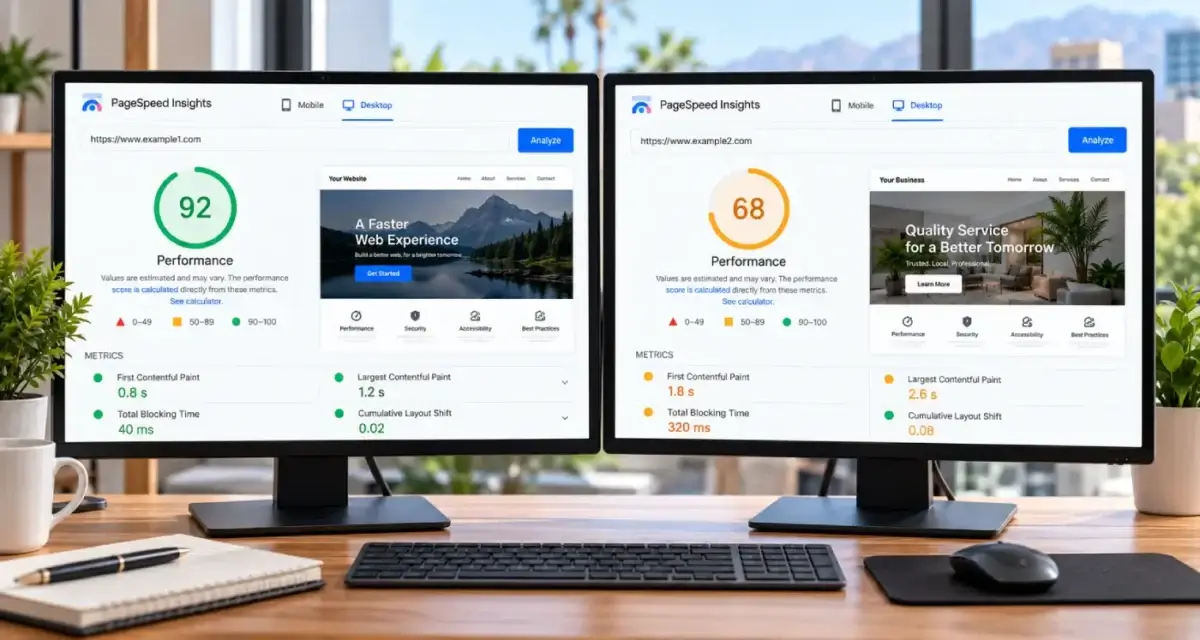
A green 95 in PageSpeed Insights and a “Poor” email from Search Console about the same page can both be accurate. They answer different questions.
By David Cragg, SEO Tucson, in search marketing since 1990. Published .
When people compare PageSpeed Insights vs Search Console, they usually assume one of them is broken. Neither is. PageSpeed Insights leads with a lab test: a simulated phone loading your page once, from a Google data center, with nobody touching it. Search Console reports only field data: what real Chrome users experienced on your pages over the last 28 days. One is a controlled experiment. The other is a four-week record of your actual visitors.
The short version
- The big score at the top of PageSpeed Insights is a lab test: one simulated phone, one page load, one data center.
- Search Console uses only field data, collected from real Chrome visits over a trailing 28 days.
- PageSpeed Insights shows both kinds of data. Most people read the wrong half.
- A fix shows up in the lab the same day and in field data gradually, over about four weeks.
- When the two disagree, the field data is what your visitors actually lived through.
Every so often a client forwards me both in the same week: a PageSpeed Insights screenshot with a green circle, and a Search Console notice that the same pages need work. The question is always which one is lying. The honest answer is that they’re measuring different things, and once you know what each one measures, the disagreement tells you something useful.
PageSpeed Insights vs Search Console: two different questions
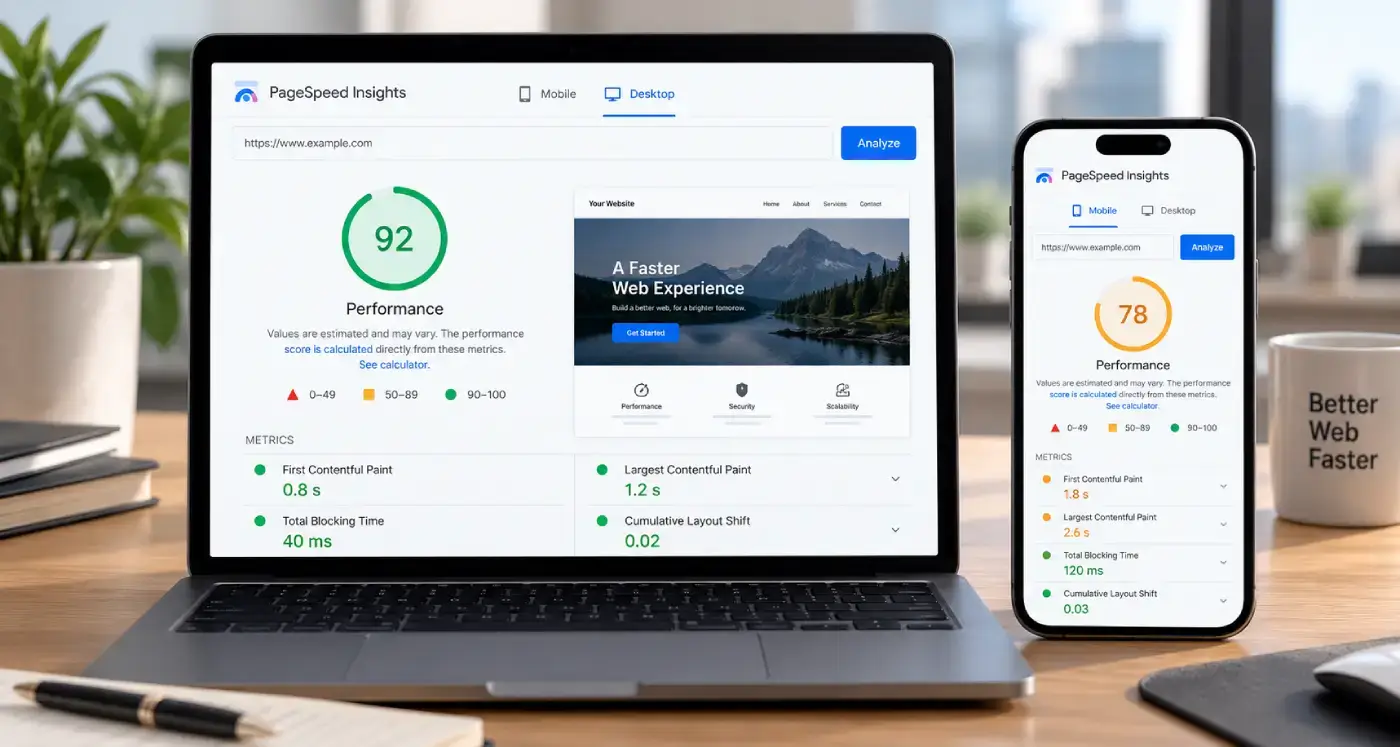
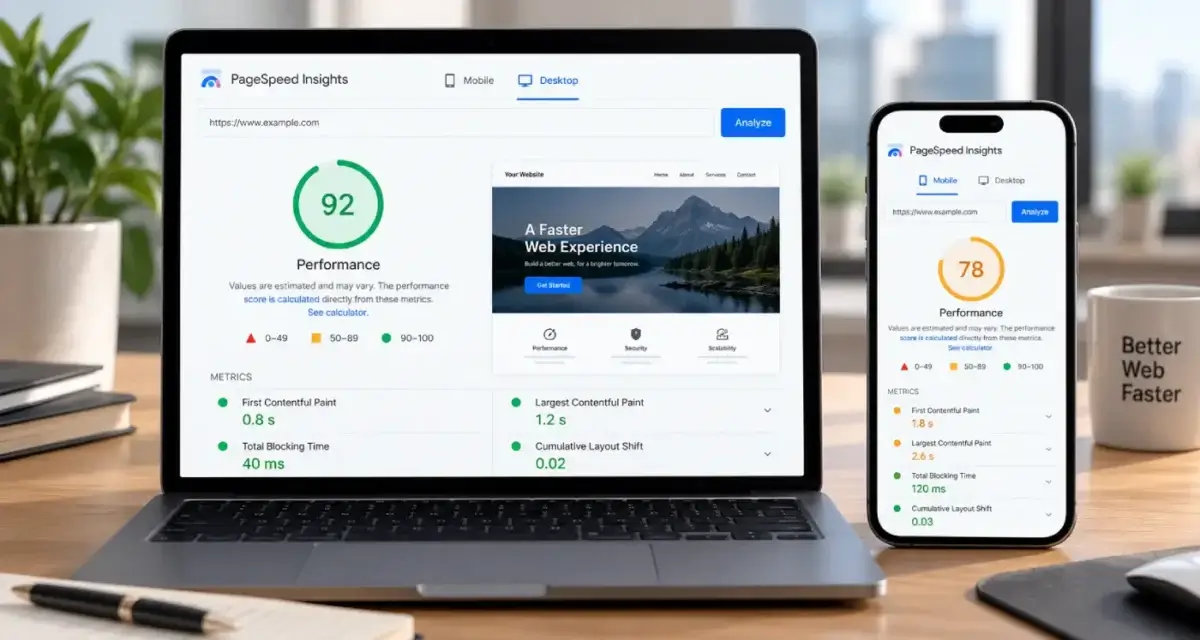
PageSpeed Insights runs Lighthouse against the URL you type in. Lighthouse loads the page once, on an emulated mid-range phone over a throttled connection, from a Google data center, with an empty cache. Then it scores what it saw. The question it answers is narrow: how does this page load under these fixed conditions, right now?
Search Console’s Core Web Vitals report never runs a test at all. It reads the Chrome User Experience Report, usually called CrUX, which is built from real visits by Chrome users who share usage statistics. Its question is broader: what did people actually experience on pages like this over the past four weeks?
Here’s the part that trips people up. PageSpeed Insights shows both. The top panel, the one about what your real users are experiencing, is CrUX field data, the same source Search Console uses. The big round score further down is the lab test. Most screenshots clients send me are cropped to the score, which is the half of the page Search Console ignores. Google’s About PageSpeed Insights page describes the two sections and where each one comes from.
What the lab test can and can’t see
I like the lab test. It’s consistent enough to compare a page before and after a change, it shows a filmstrip of the load, and it points at the files that are slowing things down. When I’m hunting for the cause of a problem, Lighthouse is where I hunt.
But a lab test is a robot loading a page one time. Some things it simply can’t observe:
- Taps and clicks. Lighthouse doesn’t open your menu, submit your form or tap your click-to-call button. Responsiveness in the field is measured on real interactions. In the lab, the closest stand-in is Total Blocking Time, an estimate of how busy the browser was while the page loaded.
- Anything that moves after the load. A cookie notice that slides in, a review widget that pushes the page down three seconds later, an accordion that shifts the layout when someone opens it. Field data watches layout shifts for the whole visit. The lab mostly stops watching once the page has loaded.
- Your actual audience. The emulated phone is one device profile. Your customers are on whatever phone they own, on whatever signal they have, wherever they happen to be.
- Return visits. Real visitors arrive with files already cached, through the back button, and from ads with tracking parameters. The lab always starts cold.
The lab score also moves from run to run when nothing on the page changed. Google’s documentation names local network availability, client hardware and resource contention as normal sources of that variation. PageSpeed Insights even tells you where the test ran: North America, Europe or Asia. It isn’t running from your customer’s kitchen table in Oro Valley.

Who field data includes, and who it leaves out
Field data comes from people, specifically Chrome users on desktop and Android who have usage statistics turned on. That detail matters more than most site owners realize.
Google’s CrUX methodology lists the exceptions plainly: Chrome on iOS doesn’t contribute, Android apps using WebView don’t contribute, and other Chromium browsers such as Microsoft Edge don’t contribute. Safari and Firefox users were never part of it. So if your analytics show that most of your customers reach you on an iPhone, your field data is drawn from the minority who don’t. It’s still real data. It just isn’t everybody.
A page also needs enough of those eligible visits to have field data of its own. When it doesn’t, PageSpeed Insights falls back to origin-level data, which blends every page on your site together. A small local site often sees origin data for every URL except the homepage, or no field data at all. That isn’t a penalty. It’s a sample size.
One more thing about field data: it’s graded at the 75th percentile, not the average. Google deliberately looks at the slower end of your visits. A page that’s quick for most people and painful for one visitor in four still has a problem, and the field data will say so even when the lab test says everything is fine.
The 28-day window
Field data covers a trailing 28-day collection period. PageSpeed Insights refreshes it daily, but each refresh still describes the previous four weeks. Search Console builds its URL groups on the same 28 days.
That window explains most of the “I fixed it and nothing happened” calls I get. Say you replace a bloated hero image on a Monday. Run PageSpeed Insights that afternoon and the lab score jumps. The field panel barely moves, because it’s now 27 days of the old page and one day of the new one. The improvement seeps in a day at a time, and the full effect takes about four weeks. When you click Validate fix in Search Console, it watches field data too, so it runs on the same clock.
It works in the other direction as well. A plugin update that slowed the site three weeks ago is still dragging the field numbers down after you’ve rolled it back. Before anyone panics about a field number, I check the collection period dates PageSpeed Insights prints under the field panel and line them up against what changed on the site.

There’s a Tucson wrinkle, too. The people inside those 28 days change with the seasons. If your business sees winter visitors from fall through spring, the phones and connections in your field data shift when they arrive and again when they leave, even if your site didn’t change at all. I treat a seasonal swing as a question about the audience before I treat it as a question about the code.
Why Search Console shows groups, not your page
Search Console doesn’t report pages one at a time. It sorts URLs into groups of similar pages and gives each group the status of its worst metric. A group that’s fine on two metrics and poor on one is Poor.
Google’s Core Web Vitals report help page spells out several differences from PageSpeed Insights, and they account for most of the mismatches I see:
- The URL you tested in PageSpeed Insights can be an outlier in its group. Your homepage might be quick while the service pages sharing a heavier template are not.
- Search Console keeps URL parameters when it identifies a page. PageSpeed Insights strips them and files everything under the bare URL, so ad clicks and social shares that land on tagged URLs are counted differently.
- Search Console assigns field data to the URL that was actually visited, not to the canonical URL.
- Only indexed URLs can appear in the report, and the data combines visitors from every location, not just your city.
Groups become useful once you stop fighting them. A failing group usually means a failing template, and fixing the template fixes the whole group at once.
How a page scores 95 and still fails
Put those pieces together and the page that scores 95 and still fails stops being a mystery. These are the patterns I run into most often:
- A late layout shift. A chat bubble, cookie notice or review carousel appears after the lab test has stopped watching. Real visitors are mid-scroll when it lands.
- Slow responses to taps. A mega menu, slider or form script that loads quickly and responds sluggishly. Lighthouse never taps it.
- A tougher audience than the test device. Older phones, weak signal at the edge of town or on a job site, a crowded network at a busy event.
- The wrong page. You tested the homepage. Search Console is grading the template your service pages share.
- Old news. The problem was fixed last week, and the field data is still averaging it in.
- Someone else’s numbers. The page had no field data of its own, so PageSpeed Insights showed you the whole site’s.
None of those show up as a lower lab score. That’s why a high score and a passing grade are two different things.
How I read the two together
When a client hands me both reports, this is the order I work in:
- In PageSpeed Insights, scroll past the score. Check whether the field panel is showing this URL or the whole origin, and note the collection period dates.
- Look at mobile field data first. Most local searches happen on phones, and mobile is usually where the problem lives.
- In Search Console, open the failing group, note which metric is failing, and click through the example URLs to see which template they share.
- Use the lab only to find the cause of the metric the field data says is failing. Don’t tune the lab score for its own sake.
- Write down the date of the fix. Check field data weekly and expect a slope, not a switch.
- For pages with no field data, test on a real phone over a real cellular connection, not only in the lab.
Where the pass and fail lines sit, and how each of the three Core Web Vitals works, is covered on my technical SEO services page. This article is about why the tools disagree, not where the lines are drawn.
If speed is one piece of a bigger question about what’s holding a site back, that’s what an SEO audit is for. And when the template itself is the problem, rebuilding it is sometimes cheaper than patching it forever, which is where website design comes in.
Not sure which speed number to believe?
Send me the page. I’ll pull its field data, run the lab test, and tell you in plain language which problem is real and what fixing it involves. I answer my own phone.
What clients say
These are reviews clients left on my Google profiles. Most date from my Temecula SEO years in Southern California, before I moved to Tucson in 2022. Dr. Nguyen is still a client today, and that review also appears on my SEO Tucson profile.
Called to inquire about services. Dave was extremely helpful in providing knowledge and guidance for a small business getting started.
If you are looking for help with SEO, or anything related, David is your man! I talked to several other companies before talking to David, and I knew right away he was different. He is extremely professional, responsive, affordable, and effective. Most importantly, I trust that he is looking out for my best interest. He takes a very hands-on approach and always takes the time to listen to the changing needs of my professional business. His wealth of knowledge is invaluable. He had my business seeing results almost immediately. Thank you David for all your hard work! Best in the business!
I have been a client of David at SEO Tucson for over 10 years. His wealth of knowledge of SEO marketing has been a tremendous help for my company. He’s always up to date with all the new rules and changes and always willing to try new things to help push and keep my company on the top of Google listing
Dave does much more than “just” SEO, or at least he does everything even tangentially related to SEO. Not just finding keywords and maximizing them, but rather looking at things at their foundation so we get the best possible results. Dave is very hands-on and blazingly fast with execution. I’m sure I’ve tried his patience as I know just enough to be annoying and not near enough to do a good job of this myself. He manages to explain what I need explained in a “for dummies” level but without making me feel like an idiot.
With a lot of people our company works with, we are ready for their services/delivery/etc. before they are. This is especially true of some of our previous marketing efforts. We try not to get too impatient. With Dave on the other hand, we can’t keep up. And our results have improved dramatically very quickly!
Questions about PageSpeed Insights and Search Console
Which one does Google use, the PageSpeed Insights score or the Search Console data?
Google’s page experience signals come from field data, the same CrUX data behind Search Console’s Core Web Vitals report and the top panel of PageSpeed Insights. The lab performance score is a diagnostic tool. It helps you find causes, but a high lab score on its own doesn’t change what real visitors experienced.
Why does my PageSpeed Insights score change every time I run it?
Each run is a fresh lab test, and small differences in network conditions, server response and the test machine’s workload move the result. Google lists these as normal sources of variation. Run the test a few times and look at the range. A single run is a snapshot, not a measurement to act on.
Why does PageSpeed Insights say there isn’t enough real-user data for my page?
Your page didn’t get enough visits from eligible Chrome users in the last 28 days to be included in CrUX on its own. PageSpeed Insights then shows origin-level data for the whole site, or nothing if the site is also too small. That’s common for local business sites and isn’t a ranking penalty.
Do iPhone visitors count in my Core Web Vitals data?
No. CrUX collects data from Chrome on desktop and Android. Chrome on iOS, Safari, Firefox and other Chromium browsers such as Microsoft Edge don’t contribute. If most of your customers use iPhones, your field data reflects the smaller group of Android and desktop Chrome users, so check your analytics to see how big that group is.
How long after a speed fix will Search Console show the improvement?
Expect it to build over about four weeks. Field data is a trailing 28-day window, so each new day of faster visits replaces one old day. The lab test in PageSpeed Insights shows the fix right away. Search Console catches up gradually, and its Validate fix process runs on the same field data.
Why does Search Console show a group of URLs instead of my page?
The Core Web Vitals report is built to show patterns across similar pages, not the status of one URL. It groups pages that look alike and gives the group the status of its slowest metric. To check one specific page, use PageSpeed Insights, and keep in mind that the page may be an outlier in its group.
Should I look at mobile or desktop results first?
Mobile, for almost every local business. Most people searching for a nearby service are on a phone, and mobile is where weaker hardware and connections expose problems. Desktop results are worth a look afterward, but a site that passes on desktop and fails on mobile has a mobile problem.
Does a Lighthouse test in Chrome DevTools match PageSpeed Insights?
Not exactly. Both run Lighthouse, but DevTools runs it on your own computer, with your machine’s speed, extensions and network, while PageSpeed Insights runs it in a Google data center. Neither one is field data. Use whichever you like for debugging, and compare results only within the same tool.
Is a perfect 100 lab score worth chasing?
Not on its own. Once real visitors are having a good experience in the field data, squeezing a few more lab points out of a page rarely changes anything a customer notices. I spend that time on content and local signals instead, unless the field data says the page is still failing.
More on technical SEO
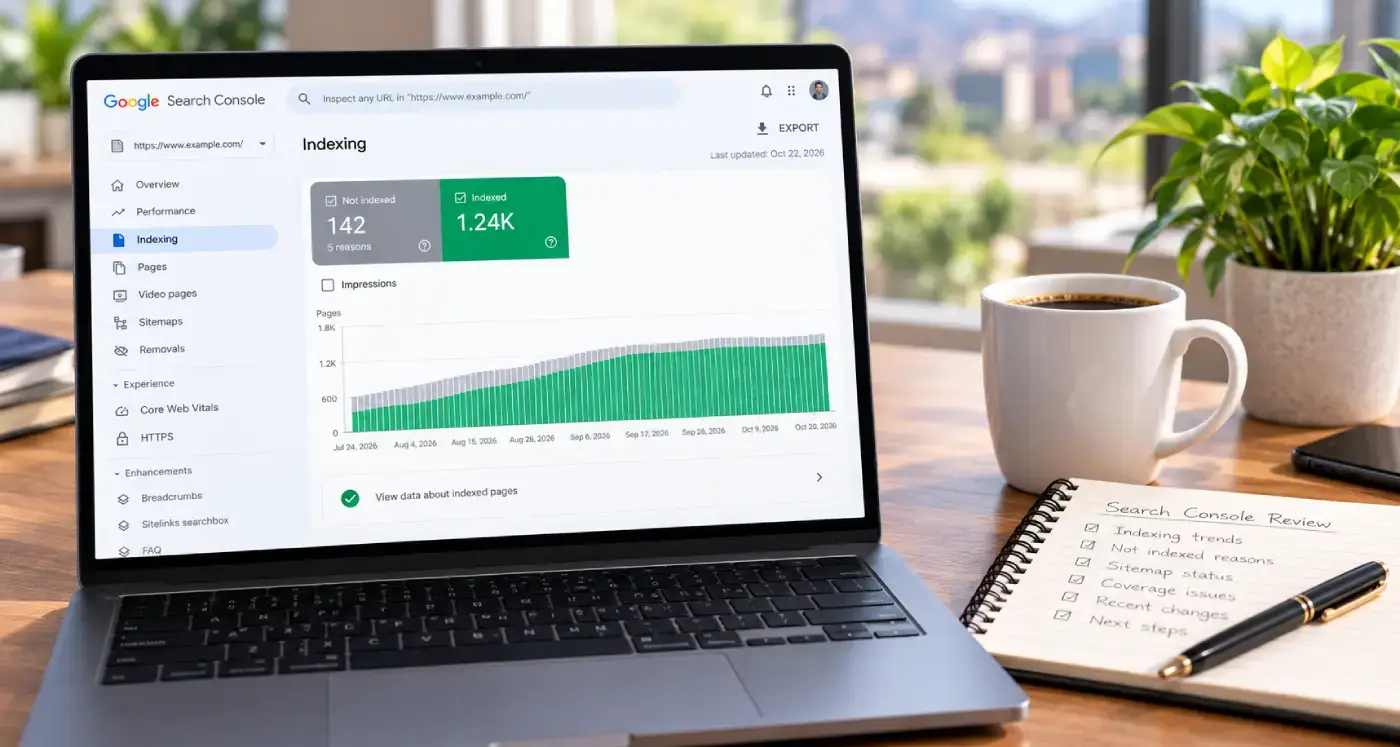
“Crawled, Currently Not Indexed” and the Rest of the Page Indexing Report
Most of the gray in Search Console’s Page indexing report is supposed to be there.
Two Schema Blocks Saying Two Different Things
When the theme, the SEO plugin and an old snippet each describe your business, they rarely agree.
Your Site Changed, but Google Still Sees the Old Page
If Google keeps showing the old version of a page you updated, a cache is often still serving it.
Technical SEO services
What I check and fix on client sites: crawling, indexing, speed, schema and the plumbing underneath.
SEO Tucson, David Cragg
Tucson, Arizona. Serving Tucson, Oro Valley, Marana, Catalina Foothills, Sahuarita, Green Valley, Vail and the rest of Southern Arizona.
Written by David Cragg. Published October 23, 2026. Last reviewed October 23, 2026. Drafted with AI assistance, then edited, fact-checked and approved by David before publication. How I use AI, and what it is never allowed to do.