How Do You Redesign a Website Without Losing Your Google Rankings?
Rankings rarely drop because the new design is worse. They drop because URLs changed, redirects leaked or a staging setting went live. This is the order I run a redesign in so none of that happens.
I've rebuilt plenty of small business websites, and I've cleaned up after even more redesigns that somebody else ran. The cleanups follow a pattern. The new site looks better, the owner is proud of it, and three weeks later the phone is quieter. Nobody connects the two until Search Console shows a cliff on launch day.
Google is direct about the risk. Its documentation says that when you combine a move with a redesign of the content and URL structure, you'll probably see some traffic loss while Google relearns the pages. The goal isn't zero change. It's keeping the relearning short and making sure nothing that earned a ranking gets thrown away.
This article is about protecting what you already rank for, which is what website redesign SEO really comes down to. Choosing a platform and what a build includes are on the website design page. Moving to a new business name or a new state is a different problem, covered in what happens to your Google reviews after a rebrand or move.
The short version
- Inventory first. List every URL that earns clicks, links or calls before anyone opens a design file.
- Keep URLs where you can. The safest redirect is the one you never needed.
- Redirect one to one. Each old page goes to its closest equivalent, never everything to the homepage.
- Launch day costs more rankings than design does. A noindex or a robots.txt block carried over from staging can hide the whole site.
- Keep redirects at least a year, and check Search Console daily for the first two weeks.
Why Do Rankings Drop After a Redesign?
In the cleanups I've done, the cause is almost never the look of the site. It's one of these.
- URLs changed with no redirect. Every outside link and bookmark now hits a 404, and Google treats the new address as a new page with no history.
- Content that ranked was cut. A designer shortens a page to fit the layout, and the paragraphs that answered the searches go with it.
- Staging settings went live. The WordPress setting that discourages search engines, a robots.txt block or a noindex tag that protected the test site now hides the real one.
- Titles, headings and schema got lost. The new theme writes its own, and the ones that matched your searches are gone.
- Internal links still point at old addresses. Every click passes through a redirect, and some pass through two or three.
- The new templates are slower. A heavier theme, larger images and a hero image that loads late push Core Web Vitals into the red.
What Should You Inventory Before Anyone Touches the Design?
Everything the current site earns. I build this list before design work starts, and it becomes the test the new site has to pass before it goes live.
- Pages that get clicks. Export twelve months of the Performance report in Search Console, by page. Anything with clicks keeps its content and, ideally, its URL.
- Pages other sites link to. The Links report in Search Console shows them. Those URLs need a redirect even if they get no clicks from search.
- Every URL that exists. The XML sitemap plus a crawl of the live site, so old pages missing from the sitemap don't get forgotten.
- What each important page tells Google. Save the title, meta description, H1, headings and structured data of the top pages, taken from the live source rather than the editor.
- A baseline. Queries, clicks and positions for the last 28 days, plus calls and form fills. Without it you can't tell what the redesign cost.
How Do You Build a Redirect Map That Doesn't Leak?
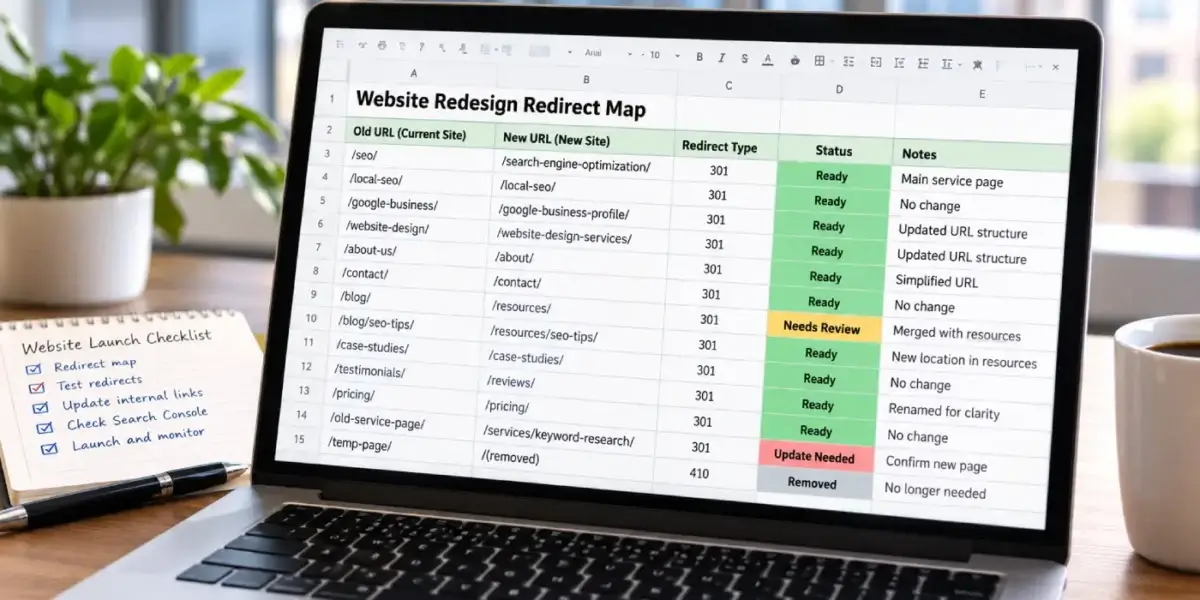
A redirect map is a spreadsheet with every old URL in one column and its new home in the next. It's dull work, and it decides more of the outcome than anything else in the project.
| Old page | What I do with it | Why |
|---|---|---|
| Same page, same URL | Keep the address | No redirect needed and no history lost |
| Same page, new URL | 301 to the new address | Passes the old page's signals to its new home |
| Two pages merged into one | 301 both to the merged page | One page now answers the search the two used to compete for |
| Removed, close match exists | 301 to the closest match | The visitor still lands on something useful |
| Removed, no equivalent | Let it return 404 or 410 | Sending it to the homepage tends to be treated as a soft 404 |
| Thin tag and archive pages | Noindex, or remove and 301 | They compete with real pages and rarely earn anything |
Three rules keep the map from leaking. Point each redirect at the final URL, because chains slow crawling and Google stops following after a handful of hops. Cover both the slash and no-slash version of each old address, since links out in the wild use both. And update the site's own links to the new URLs, so neither visitors nor crawlers ever pass through a redirect from inside the site.
Google's site move guidance says to keep redirects for as long as possible, generally at least a year. On client sites I keep them indefinitely. A redirect costs one line in a plugin, and removing it saves nothing.
Which Launch-Day Mistakes Cause the Biggest Drops?
These are what I check in the first hour after a site goes live, in this order, because each one can erase rankings on its own.
- The search engine visibility setting. WordPress has a checkbox that asks search engines not to index the site. It's meant for staging, and it gets carried into production all the time.
- robots.txt. A Disallow line copied from the test server can block the entire site.
- Noindex tags. Check the live source of the homepage and the top service pages, not the SEO plugin's settings screen.
- Canonical tags. They should point at the live domain. A canonical aimed at the staging address tells Google the real page is somewhere it can't reach.
- The XML sitemap. Live URLs only, with no staging addresses and no redirected pages.
- Structured data. New themes often add their own business markup on top of yours, and the two rarely agree. I wrote up how to find duplicate schema blocks after it happened on my own site.
- The hero image. A lazy-loaded hero is the most common reason a new design fails Largest Contentful Paint.
- Analytics and Search Console. Confirm both are still recording. A verification tag lost in the template change leaves you blind exactly when you need data.
Most of that list is the same work I do every month under technical SEO. A launch just concentrates it into one afternoon.
What Should You Watch in Search Console for the First Two Weeks?
I check daily for two weeks after launch, then weekly for two months.
- Submit the new sitemap on launch day, then use URL Inspection to request indexing for the ten or twenty pages that earn the most.
- Watch the Page indexing report for a jump in Not found (404) and Page with redirect. A few are normal. A wave means the redirect map missed something. What each status means is in my article on crawled, currently not indexed.
- Compare the Performance report against the baseline, page by page, starting with the pages that mattered most. A drop of a few positions in the first weeks is common. A page that vanishes isn't.
- Make sure Google sees the new version. If URL Inspection keeps showing the old page, a cache may still be serving it. How I track that down is in why Google still sees the old page.
- Watch the phone. Rankings are a stand-in. Calls and form fills are the result.
When Should You Refresh the Design Instead of Rebuilding?
More often than designers suggest. If a site ranks well and the complaint is that it looks dated, new templates on the same URLs with the same content usually deliver the new look without the risk. Most sites I'm asked to rebuild don't need it. They need speed work, cleaner markup and better pages, which is why my answer to "Do you need a new website?" is usually no.
A full rebuild earns its risk when the site is too slow to fix in place, can't take new pages without turning into a maze, or sits on a platform that blocks basic search controls. When a rebuild is the right call, the inventory and redirect map come first, before any mockups. If you'd like a second opinion on that decision before you spend anything, an SEO audit covers it.
What Does a Redesign Mean for a Tucson Business With Town Pages?
Town pages are where Tucson redesigns lose the most. These are observations from sites I've worked on here and in Southern California, not published research.
Every town page holds its own ranking. A business that built pages for Oro Valley, Marana, Sahuarita and Vail one at a time has four separate positions to protect. The Platinum Air case study is a record of that kind of build, town by town over about three years. If a new design folds those pages into one "areas we serve" list, every town loses the page that ranked there.
The profile's website link has to move with you. If your Google Business Profile links to a page whose address changed, update the link on launch day instead of letting it ride a redirect. Do the same for Bing Places, Apple Business Connect, Yelp and your chamber listing.
Summer is a bad time to relaunch some trades. An AC company that launches in June asks Google to relearn its pages during the busiest weeks of the year. For seasonal businesses I schedule launches in the slow months, so any wobble lands when the phone is quiet anyway.
What's on My Redesign Checklist?
What happens before the build?
- Twelve months of clicks exported by page
- Linked-to pages listed from Search Console
- Full URL list from sitemap and crawl
- Titles, headings and schema saved from live source
- 28-day baseline, calls included
- Redirect map signed off before design starts
What happens on launch day?
- Search engine visibility setting off
- robots.txt and noindex checked in live source
- Canonicals pointing at the live domain
- Redirects tested, slash and no-slash
- Internal links updated to final URLs
- New sitemap submitted, top pages inspected
What happens in the two weeks after?
- Page indexing report checked daily
- Top pages compared against the baseline
- Profile and directory links updated
- Core Web Vitals checked on key templates
- Calls and forms compared week over week
- Caches purged if Google sees old pages
Should Someone Check Your Old Site Before the Redesign Starts?
Before anyone deletes anything, I'll go through your current site and tell you which pages carry your rankings and what the redirect map has to protect. It's free, and it's worth doing even if someone else builds the new site.
Or call (520) 207-6000.
What Do Clients Say About Working With David?
Four of the ten reviews on my Google profiles, quoted in full. Most were left on the Temecula SEO profile during the Southern California years, before the practice moved to Tucson in 2022. The one labeled SEO Tucson names the new business in the review itself.
David has been a huge help to my business. He's knowledgeable, responsive, and consistently delivers great work. Since working with him, we've seen strong improvements and he continues to go above and beyond to help our business grow. Highly recommend David and SEO Tucson to anyone looking for someone who truly cares about getting results.
Weston Molitor Wild West Junk Removal · SEO Tucson
We have worked with David for over a year now and he is great to work with. David has built us a great new website that we love and our Google ranking has improved significantly. David is a great guy and works day and night to help you. I highly recommend Temecula seo. Thank you David for your hard work.
Jason Moat Moat Termite Control · Temecula SEO
Dave does much more than "just" SEO, or at least he does everything even tangentially related to SEO. Not just finding keywords and maximizing them, but rather looking at things at their foundation so we get the best possible results. Dave is very hands-on and blazingly fast with execution. I'm sure I've tried his patience as I know just enough to be annoying and not near enough to do a good job of this myself. He manages to explain what I need explained in a "for dummies" level but without making me feel like an idiot.
With a lot of people our company works with, we are ready for their services/delivery/etc. before they are. This is especially true of some of our previous marketing efforts. We try not to get too impatient. With Dave on the other hand, we can't keep up. And our results have improved dramatically very quickly!
Marc Rowen Temecula SEO
Called to inquire about services. Dave was extremely helpful in providing knowledge and guidance for a small business getting started.
Lou Ramirez Temecula SEO
What Do People Ask About Redesigning Without Losing Rankings?
Will a website redesign hurt my Google rankings?
It can, but it doesn't have to. Google's documentation says that combining a move with a redesign of the content and URL structure will probably cause some traffic loss while it relearns the pages. The serious drops come from avoidable mistakes: URLs changed without redirects, content that ranked cut from the new pages, or a staging noindex left on at launch. Keep the URLs that earn traffic, redirect the rest one to one, and check the live site the day it launches.
How long does it take Google to settle after a redesign?
For a small business site, most pages are usually recrawled within a few weeks, and positions often wobble during that time. Google processes changes one URL at a time, so pages it visits less often take longer. If rankings are still well down six to eight weeks after launch, something is usually wrong rather than slow, such as a missed redirect, content that was cut or a page that isn't being indexed.
Should I keep the same URLs when I redesign my website?
Yes, wherever you can. A page that keeps its address keeps its history, its outside links and its place in the index, and it needs no redirect at all. Change a URL only for a real reason, such as merging two pages that compete for the same search or fixing an address that misdescribes the page. When you do change one, redirect the old address straight to the new one and update every internal link to match.
Do I need to redirect every old page?
Every old page that has an equivalent on the new site, yes, and especially any page that gets clicks or has links from other websites. A page with no equivalent can return a 404 or 410, which is accurate and carries no penalty. What you shouldn't do is send every removed page to the homepage. Google tends to treat that as a soft 404, and visitors land somewhere that doesn't answer what they clicked on.
How long should I keep 301 redirects after a redesign?
Google's site move guidance says to keep redirects for as long as possible, generally at least one year, so it sees each one often enough to move the old page's signals. Links on other websites and saved bookmarks keep using old addresses for years, so I keep redirects indefinitely on client sites. A redirect costs one line in a plugin or server file, and removing it saves nothing.
What is the most common launch-day mistake in a redesign?
Carrying a staging setting onto the live site. WordPress has a checkbox that asks search engines not to index the site, and test servers often add a robots.txt block or noindex tags as well. All of those are correct on staging and harmful in production. Check the live homepage source and robots.txt within the first hour of launch, rather than the settings screen, because the settings screen doesn't show what themes and plugins add.
Can I change my WordPress theme without losing rankings?
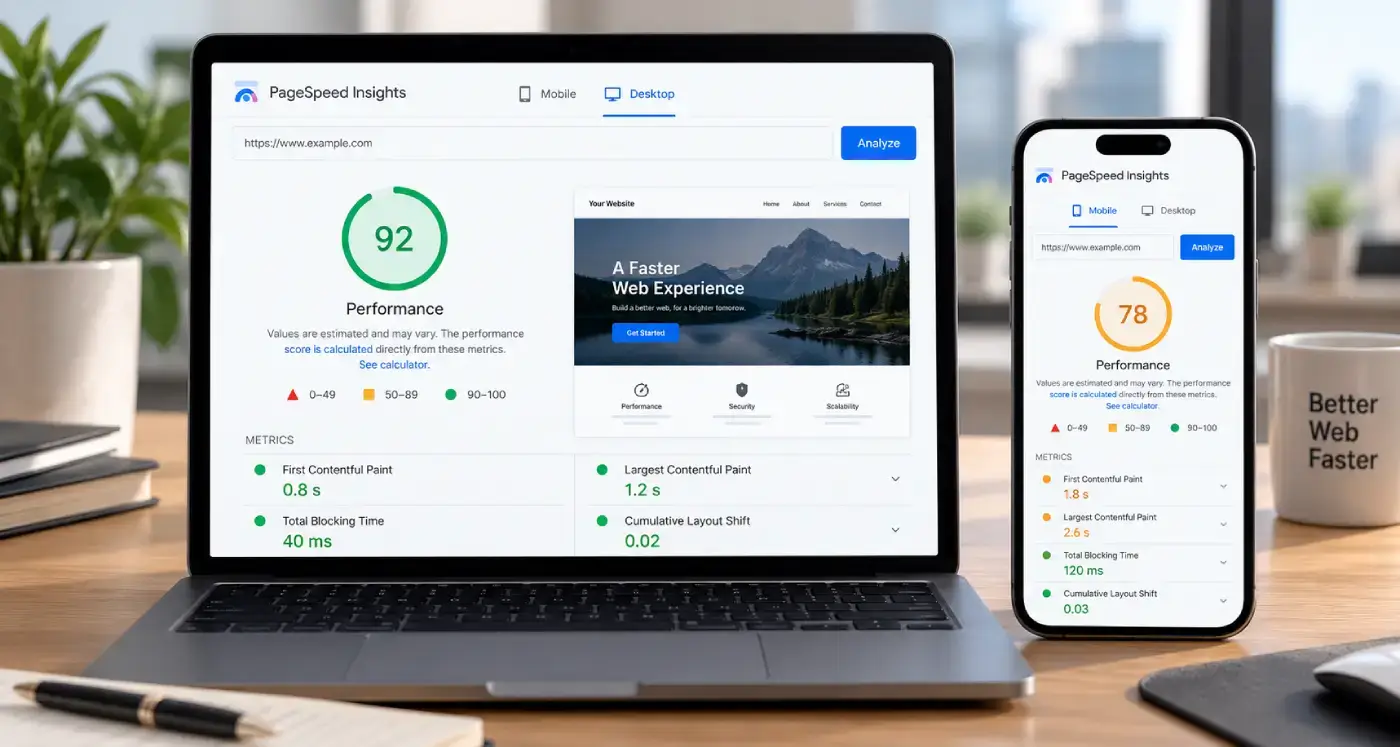
Usually yes, if the URLs and the content stay the same. The risks are what the new theme adds or drops: its own title tags and structured data, a different heading structure, heavier scripts that slow the page, and a hero image that loads late. Compare the live source of your top pages before and after the switch, and run the key templates through PageSpeed Insights so a slower theme doesn't quietly cost you.
Should I submit a new sitemap after a redesign?
Yes, on launch day. The sitemap should list only live URLs that return a 200 status, with no redirected addresses and nothing from staging. Submit it in Search Console, then use URL Inspection to request indexing for the pages that earn the most. A sitemap doesn't force Google to recrawl anything, but it shows what the new site contains and helps Google find pages whose addresses changed.
Where Does the Information on This Page Come From?
The redirect, indexing and sitemap guidance comes from Google's own documentation. The order of work, the launch checks and the Tucson observations come from my own projects and are labeled that way. Google revises these pages from time to time, so check them directly if anything here looks out of date.
- Google Search Central: Site moves with URL changes. URL mapping, redirects and keeping them for at least a year.
- Search Console Help: Change of Address tool. Why combining a move with a content and URL redesign usually costs some traffic.
- Google Search Central: Redirects and Google Search. Permanent and temporary redirects, and how Google treats each.
- Google Search Central: Block search indexing with noindex. The tag that hides a site when it survives launch.
- Google Search Central: Build and submit a sitemap. What belongs in the sitemap you submit on launch day.
- Search Console Help: Page indexing report. The statuses to watch in the first two weeks.
- web.dev: Core Web Vitals. The loading, interaction and stability thresholds a new template has to meet.
Would You Rather Have the Rebuild Done for You?
When a client's site does need rebuilding, I run it in the order above, and the build sits inside the same monthly fee as the rest of the work. Here's what website design covers, and everything the $1,000 a month includes.
Or call (520) 207-6000.
SEO Tucson, formerly Temecula SEO
Serving Tucson and Southern Arizona
Phone: (520) 207-6000
Consultant: David Cragg, in search since 1990
Written by David Cragg, Tucson SEO consultant, in search since 1990. I build and rebuild WordPress sites for clients as part of the monthly work, and I check every launch against the live page source.
On how this site is written: I use AI tools to draft and to check my own work. AI does not supply the facts about your business, it does not invent sources, and nothing goes up here that I have not read first. If you find a claim on this site you can't verify, call me and I'll fix it or pull it.
Page last reviewed October 27, 2026 by David Cragg.